

Question
How do I setup In-Sight EasyBuilder to use SFTP to save images?
Answer
First, please ensure you have a working SFTP server.
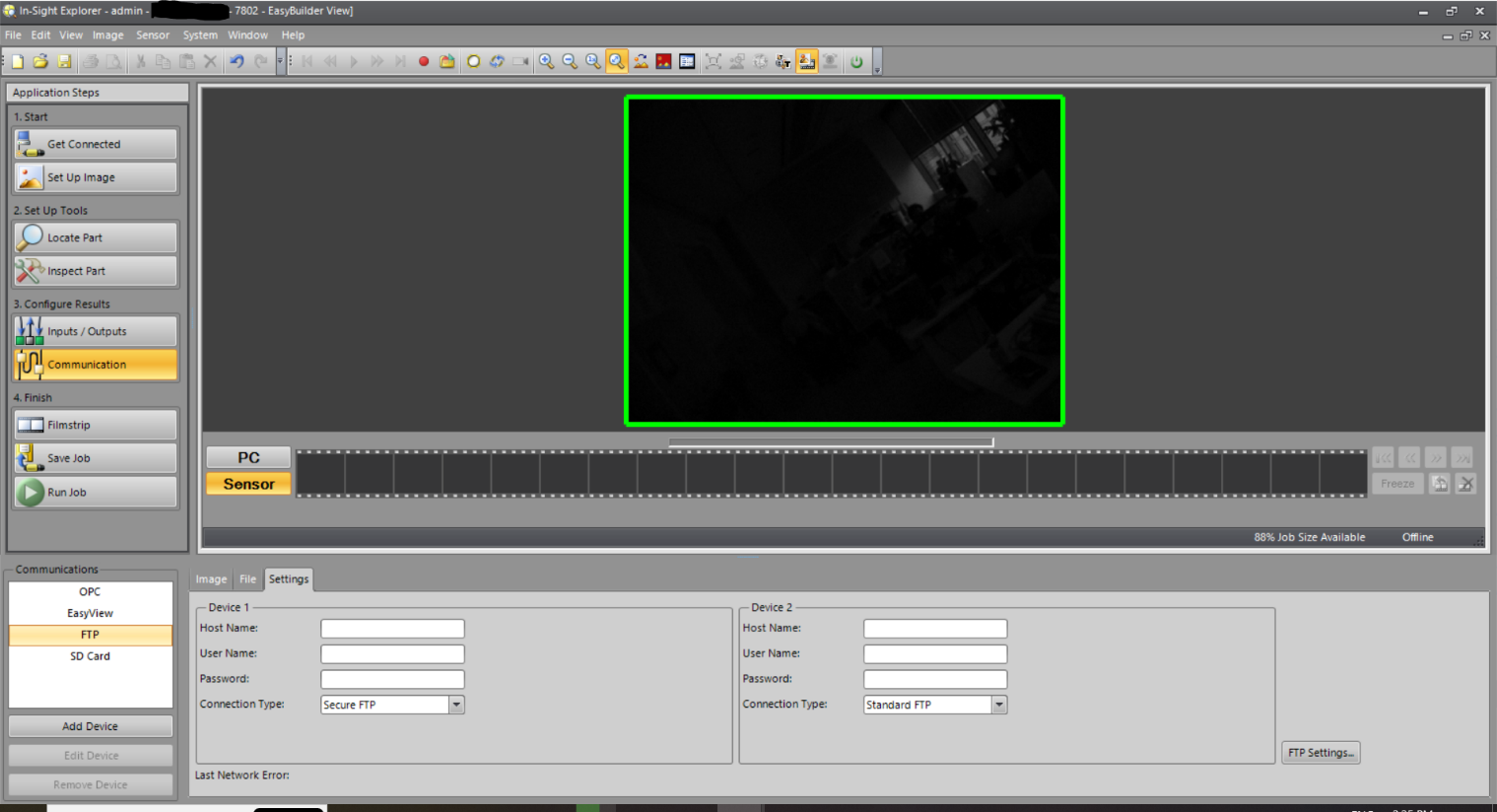
Once you have installed the SFTP server, you can target it in the Communication section of the EasyBuilder by selecting FTP, then clicking Settings.
Be careful to select in the Connection Type Secure FTP (that’s what SFTP stands for)
Then:
Host Name: Name or IP address of the PC where the SFTP server is running;
User Name: Name created in the SFTP server to log in;
Password: password (if any) created in the SFTP server to log in;
Then you have to fill or select all the other needed fields in the Image tab(File Name, Data Format and so on);
Once you select the OK button and the camera goes Online, SFTP communication should start.
