Question
How do I use OPC-UA with an In-Sight 2802 in Spreadsheet mode?
Answer
Make sure that:
- The latest In-Sight EasyBuilder Adapter is installed.
- Enable OPC-UA within the “Industrial Ethernet” settings Utility.
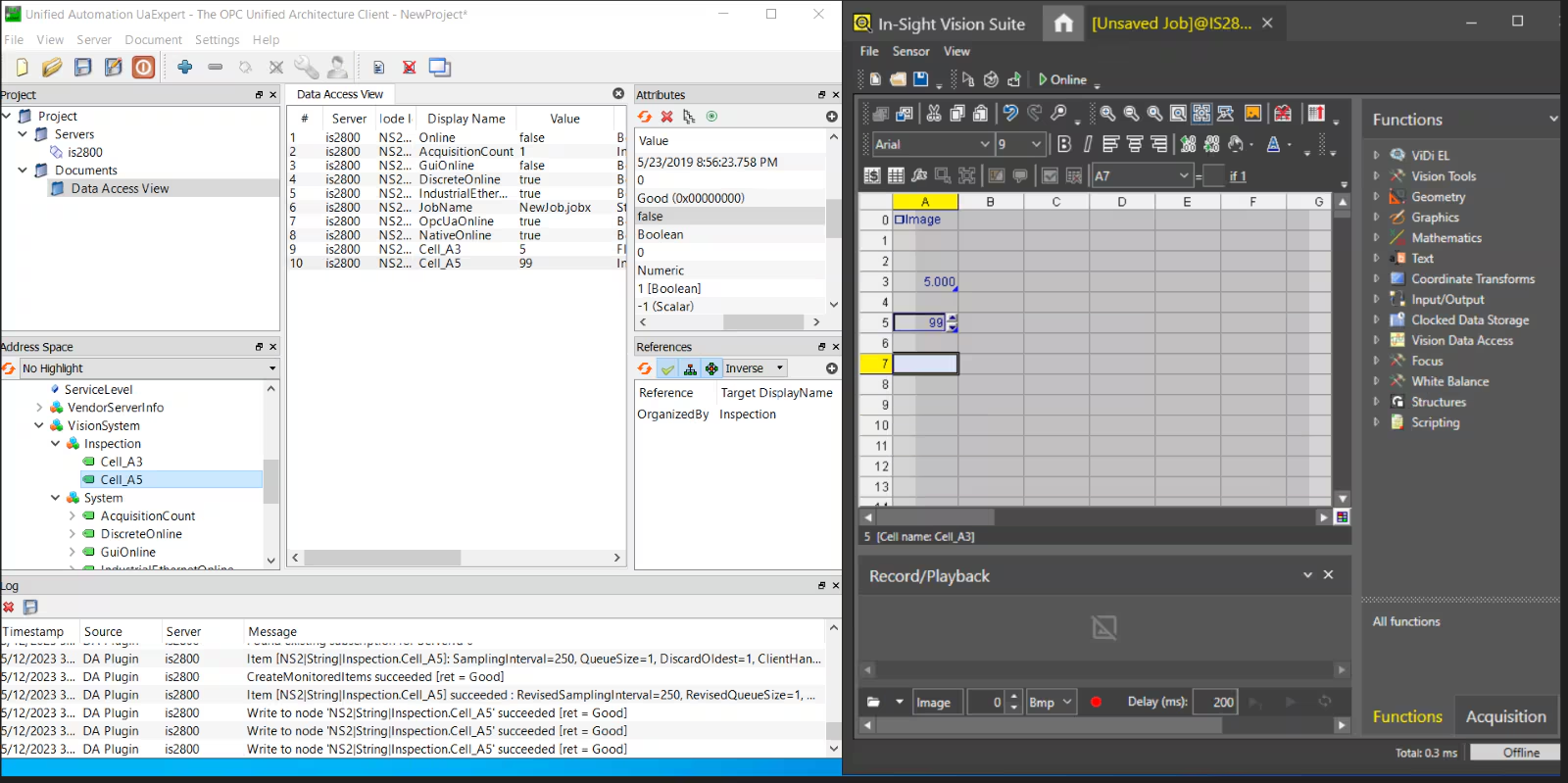
- Open OCP UA -> Add Server (In-Sight 2802 Device)
- The endpoint URL = opc.tcp://IP:4840 where IP is the IP address of the In-Sight 2802.
- Use symbolic tags to read/write cells.
- System tags are default.