Details
Question
How can I use my WiFi card on my laptop to establish an internet connection for Edge Intelligence to use?
Answer
To establish an Internet connection on an Edge Intelligence using a laptop's WiFi sharing, do the following:
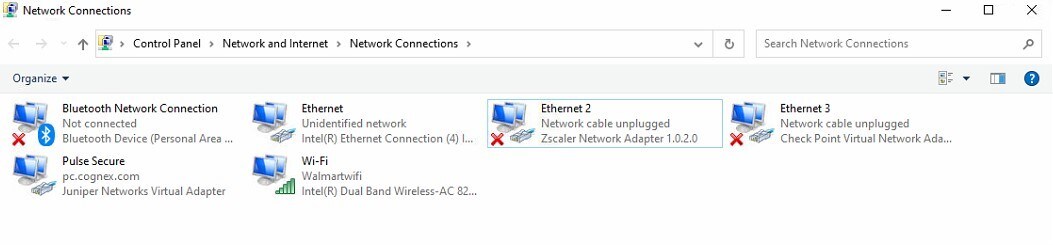
Connect to a wireless connection on your laptop. For example: Look at the Network Adapter – WiFi and ensure it is connected.
- Connect your Edge Intelligence box to this laptop.
- For your ease, connect the static port of Edge Intelligence to your laptop.
- Make sure both your laptop and Edge Intelligence are on the same subnet. eg: 192.168.3.x
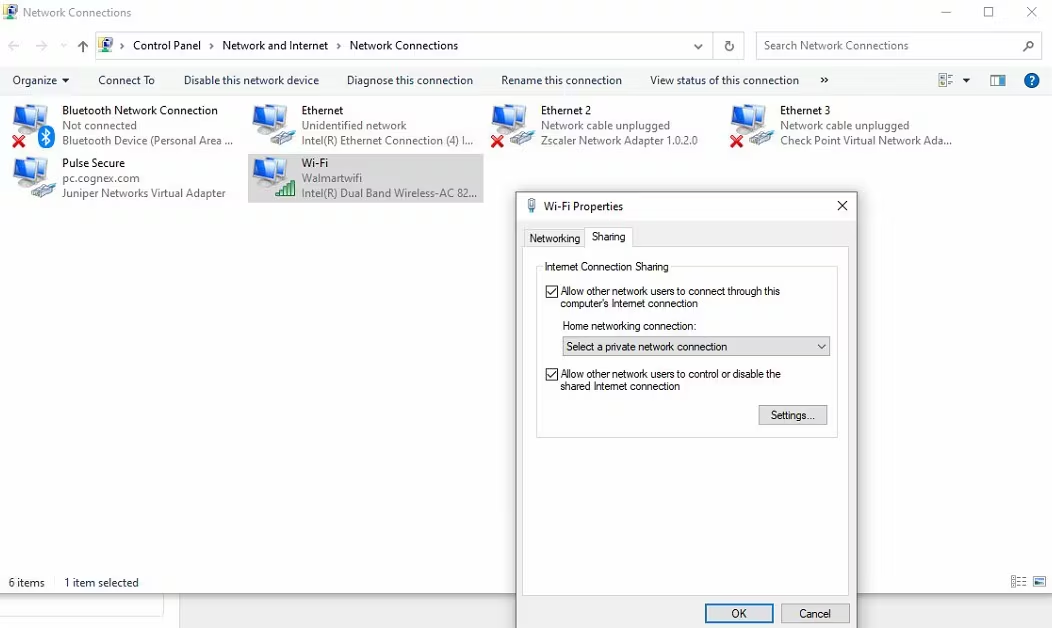
- Right click on WiFi adapter and turn on internet sharing. Select the check box, and then pick the drop-down item to match the adapter name where your Edge Intelligence is connected.
In this example, it gets connected to adapter name: "Ethernet".