

Question
My DataMan 280 is connected to my Rockwell PLC using Add-On Profile. I am programming on RXLogix 5000.
How can I disable electronic keying for my DataMan 280?
Answer
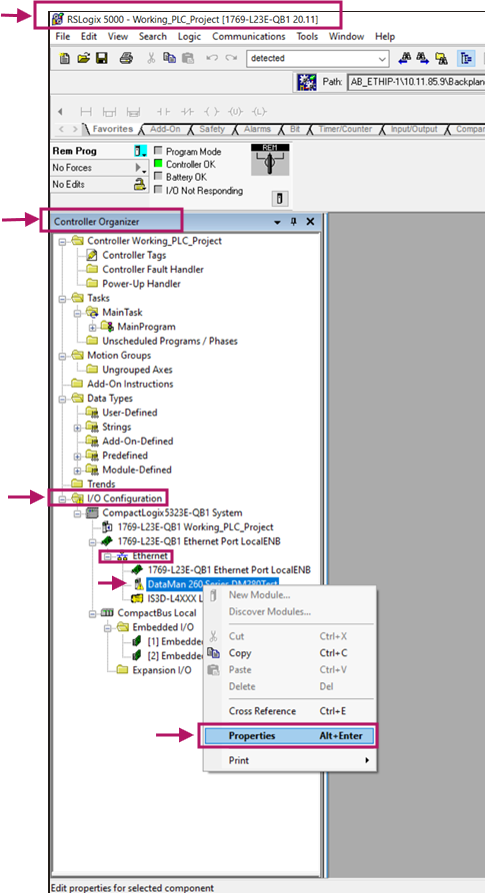
With RSLogix 5000 open, navigate to "Controller Organizer > I/O configuration > CompactLogix...System>Ethernet > DataMan...Series." Right-Click on the desired reader and select Properties.
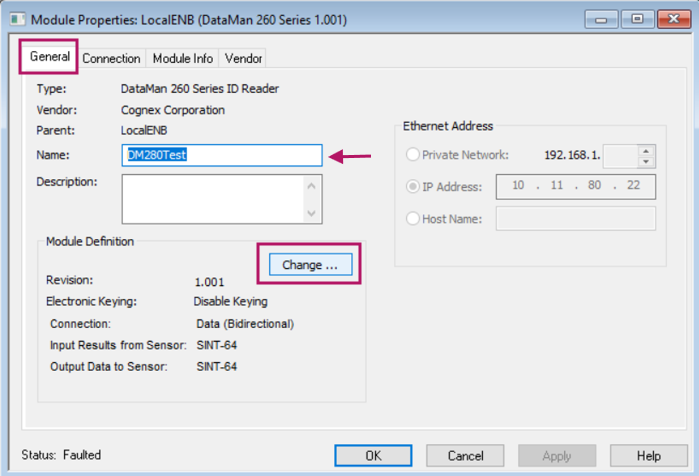
Navigate to the General tab of the module Properties and click Change.
Select Disable Keying from the Electronic Keying dropdown then click OK.
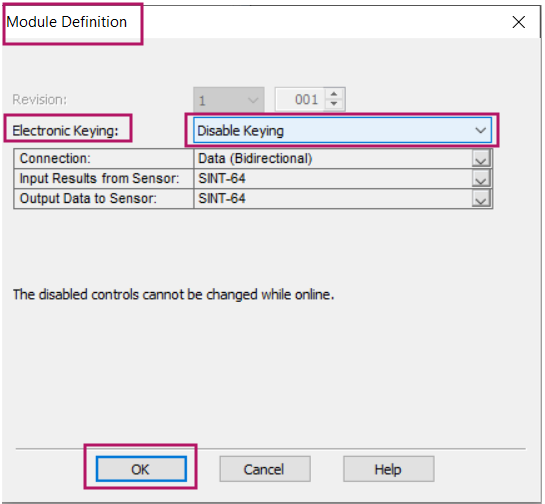
Electronic keying has now been disabled. Please note that the reader may have to be offline for disabled controls to be changed.
