Cognex Support Hub


How to Use Code Verification Feature(SBG) in DataMan 290 and DataMan 390
The DataMan 290 and DataMan 390 series can use SBG that conform to ISO standard.
05/06/2025
The DataMan 290 and DataMan 390 series can use SBG that conform to ISO standard.
DataManHow do I use the Code verification feature (SBG) on DataMan 290 (or DataMan 390)?
The DataMan 290 and DataMan 390 series can use SBG that conform to ISO standard.
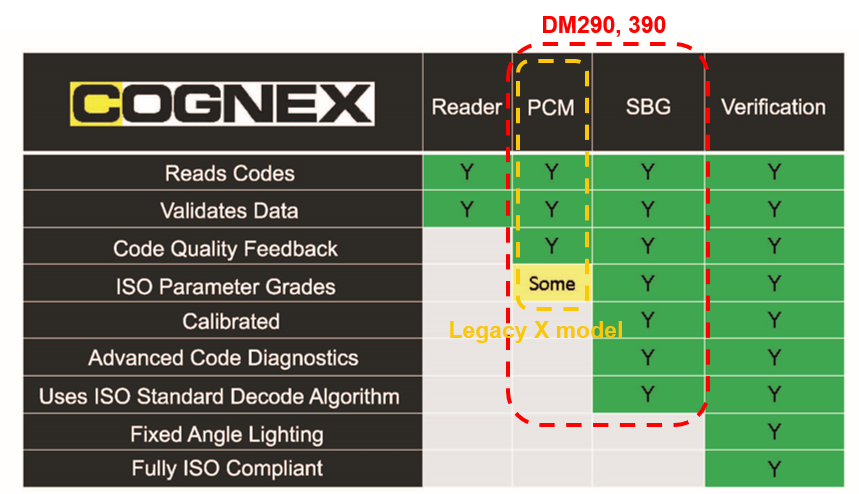
SBG is a different feature from PCM, which was previously applied to the X model of the DM series. It has higher code verification reliability than PCM.
The reason is,
ISO Standard Decode Algorithm: Validates the code using the decoding algorithm defined by the ISO standard.
** However, the SBG does not follow the lighting specifications recommended by the ISO standard because it uses DataMan 290 and DataMan 390 internal lights. This is the only difference from the Verifier products of Cognex.
SBG is available in the Dataman Setup Tool.
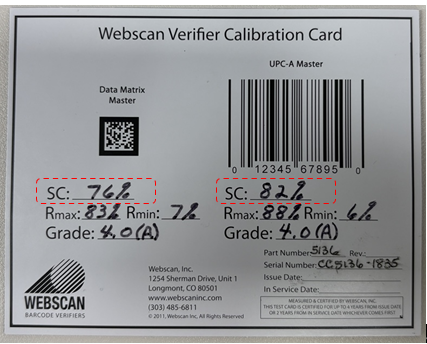
A calibration card is required to use SBG (sold separately).

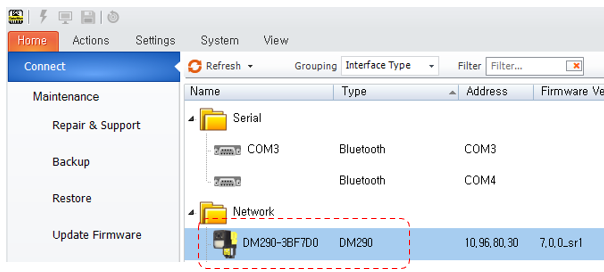
Dataman Setup Tool – Access my DataMan 290 (or DataMan 390)
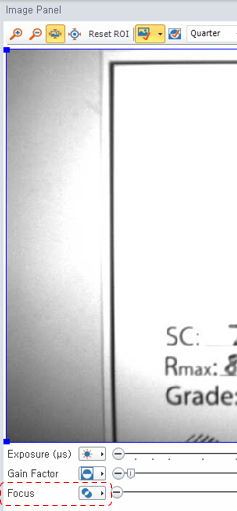
In the Dataman Setup Tool, adjust the focus of the DataMan 290 (or DataMan 390) (Image Panel)
Activate “Action” menu à “Verification” in the top right corner

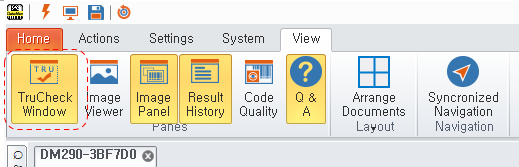
Activate the “View” menu à “TruCheck Window” in the upper right corner
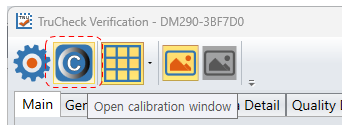
After confirming that the TruCheck Verification program is running, click on the “Open calibration window” icon in the upper right corner
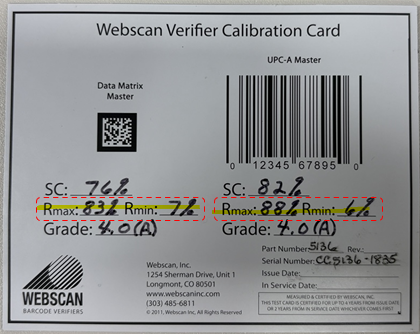
Check the Rmax and Rmin values on the calibration card and enter them in item #1 of TruCheck Calibration
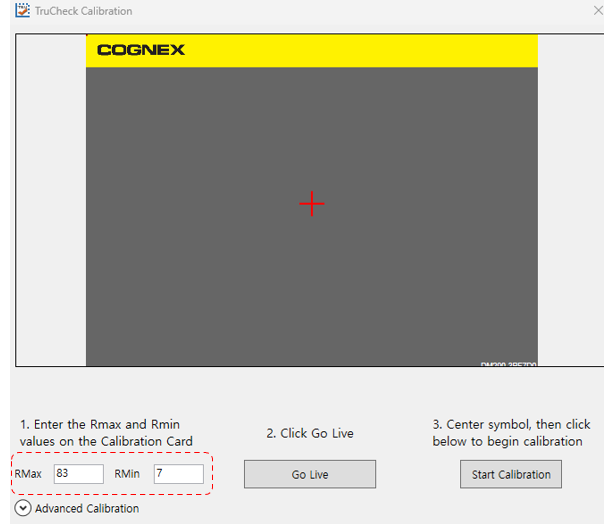
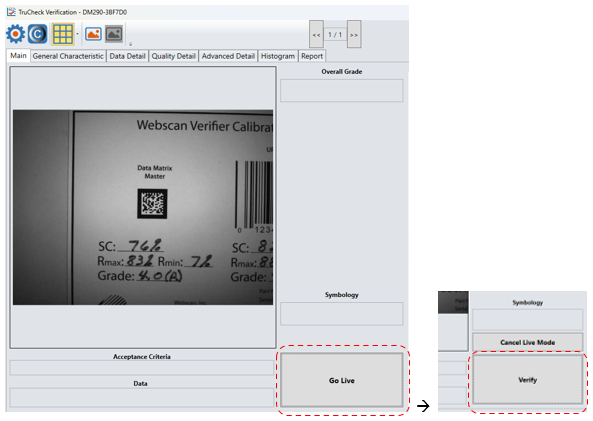
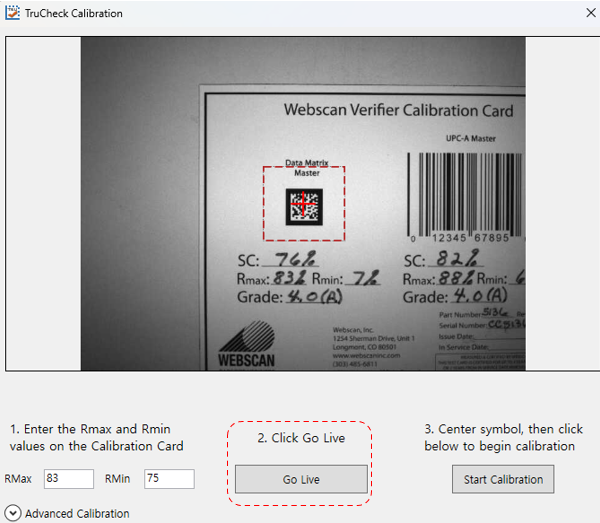
Click the “Go Live” button and move the code from the calibration card into the ROI area
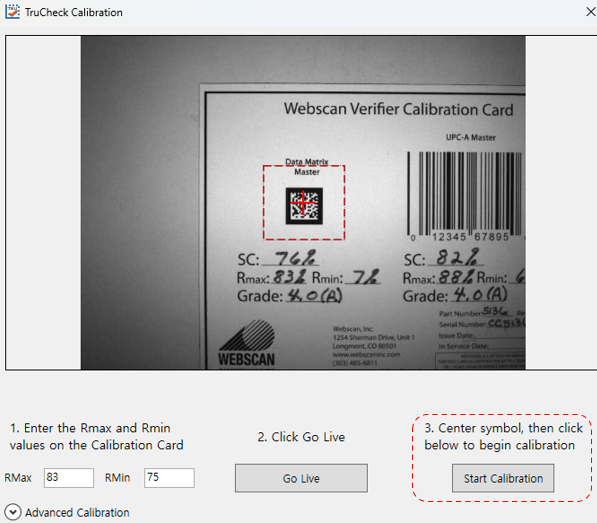
Click the “Start Calibration” button (to start the calibration work)
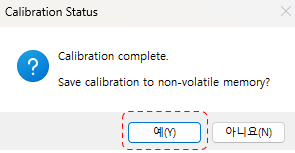
Check Calibration Status(Calibration complete) and click “Yes” button à Calibration complete
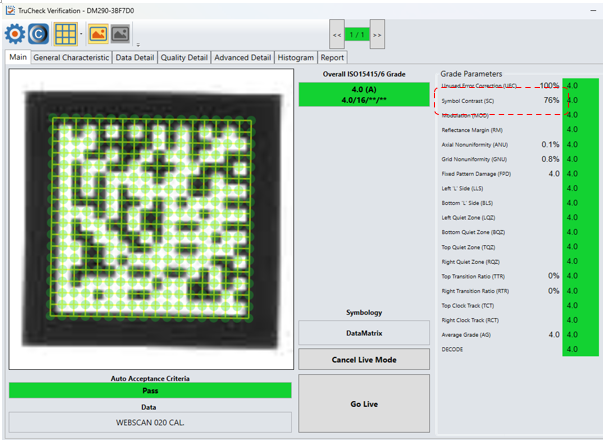
Click the “Live” button, then click the “Verify” button