Details
- Open Command Prompt
- Press Win + R, type cmd, and hit Enter to launch the command prompt.
- Alternatively, search for Command Prompt in the Start menu and open it.
- Execute the Command
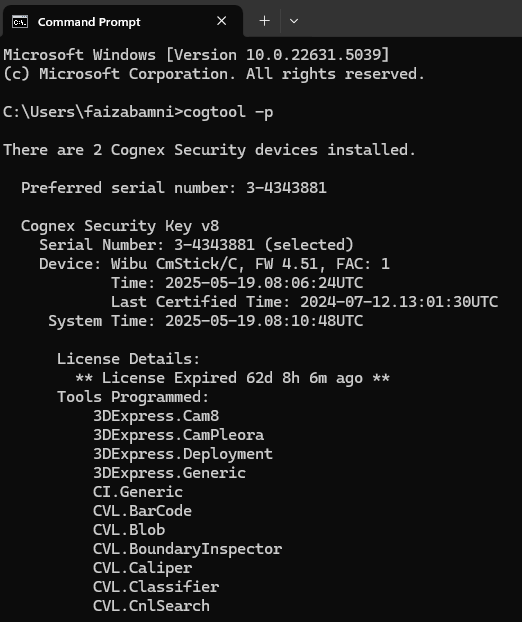
- Type the following command and press Enter : cogtool -p
Wait a few minutes: You will then see displayed a list of all the tools included on the plugged Wibu Devices.
- Export License Information (optional)
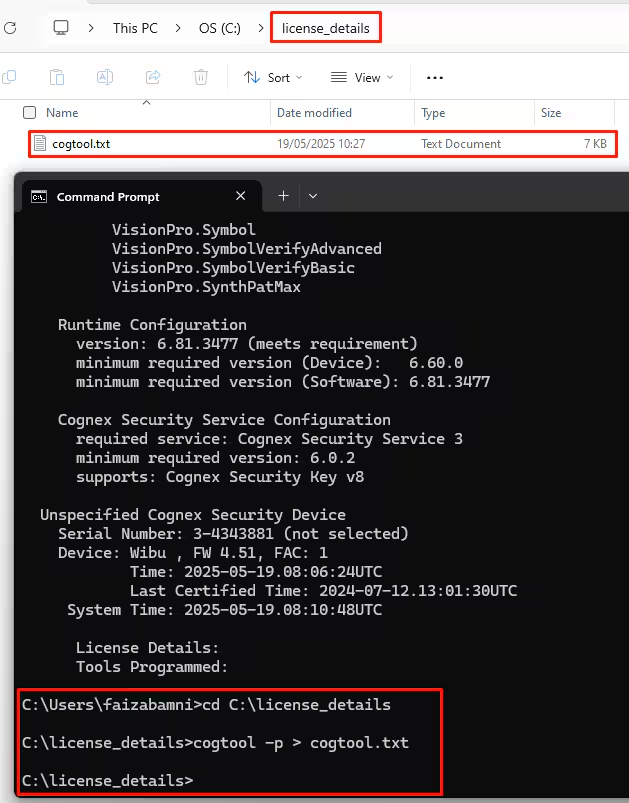
- To save the output for reference, use the following command : cogtool -p > cogtool.txt.
This will create a cogtool.txt file in the current directory containing the license details.