Details
Issue:
VisionPro Deep Learning startup Error: The ordinal 242 could not be located …
Causes:
The PATH variables are sorted differently.
Resolution:
Check if the file libiomp5md.dll is present in the C:\Windows\System32 directory and if so, delete/rename/move it.
If not in this directory, then also check all directories in the PATH that are before the VisionPro Deep Learning directory.
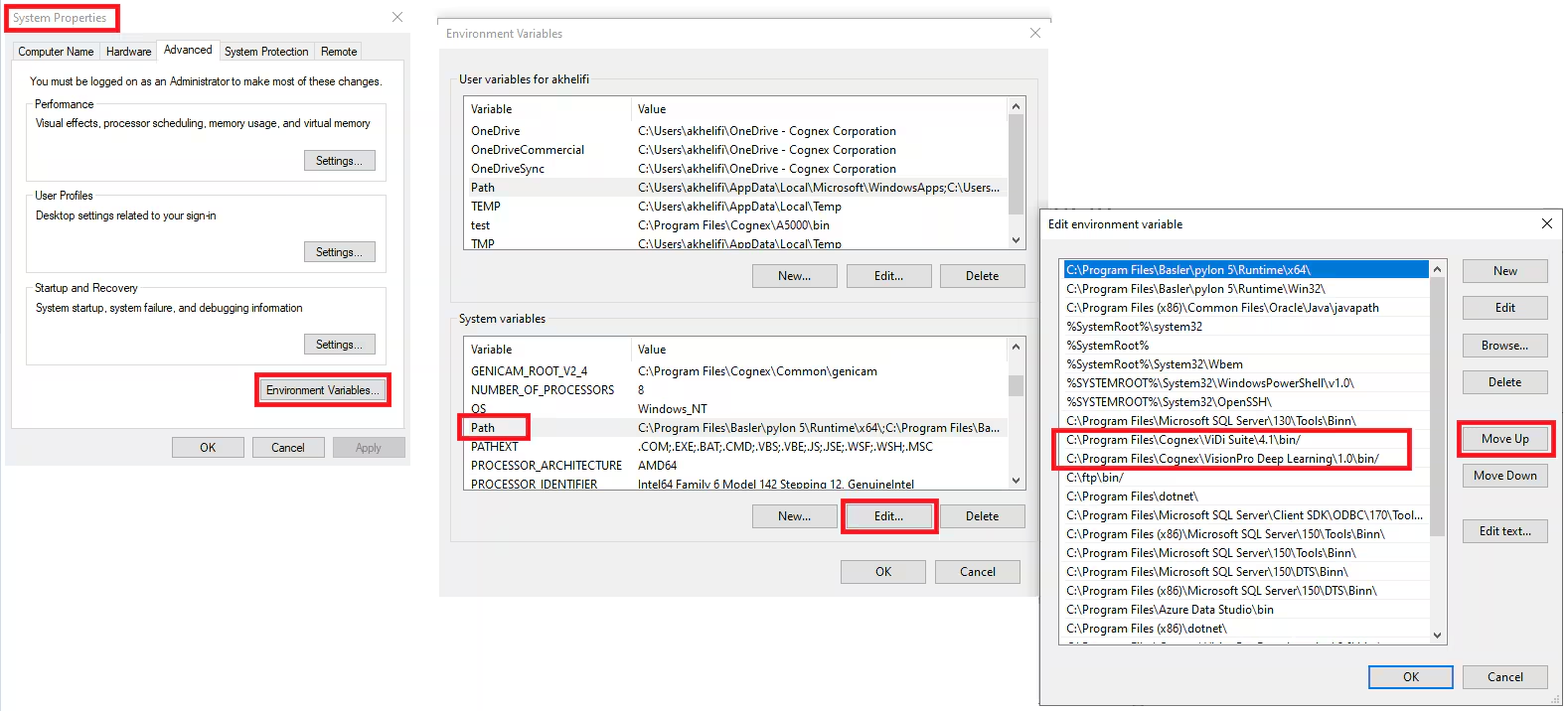
Reorder the path so that the ViDi directory sits pretty far in front. Before all other instances of this file.
Search for "environment variables", open the control for it (system properties), there at the bottom right "environment variables...", then select PATH, click on edit and select the ViDi or VisionPro Deep Learning directory and then move it to the top ("move up").