

Details
From the PLC side:
- write the new value to UserData
- set the SetUserData bit and keep it on TRUE until the camera responds with SetUsetDataAck
- clear the SetUserData bit
- set the ExternalEvent0 bit and keep it on TRUE until the camera responds with ExternalEventAck0
- clear the ExternalEvent0 bit
- when Trigger Ready bit is set by camera, set the Trigger bit and keep it on TRUE until the camera responds with Trigger Ack (Trigger Enable should be kept high continuously beforehand)
- clear the Trigger bit
From the camera Side, the Job should contain these 5 elements:
FormatInputBuffer which is a container for the value sent from the PLC.
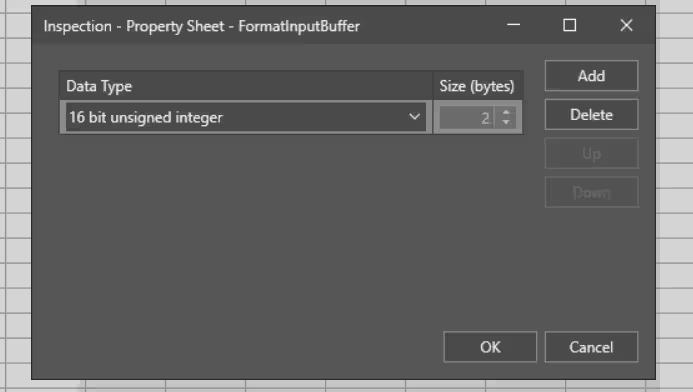
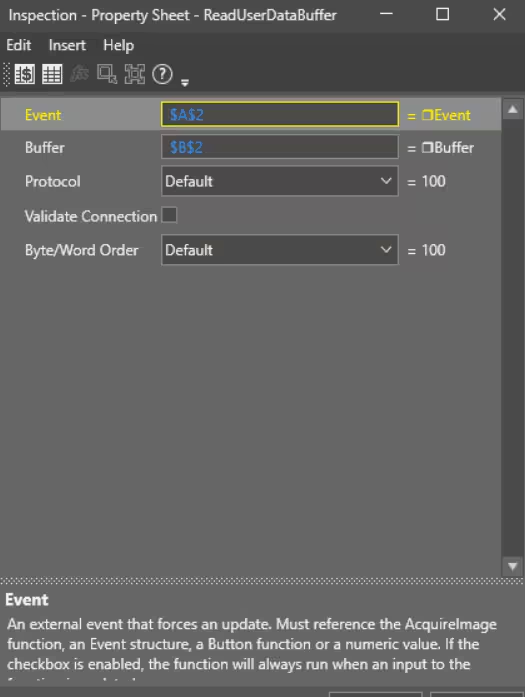
ReadUserDataBuffer referencing the FormatInputBuffer in the Buffer Property (cell B2). The Event property should reference the cell containing an External Event Structure (here cell A2).
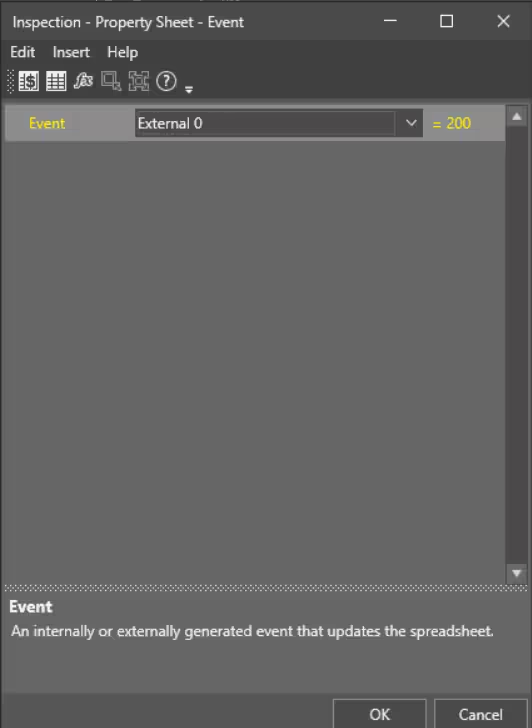
An Event (External 0), that you will add in the ReadUserDataBuffer Event property.
- GetBufferData function to extract the data received in the formatInputBuffer.
- ApplyAcquisitonSettings function. The Focus Distance parameter should reference the cell containing the GetBufferData function (here A6).
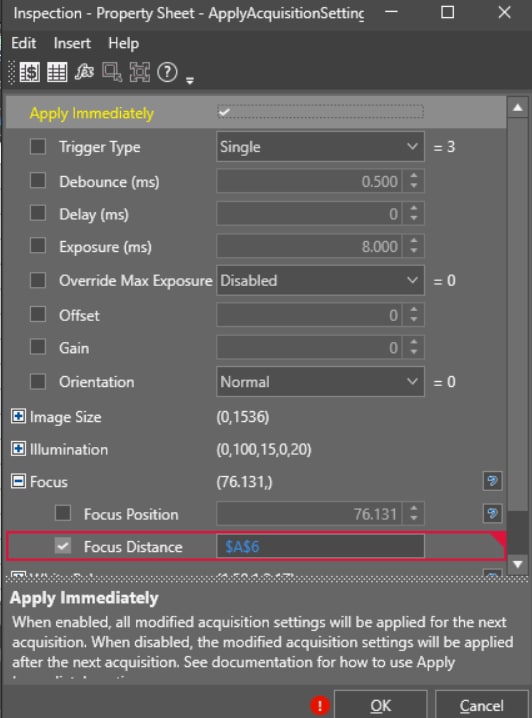
Important: Camera should be online and the option "Apply Immediately" has to be activated in the ApplyAcquisitionSettings.
The next trigger will take a photo with the updated focus parameter.
