

Details
Once the SFTP Server is installed, you can start the DataMan Setup Tool, connect to the Reader (that have an Ethernet connection). Once connected to the Reader, navigate to: Buffering and Transfer > Image FTP Transfer
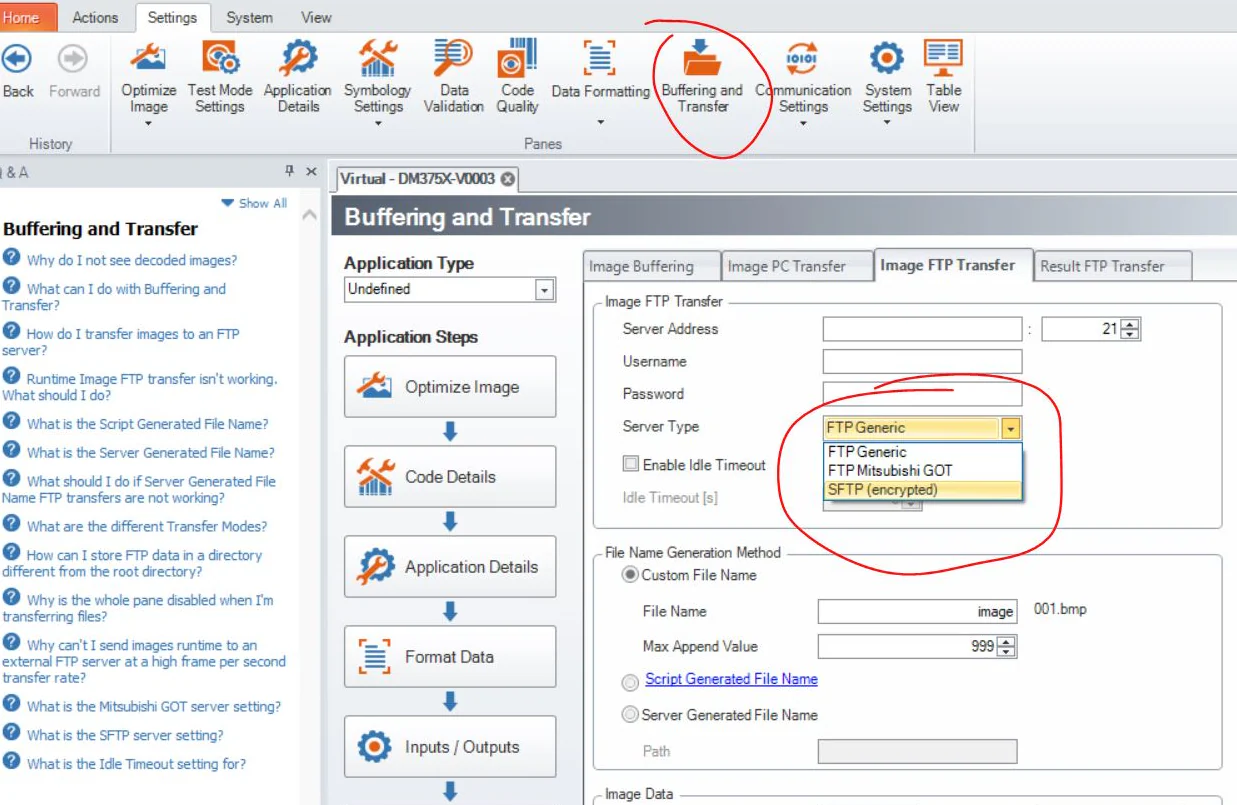
- Be careful to select the SFTP option in the Server Type field!
- Server Address: Name or IP Address of the PC where the SFTP Server is running;
- User Name: Name created in the SFTP Server to log in;
- Password: password (if any) created in the SFTP Server to log in;
- If you want to set this permanently, make sure to save the configuration into the Reader using the Save button.
