Details
QModMaster is an open-source Modbus master application that provides a graphical user interface (GUI) for testing and debugging Modbus communication. It supports both Modbus RTU (serial) and Modbus TCP (Ethernet) protocols, making it a versatile tool for working with Modbus-based devices. QModMaster is built on the Qt framework, ensuring cross-platform compatibility.
It is available for downloading at the below link:
https://sourceforge.net/projects/qmodmaster/
After downloading the ZIP package, no installation is needed, just unpack it and run the qModMaster.exe file.
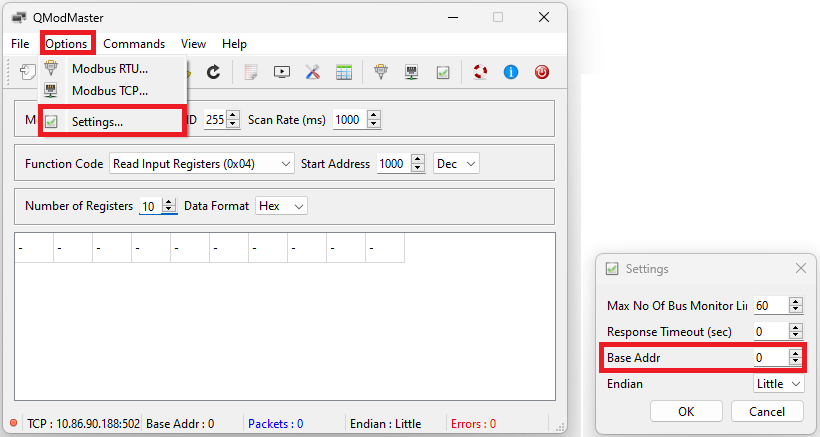
Cognex devices use zero-based offsets for addressing. Make sure that the Base Addr parameter is set to 0 in the Settings dialog:
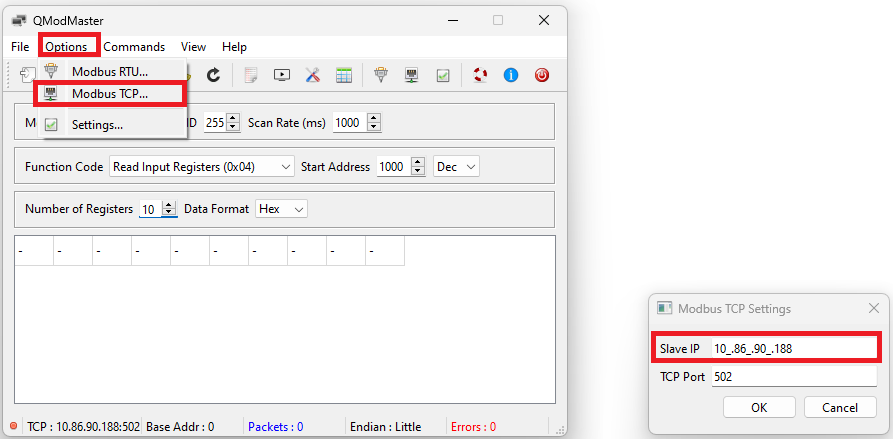
Set the IP address of the Modbus slave (server), use the default 502 port number:
Select TCP as the Modbus Mode, set the Scan Rate to the polling rate (1000ms should be fine in most cases), select the Function Code, enter the Start Address of the data, enter the number of registers, and select the Data Format.
Note: Character/String data type is not available.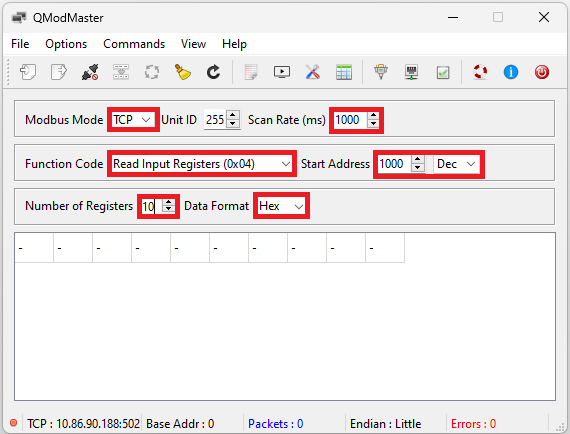
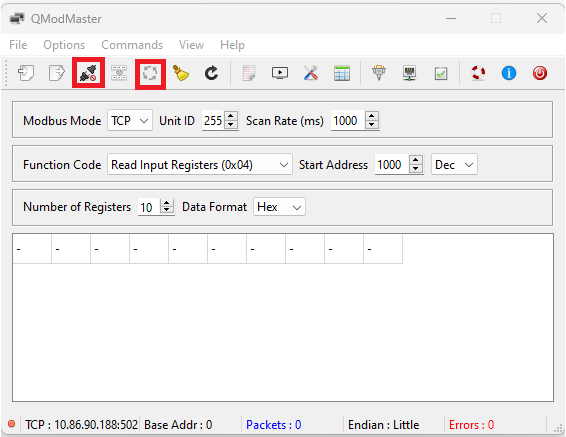
Click on the Connect icon then on Scan: