

Question
How can I send more result data than 250 bytes from the camera over Profinet IO cyclic communication?
Answer
The Profinet IO interface of In-Sight Explorer cameras allows to use a maximum size of 250 bytes Results module.
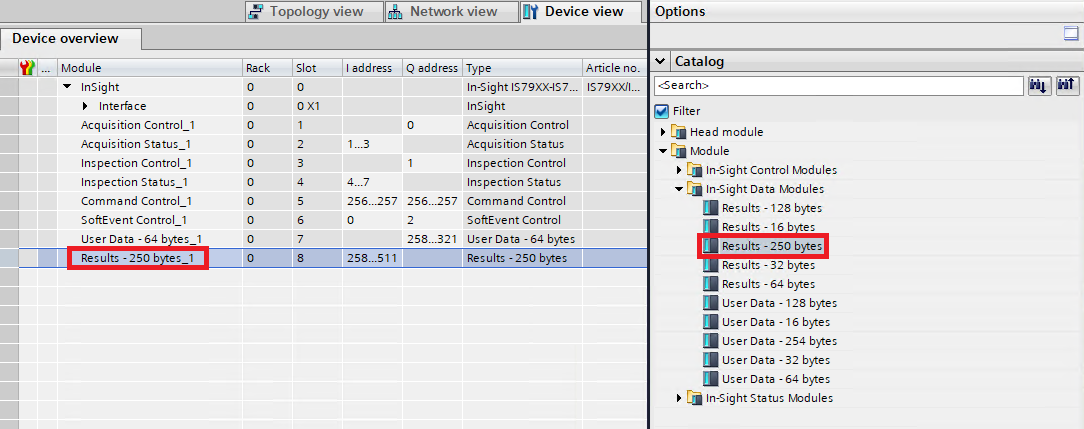
Following the below steps will make it possible to send more data on the same event from a Spreadsheet job.
- Split the results data into multiple pieces and use FormatOutputBuffer() function for each of them.
- Add separate WriteResultsBuffer() functions to refer to each buffer that was created previously.
- Set the Event property of each WriteResultsBuffer() function to the same, for example $A$0.
- Set the Result Code property of each WriteResultsBuffer() function to different values, this will identify each chunk of result data.
With the above solution, the split result messages will be sent in different Profinet packets on the same event, and the Result Code of each packet will identify each packet. Now, if Results Buffering is enabled from the PLC side, then the PLC can read each packet one by one and reassemble the original result data. The PLC sequence should follow the following steps:
- set Buffer Results Enable bit to TRUE
- wait for the Results Valid bit to become TRUE
- read the Inspection Results data and identify this chunk by reading the Inspection Result Code
- set the Inspection Results Ack bit to TRUE and wait until the Results Valid bit turns to FALSE
- clear the Inspection Results Ack bit
- repeat steps from 2 to 5 until all the chunks are read and the original message can be reassembled
