Centre d’assistance Cognex


How to – NTP Server and In-Sight 2800/In-Sight 3800/In-Sight D900 Cameras
Walkthrough guide for setting up NTP usage on the In-Sight 2800/In-Sight 3800/In-Sight D900 cameras
15/09/2024
Walkthrough guide for setting up NTP usage on the In-Sight 2800/In-Sight 3800/In-Sight D900 cameras
How do I set up In-Sight 28xx/In-Sight 38xx/In-Sight D90x cameras to use NTP servers to set their internal time?
First ask your local IT if they have an available NTP server and if they do, what is the NTP's IP address. If no NTP server is available, a PC can be configured as an NTP server on the network for the local network. Choose a PC that is never turned off or falls asleep (restarts due to updates are fine).
Open up regedit (search from start menu)
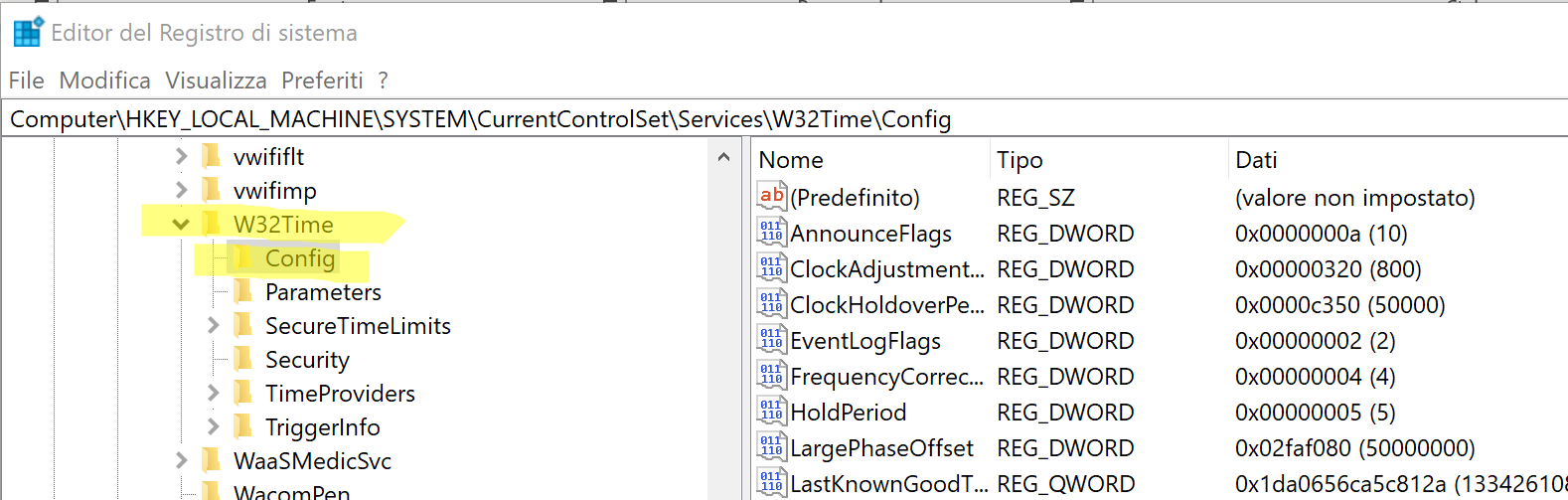
Navigate the tree to the following location:
HKEY_LOCAL_MACHINE\SYSTEM\CurrentControlSet\services\W32Time\Config
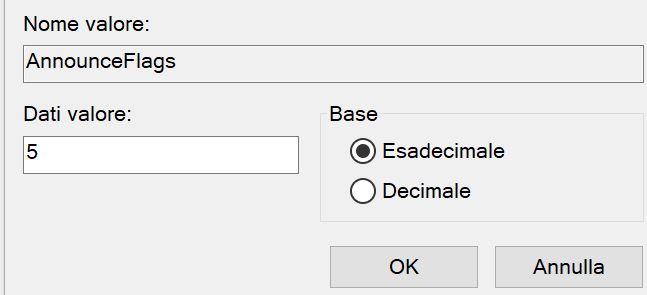
Enter the number 5 in the box, and click "OK". Decimal/hexademical doesn't matter for this.
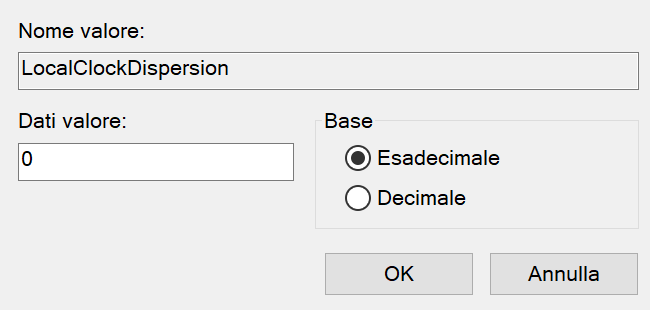
Right click on "LocalClockDispersion", and choose "Modify". Set it to 0.
Next, go to:
HKEY_LOCAL_MACHINE\SYSTEM\CurrentControlSet\services\W32Time\TimeProviders\NtpServer
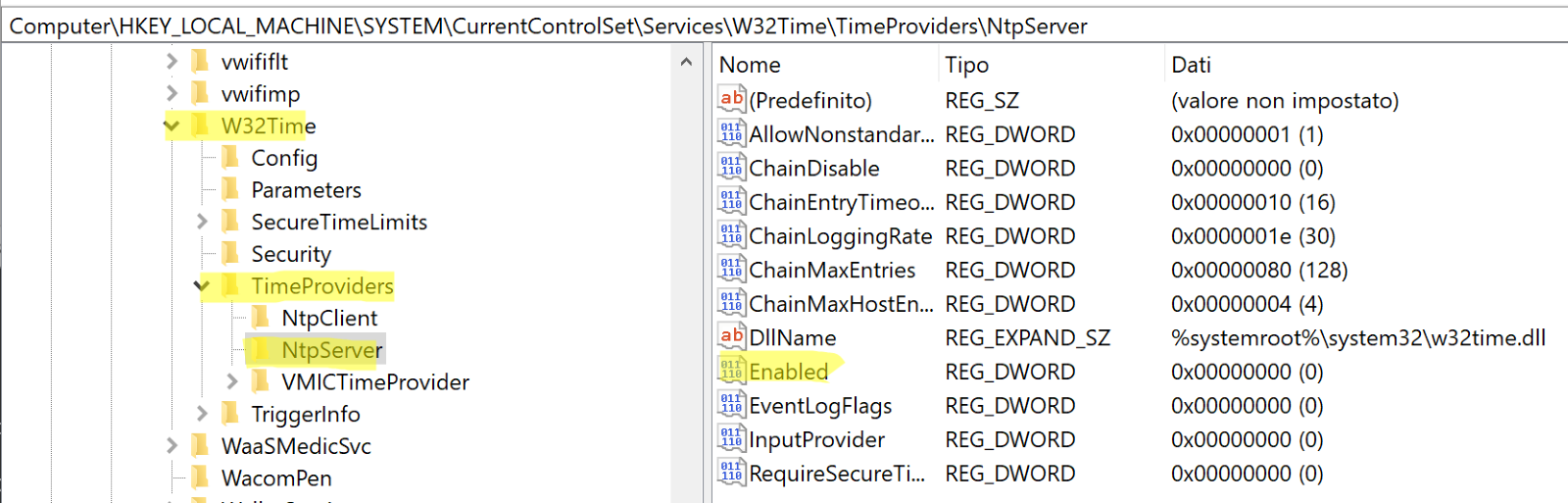
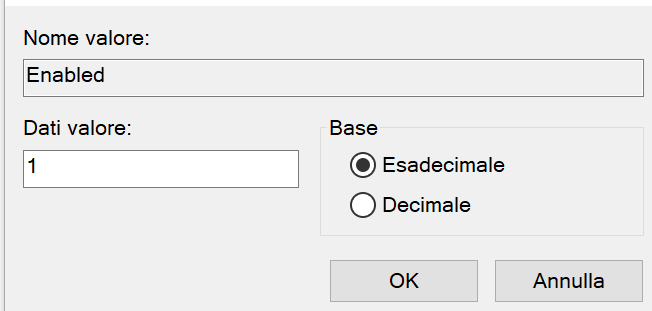
Right click on "Enabled", and again choose "Modify". Set it to 1, and again
decimal/hexadecimal doesn't matter here.
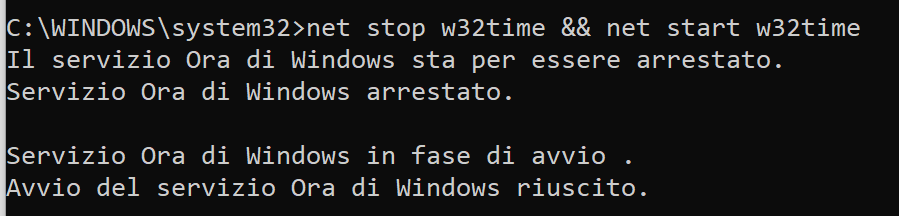
Open up command prompt as Administrator. An easy way to do this is to do the start menu
search, type in "cmd", and then right-click, choose "Run as Administrator"
Enter in "net stop w32time && net start w32time" and press enter
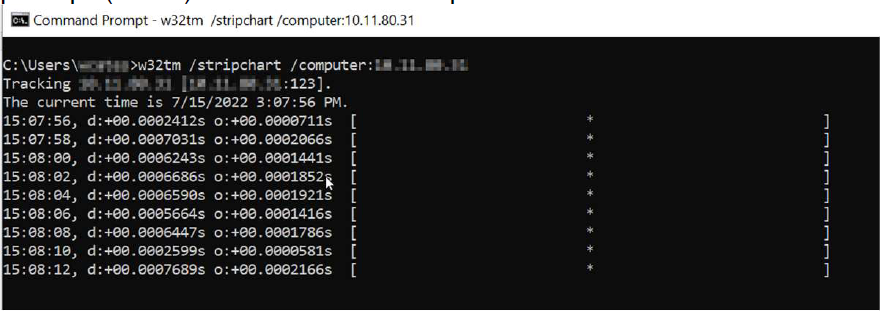
Confirm above is working by doing "w32tm /stripchart /computer:[your-ip-address]" in a command prompt (CMD). Below is an example of an NTP server that is online:
Note: NTP servers require Port 123 for UDP to be unblocked. If the server appears to be up but date does not update, try unchecking Enable NTP and re-enabling it (Step 6 above).
If you are configuring an In-Sight 28xx/In-Sight 38xx/In-Sight D90x camera to use this NTP Server:
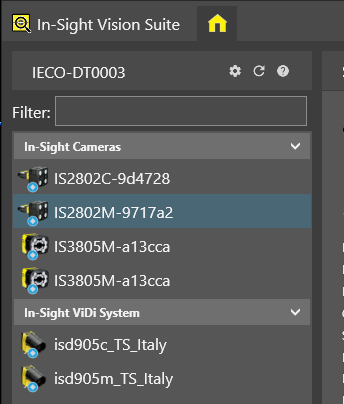
Select the device from the list
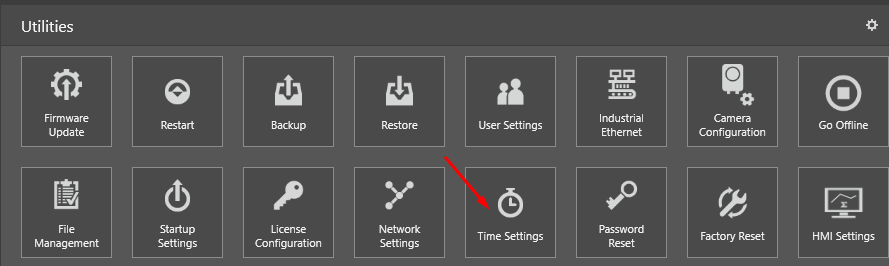
Select “Time Settings” from the Utilities
Set it based on your Time Zone/NTP Server Type and click on “OK”
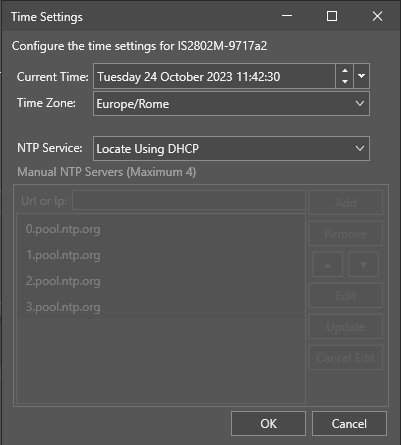
Note: It may be necessary to power cycle the camera before it will start to accurately report time.