Question
How can I gather troubleshooting data from 3D-A1000?
Answer
For troubleshooting purposes, Cognex needs more information and data coming from the 3D-A1000 during production. It can be different issues like inaccuracy with measurements.
- Connect to the 3D-A1000 using the IP address of the device and put in the web browser (Chrome, Edge Intelligence)
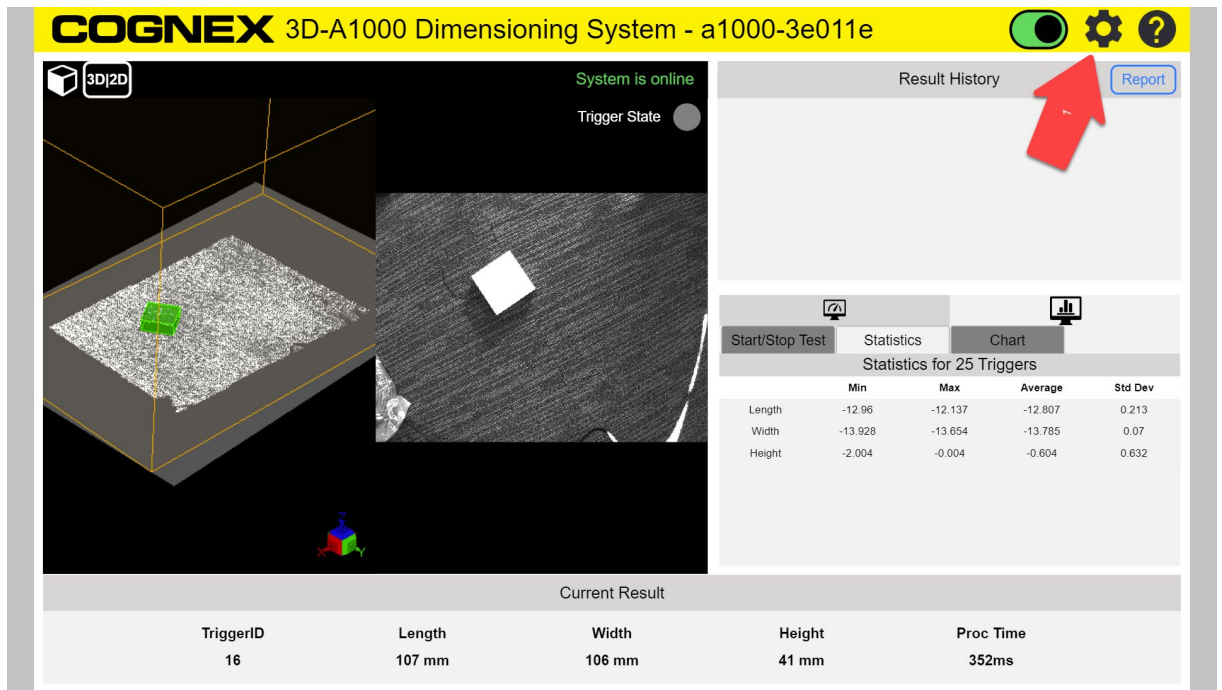
It is possible to open it from the DataMan Setup Tool as well with a double click on the unit. Please note, that you must be on the same subnet with the device to connect. Go to settings.
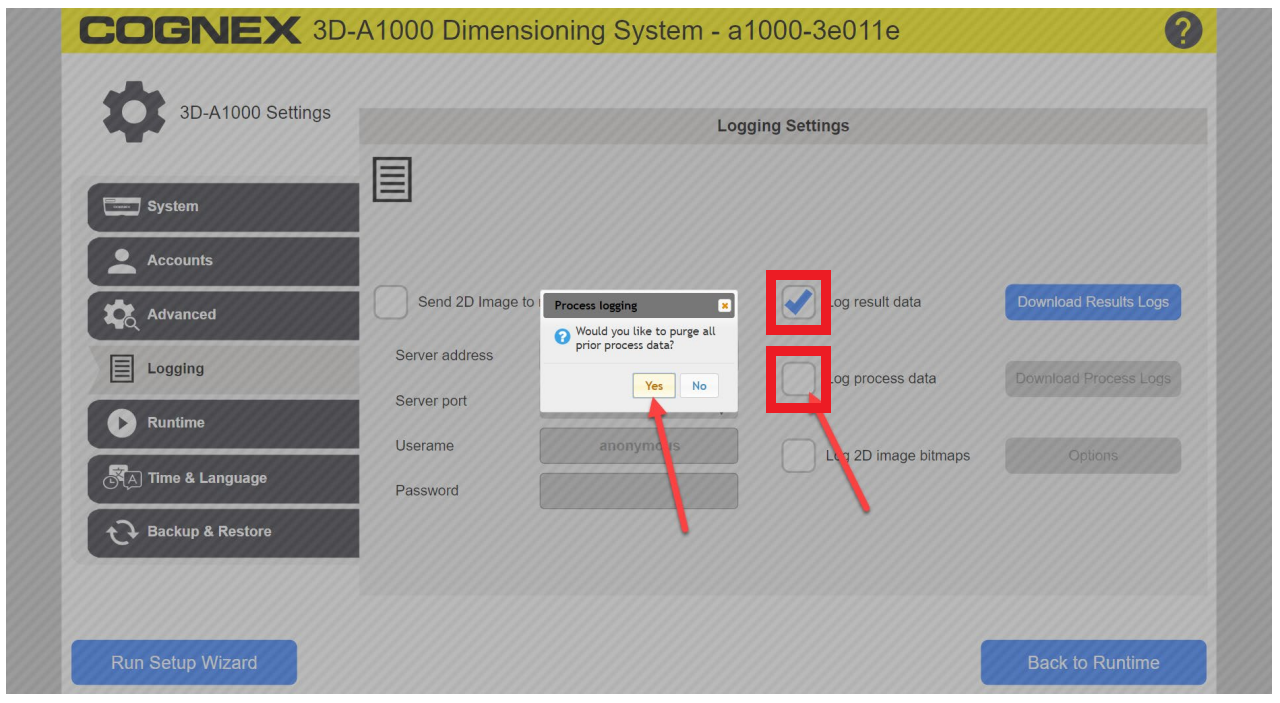
Navigate to the logging page and enable “log result data” and “log process data”
Please maximize the number of boxes to a few hundred during the test.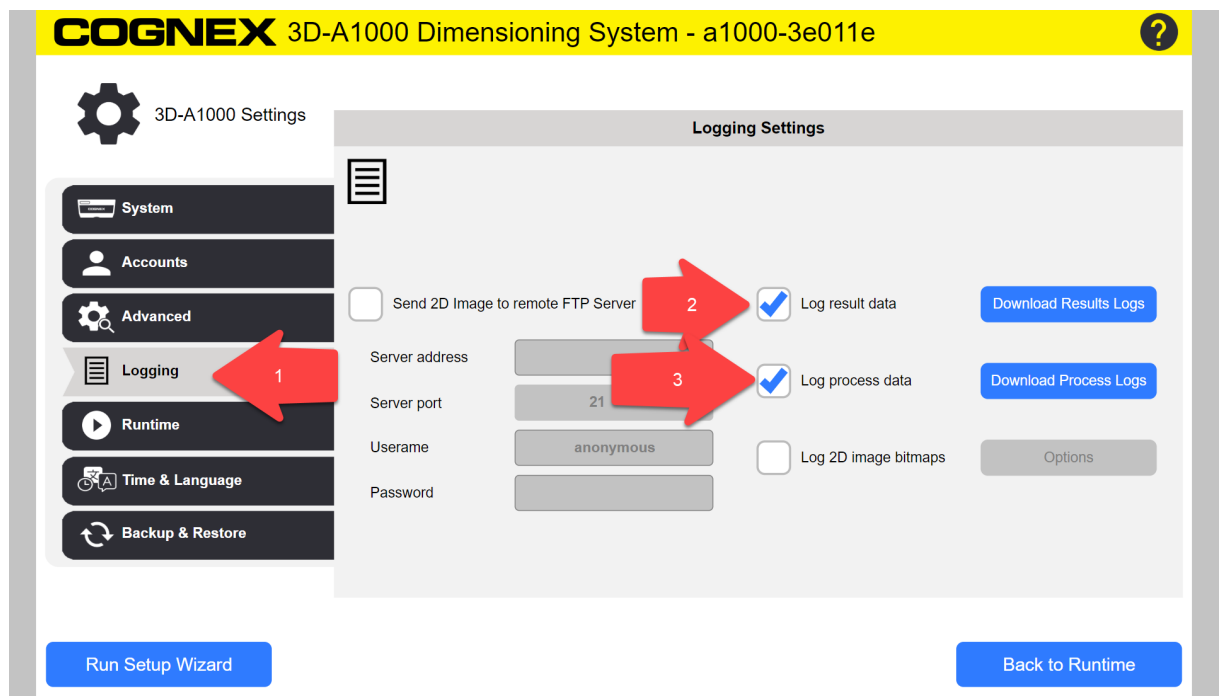
When the test is completed, download the data.
It can take some minutes, especially process logs depending on the quantity of the images.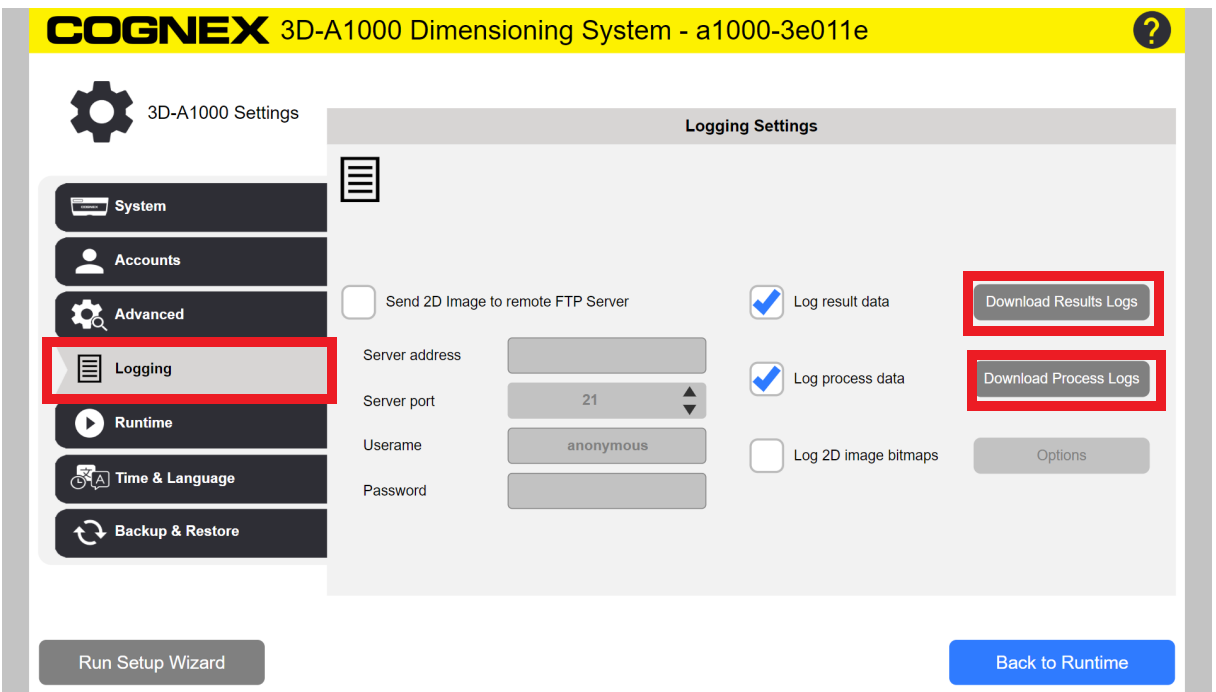
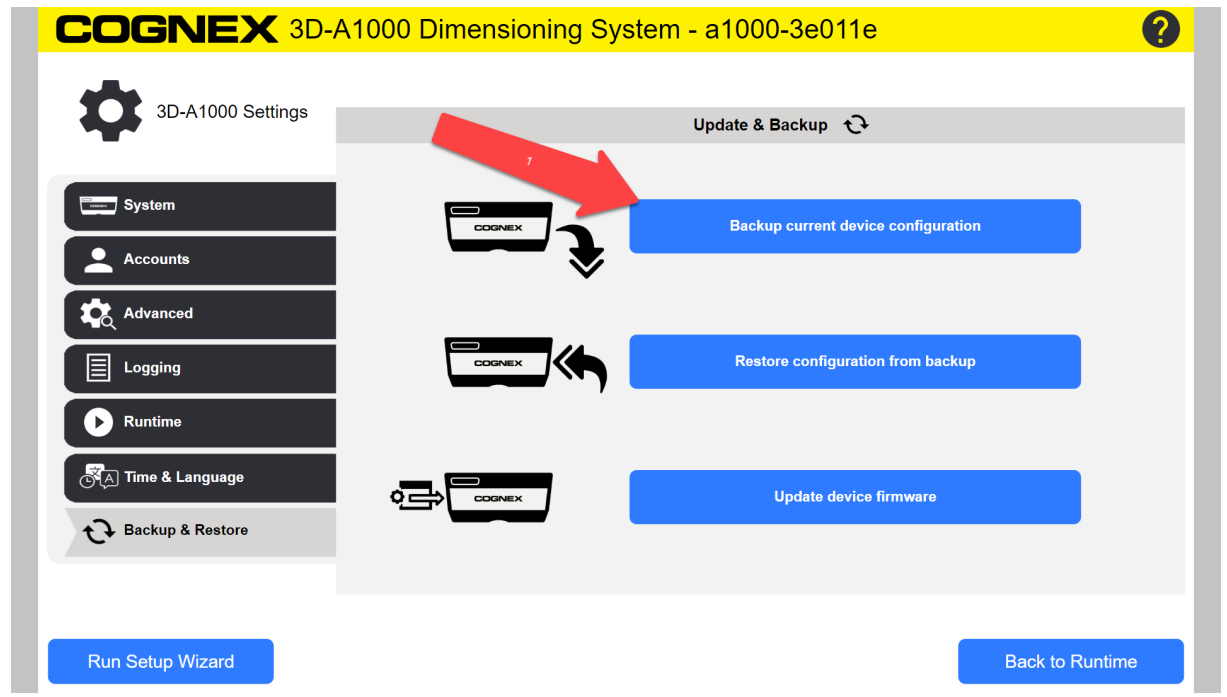
Download the most recent backup file of the 3D-A1000.
- Clear space on the device by turning off the logging.