Details
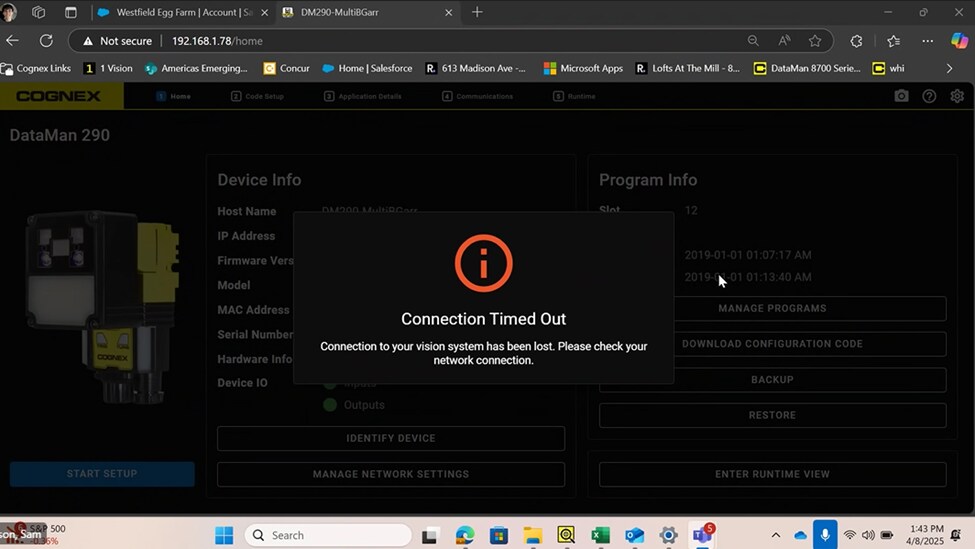
If you receive the "Connection Timed Out" error at regular intervals, it is likely due to your computer turning off the Ethernet port to save power.
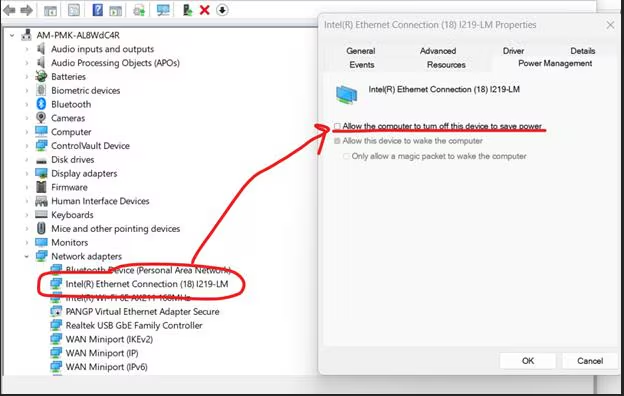
To fix the issue, go to Device Manager then expand Network Adapters and select your Ethernet Connection. Right-click and select Properties. Under power management, uncheck Allow the computer to turn off this device to save power.