

Details
Issue:
There is an issue with the Red tool in 4.1 that sometimes causes the tool to have labels and markings for two classes (defect and deviation) instead of one.
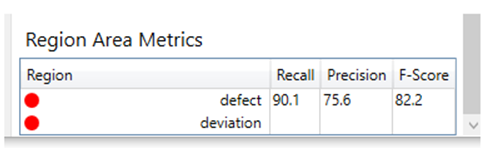
Causes:
This issue can happen when switching between Unsupervised and Supervised when region labels are present.
Resolution:
You can resolve this issue by merging the "deviation" class into "defect" by following these steps:
Right click on any view and select Edit Regions, then select the deviation class in the dropdown list:
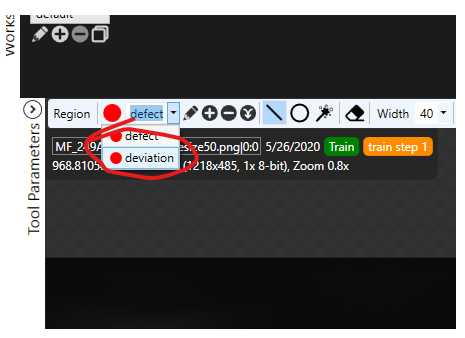
Then click the merge classes button and then click OK:

The tool is reset and must be retrained, but after retraining the statistics should be correct.
