Question
How to get listFiles from device via HTTP with In-Sight Vision Suite Cameras
Answer
To be able to trigger camera via HTTP Post request at first we have to openSession and login with admin privilidges described in
000001845 [In-Sight] How to Open a Session Via HTTP with In-Sight Vision Suite Cameras (https://community.cognex.com/s/article/webskd-how-to-open-session-via-http-with-in-sight-vision-suite-cameras)
Getting file list from device can be useful to decide which job are avaliable or how many images are beeing stored.
To get filelist, we have to connect to the camera via HTTP using additional software. For testing purposes, use Postman.
Send POST command to camera:
POST <cameraIP>/<SessionID>/listFiles
In reply, we will get JSON string with 200 OK
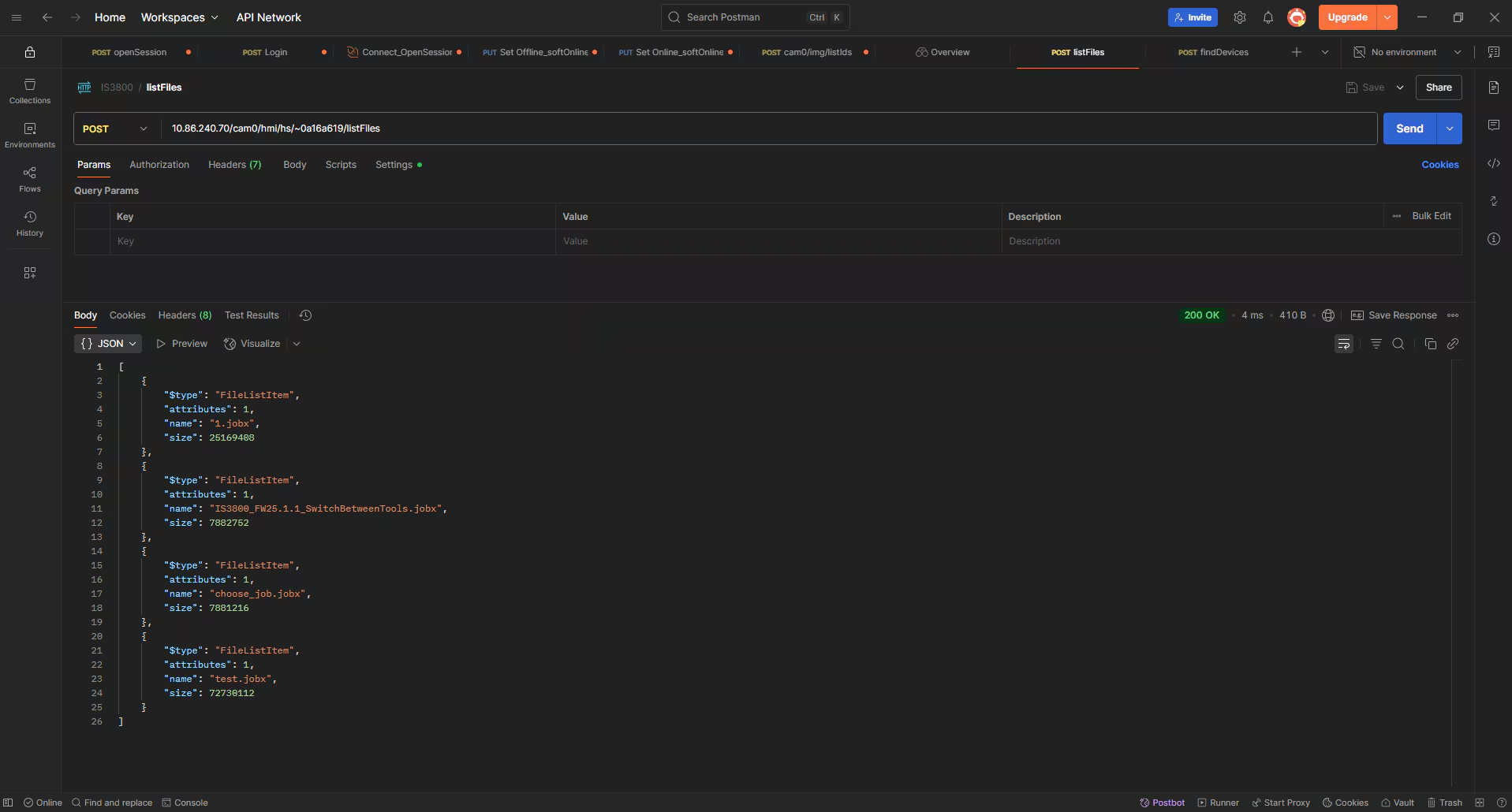
JSON file corresponds to files avaliable on device. Also it consist file name and size.
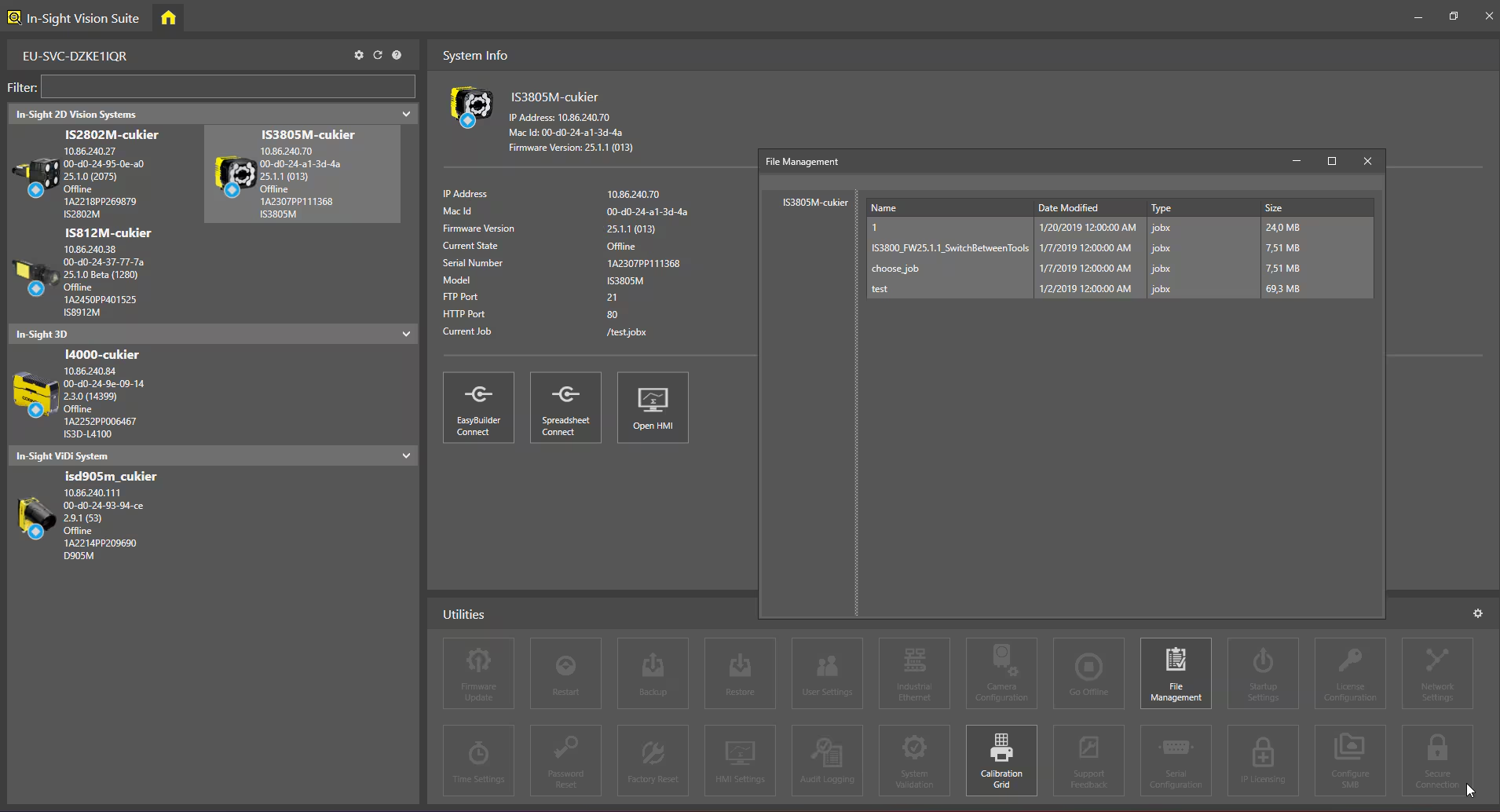
For confirmation we can check which files are on device by connecting via Insight Vision Suite -> File Management