Question
How can I disable the CmAsic license container of the CFG-8724 card in the system?
Answer
Our vision software solutions, like VisionPro are not able to merge licenses on different license containers. If you have multiple license containers available in the same system, then the software will pick and use a single one. Starting in VisionPro version 9.6, there is a way to select the preferred license. For more information, please check the Support for Multiple Security Devices section in the VisionPro documentation.
The CFG-8724 frame grabber card contains a Wibu license chip, named CmAsic. Even if you purchased this card without any license, the container is there, and if you are connecting a USB license dongle to the same system, then it might happen that the software will use the empty license container of the card. If you cannot change the preferred license container, then you can disable the CmAct license by following the below steps, so VisionPro will be able to pick and use the USB license dongle.
- Open Device Manager of your Windows system.
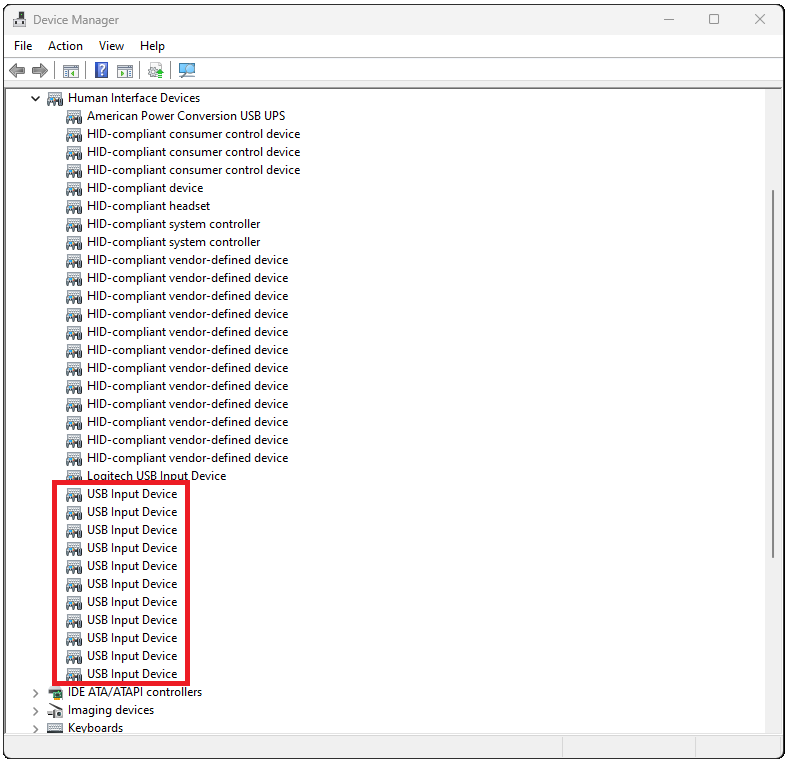
Go to the Human Interface Device group, and find all the USB Input Device entries:
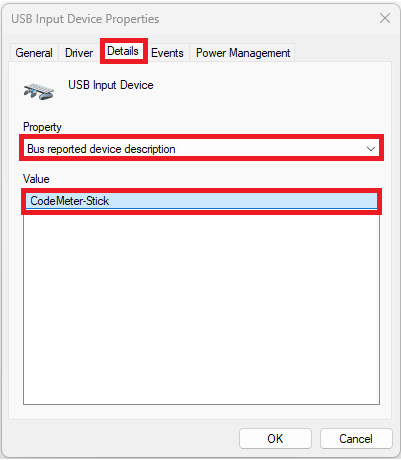
Check the Bus reported device description property of each of them by double-clicking one by one, going to the Details tab, and selecting the Property from the drop-down list. Find the one where the Value is CodeMeter-Stick:
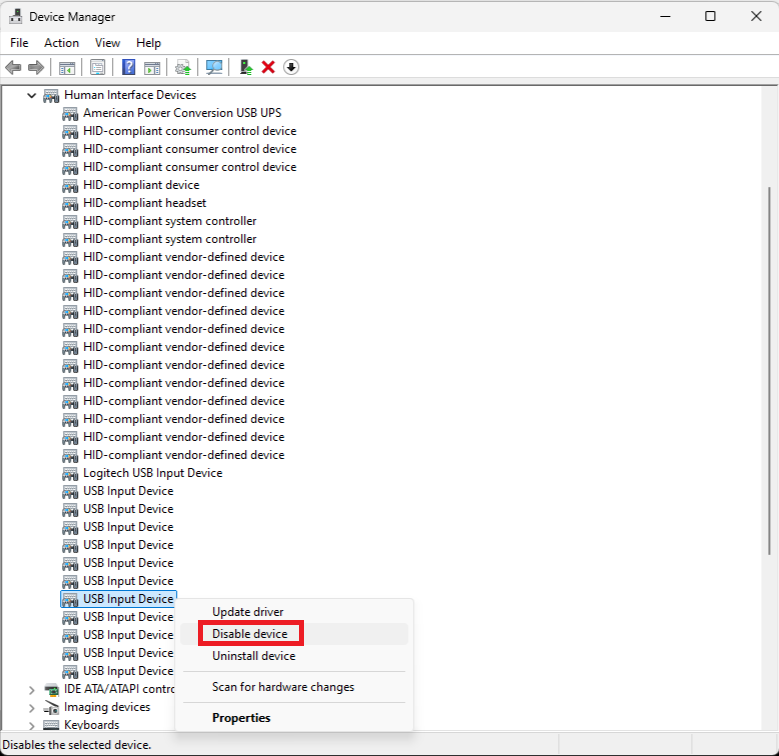
Right-click on that device and select Disable device: