

Question
How to check code direction, and get feedback via DataMan 8700 OLED and vibration.
Answer
If you want to check the code direction especially for the label code, and get an alert via DataMan 8700 OLED, you can use this script.
This sample script checks if the code is upside down. Read result is not output. You can modify the threshold from 90-270 degree to the rage you want. The script also activates user event for vibration.
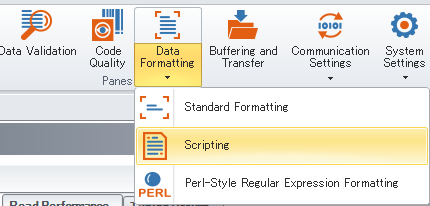
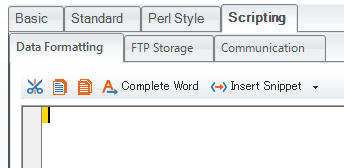
Reset Configuration of the device and enable Script-Based Formatting, then copy and paste the below code into the Data Formatting Script, overwriting any existing code there.
function onResult (decodeResults, readerProperties, output)
{
if (decodeResults[0].decoded)
{
var angle = decodeResults[0].symbology.angle;
if(angle > 90 && angle < 270){//Output alert at the case of upside down
output.OLED = "Direction Error";
output.content = "";
output.events.user2 = true;
}else{
output.content = decodeResults[0].content;
output.content += "\r\n";
}
}
}
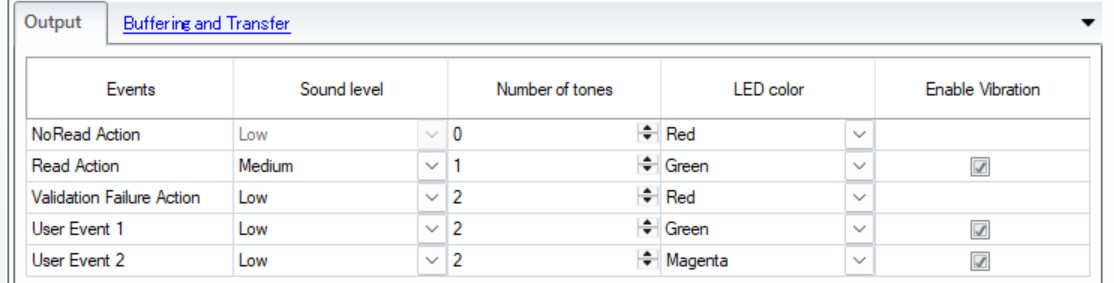
Confirming User Event 2 in Output tab is set as below:
When the code is upside down, you can see below the alert on OLED and get feedback of vibration and ring light.
