Skip to Main Content
Centro de soporte de Cognex
LogoLogo

How To Change Thes Size Of The User Data And Results Modules In TIA Portal

This article describes how you can change the default User Data and Results modules in TIA Portal

31/01/2025

Question

I got 64 bytes User Data and Results modules when adding my Cognex device to the hardware configuration in TIA Portal.

How can I change this to have either a smaller or bigger data size?
 

Answer

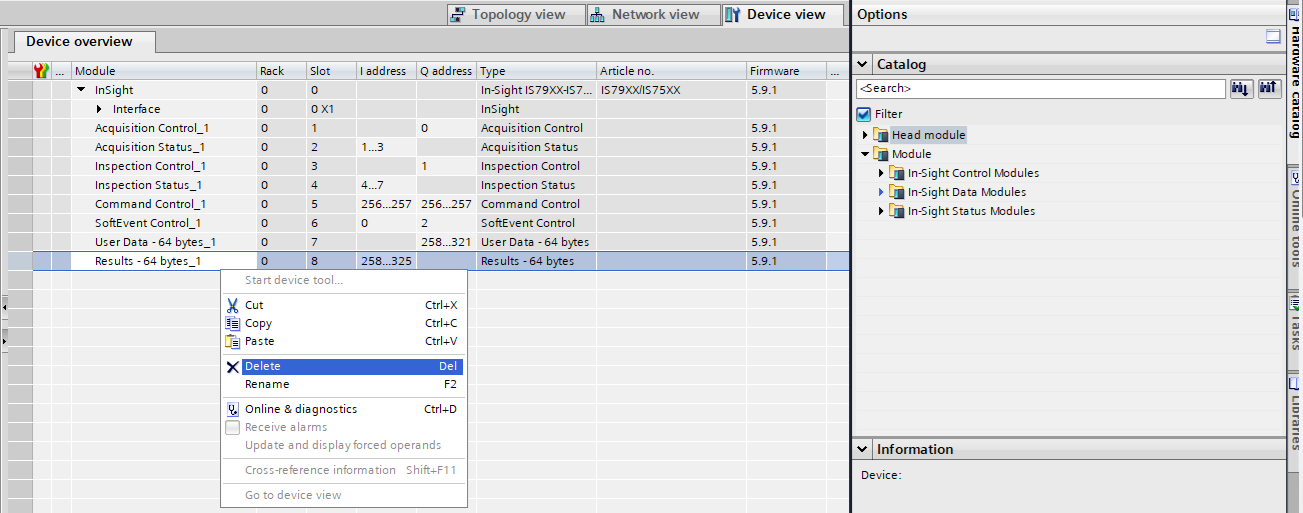
  1. Go to the Device view, right-click on the module that you would like to replace, then select Delete:
    how-to-change-the-size-of-the-user-data-and-results-modules-in-tia-portal-img1
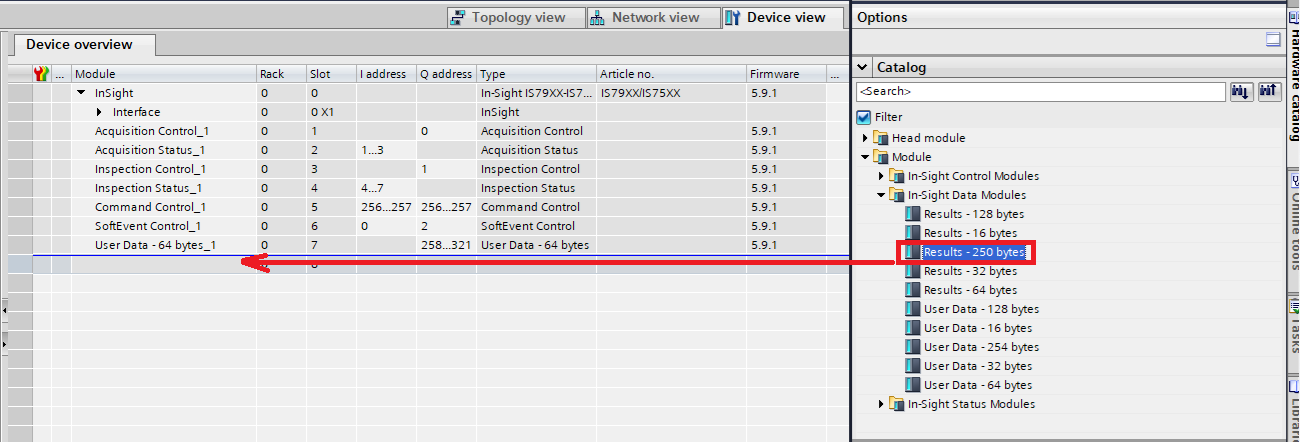
  2. Select a compatible module from the Hardware catalog that you would like to put in place and drag&drop that module to the placeholder in the Device overview
    how-to-change-the-size-of-the-user-data-and-results-modules-in-tia-portal-img2
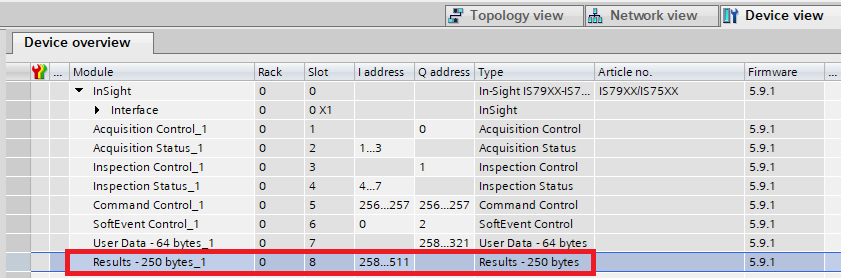
  3. Set the address range according to your project needs:
    how-to-change-the-size-of-the-user-data-and-results-modules-in-tia-portal-img3

Recursos relacionados

Loading component...