

Details
By purpose, or when encountering an issue with a Designer Application and the goal is to isolate the problem, it can be useful to temporarily disable a/multiple Designer Blocks not to be executed.
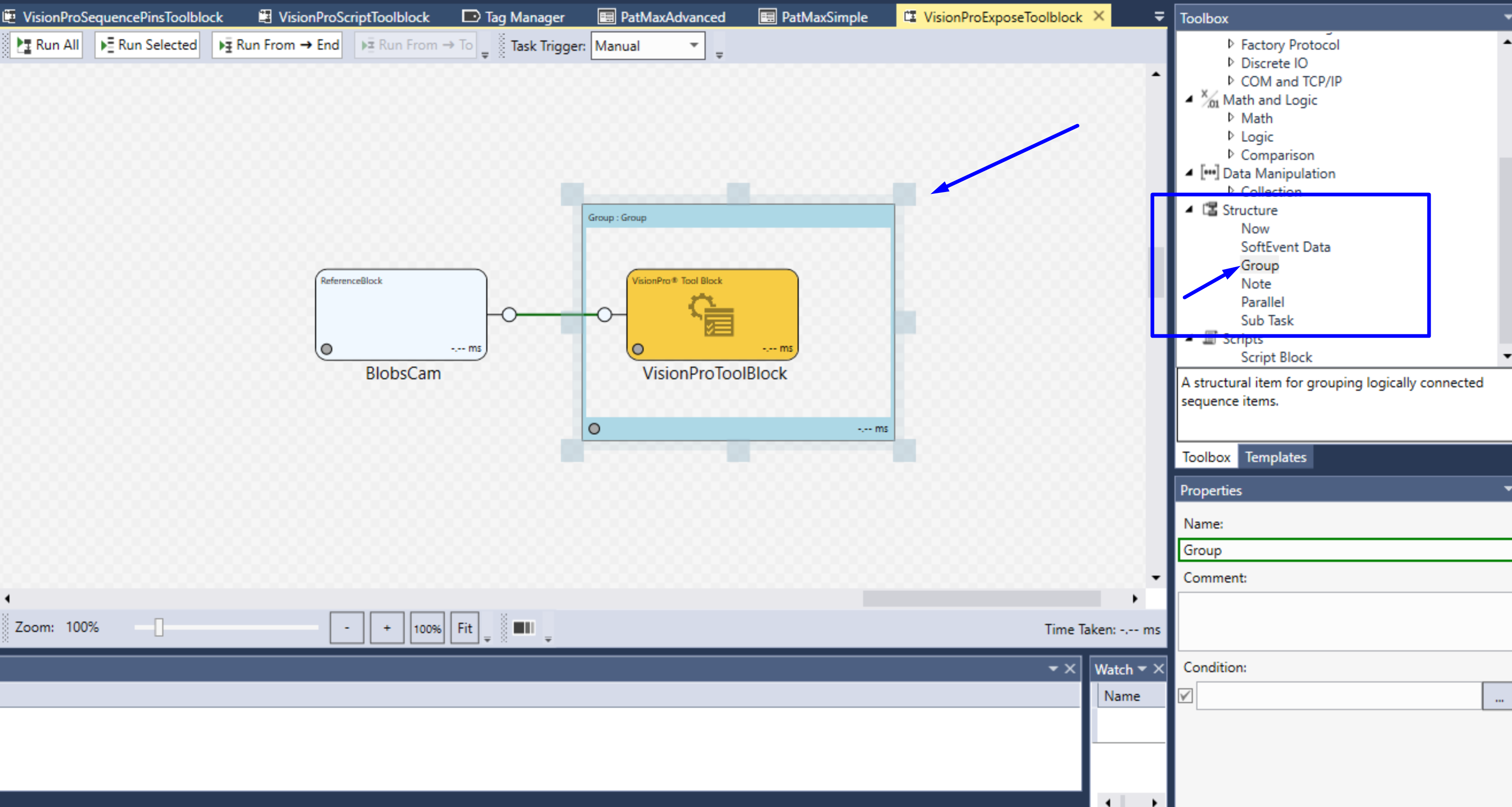
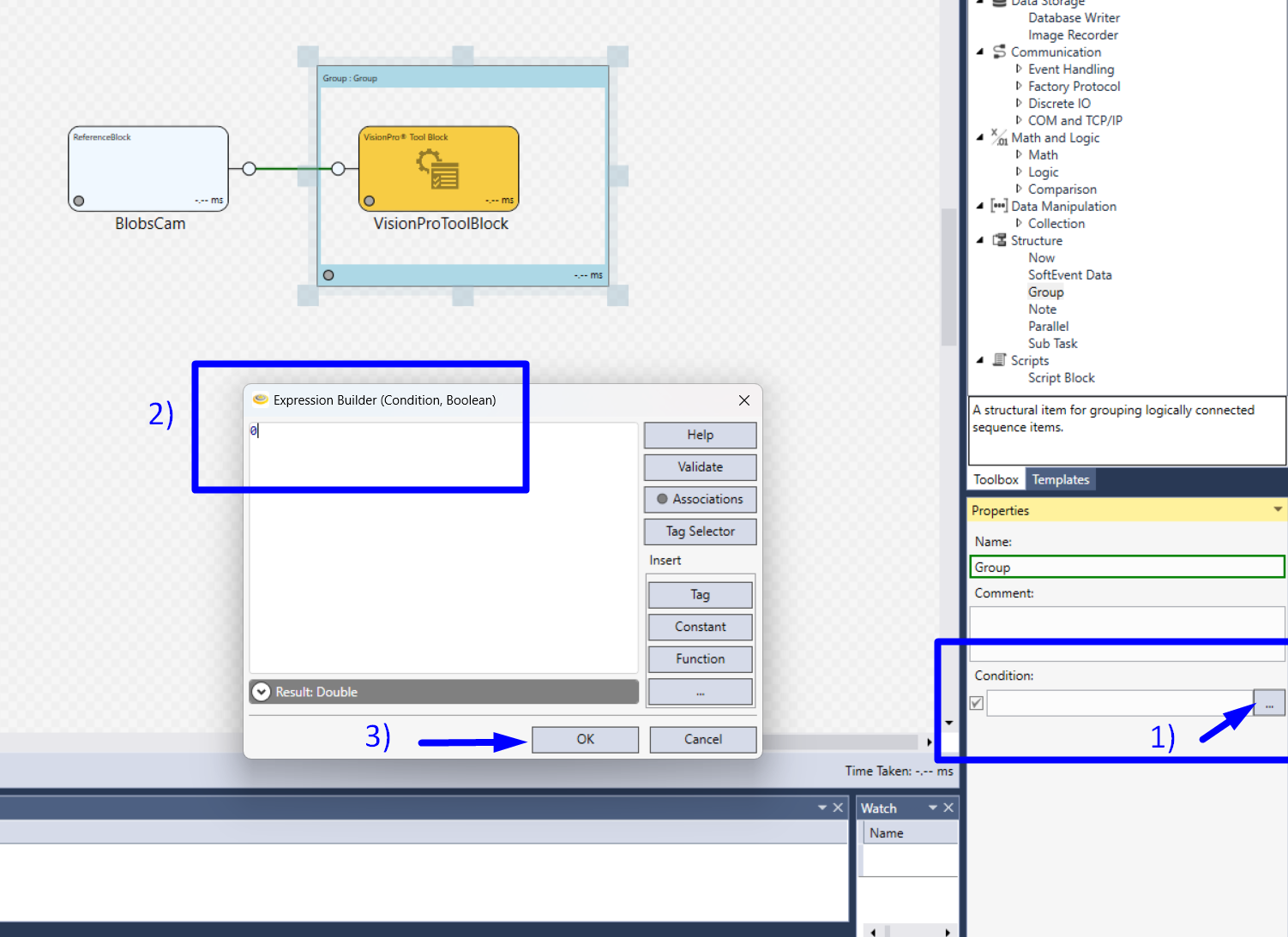
The easiest way of doing it is to add a Group Component and set its Condition Property to 0:
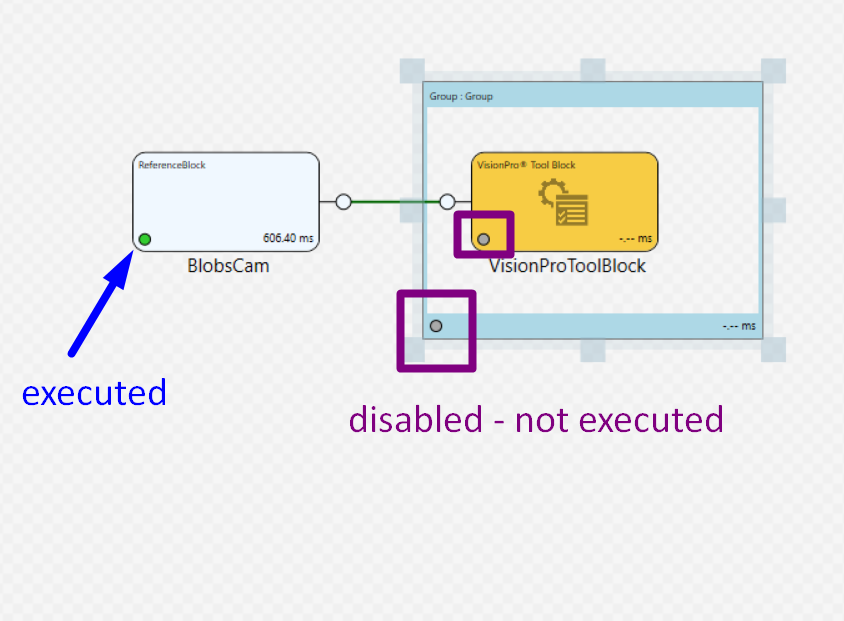
Any Task object can be included and won't be executed while belonging to the conditioned Group Region.
If you want to isolate an application error, you might want to move the region on the application blocks to get rid of it isolating the problematic component to be then investigated.
