Skip to Main Content
Centro de soporte de Cognex
LogoLogo

How To Disable Always On With High Frequency Lighting

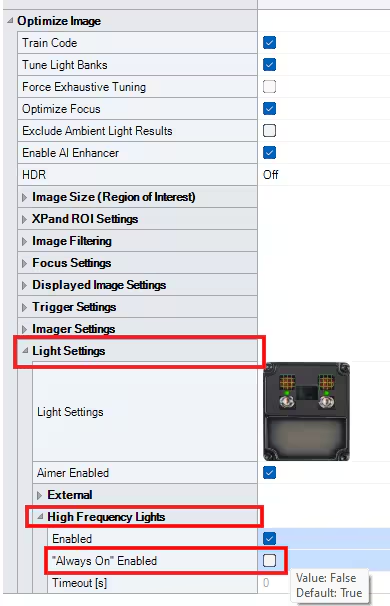
You can disable the always on feature with high frequency lights by going to optimize image advanced settings tab then unchecking the "Always On" Enabled setting under the High Frequency Lights options in Light Settings.

08/05/2025

Question

Is there a way to use the high frequency lights but only have them on when actively triggered?

Answer

Yes.

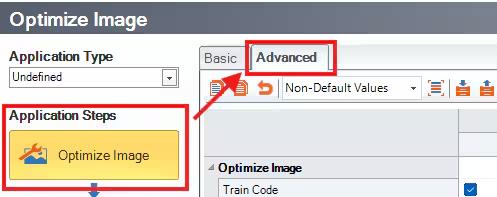
  1. In DataMan Setup Tool, go to Optimize Image and then proceed to the Advanced tab

    placeholder
  2. Go to the Light Settings dropdown and then select the High Frequency Lights drop down.
  3. Uncheck the box for "Always On" Enabled setting. 
    placeholder

Recursos relacionados

Loading component...