Question
How to Load an In-Sight Job using VisionViewWeb HMI?
Answer
When viewing the WebHMI on an In-Sight Smart Camera, you have 3 ways to load a job file.
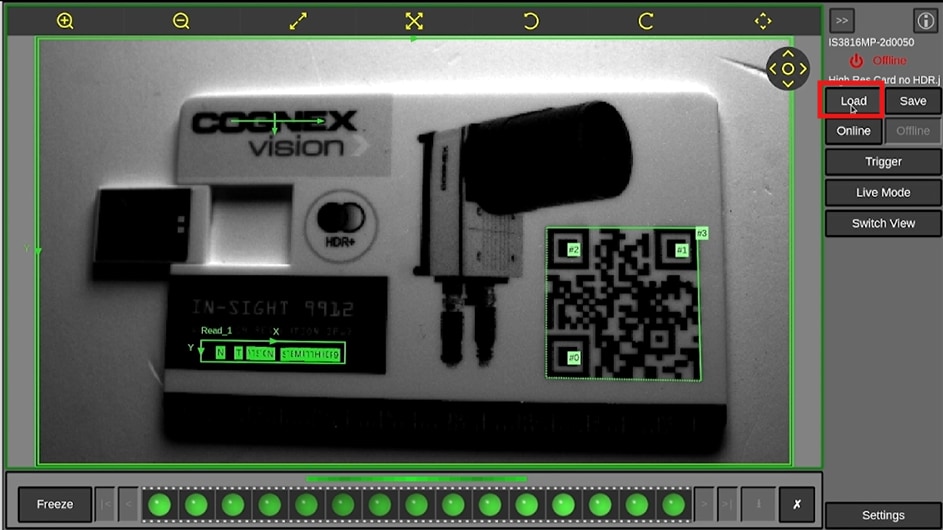
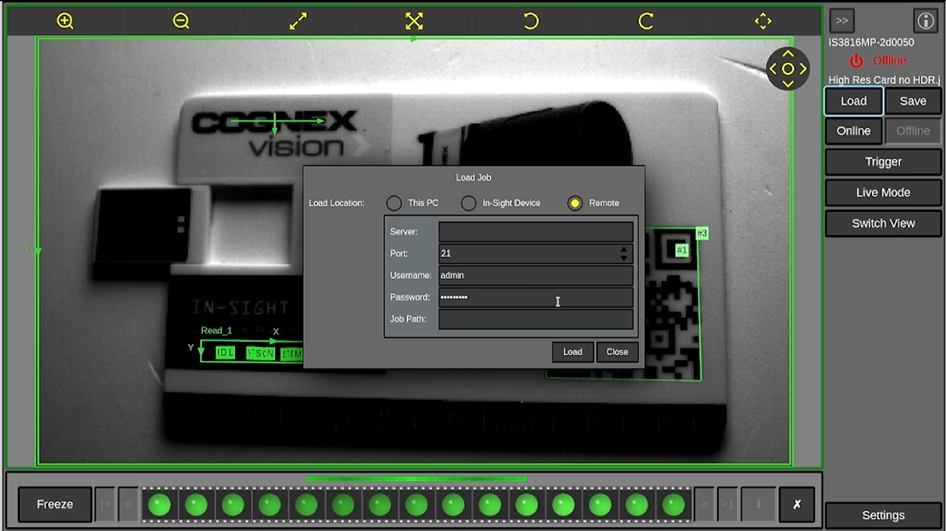
Start by pressing the "Load" button on the WebHMI
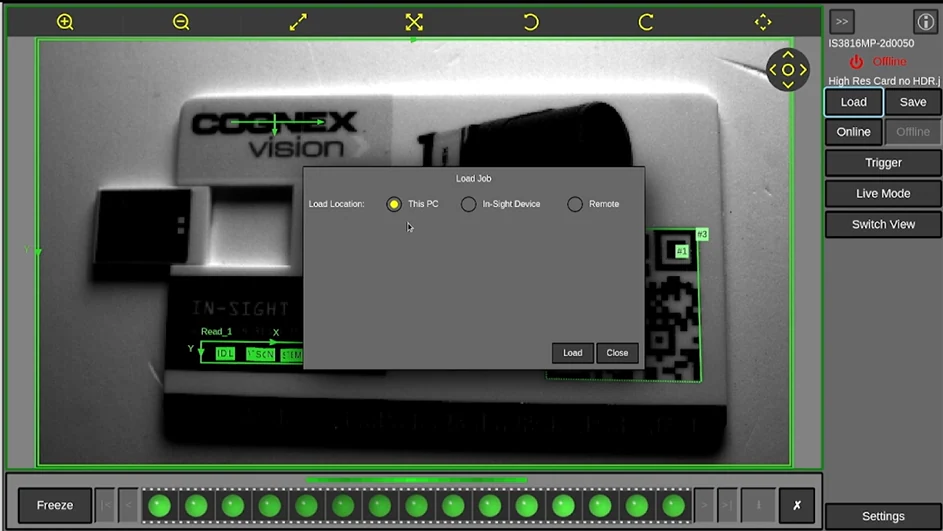
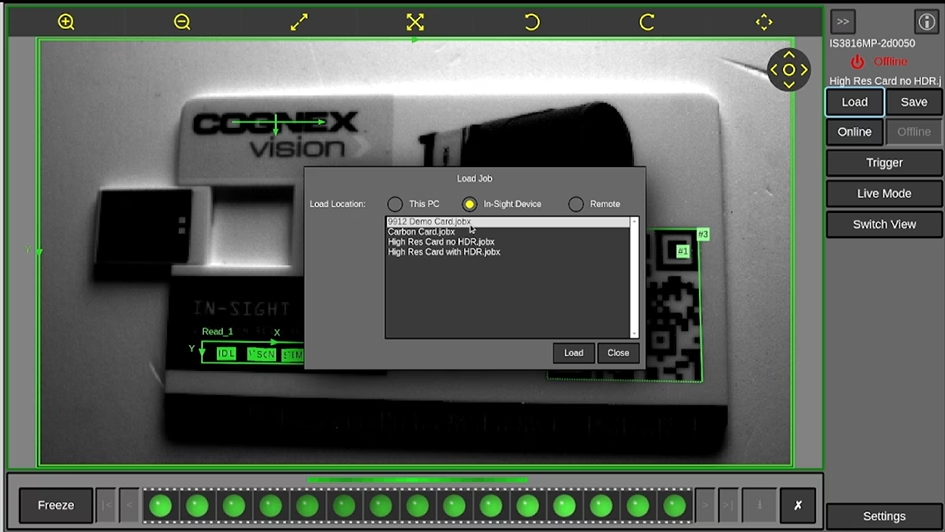
You get 3 options to choose from:
- This PC, which means from a USB stick that is plugged into the VisionViewWeb
- In-Sight Device, which allows you to select from the internal memory of the In-Sight Smart Camera
- Remote, which allows you to select from an ftp server location
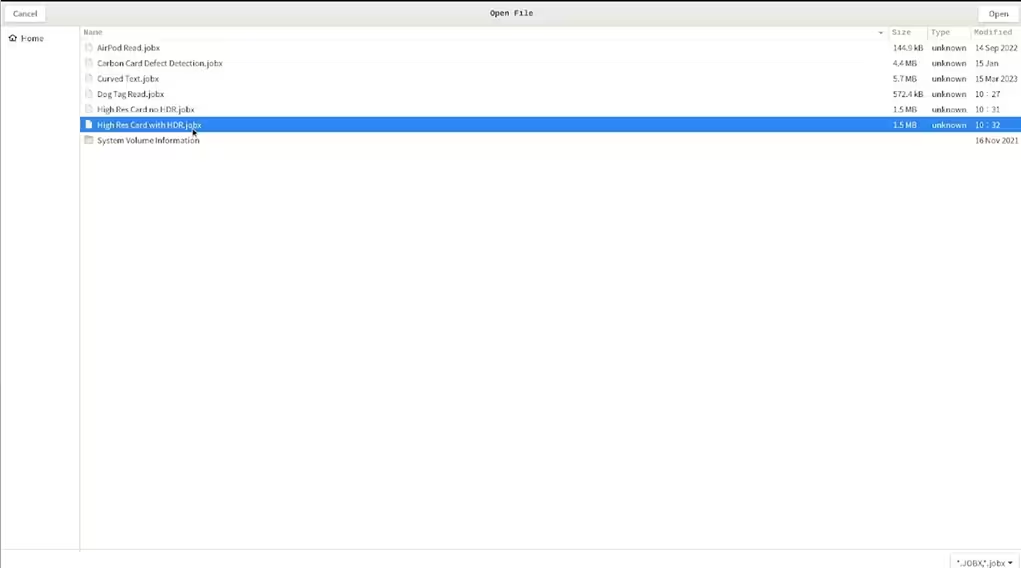
When loading a job from "This PC", you must have a USB memory stick plugged into the VisionViewWeb.
When you select "This PC" you will see the "USB-SD" as an option.
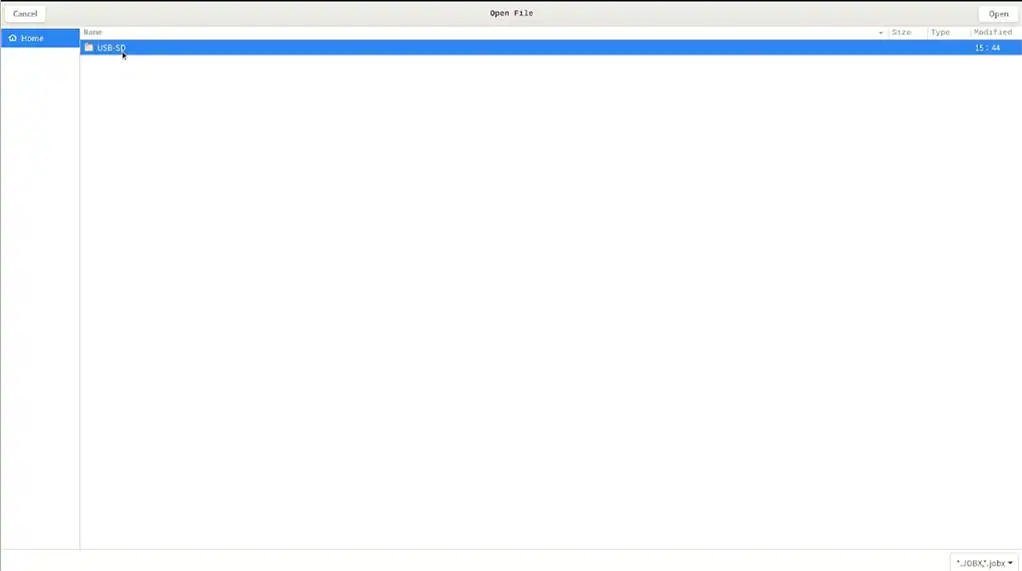
Drill down into "USB-SD" and select your job of choice.