Details
There are several reasons why this can occur, such as:
- Emulator not started.
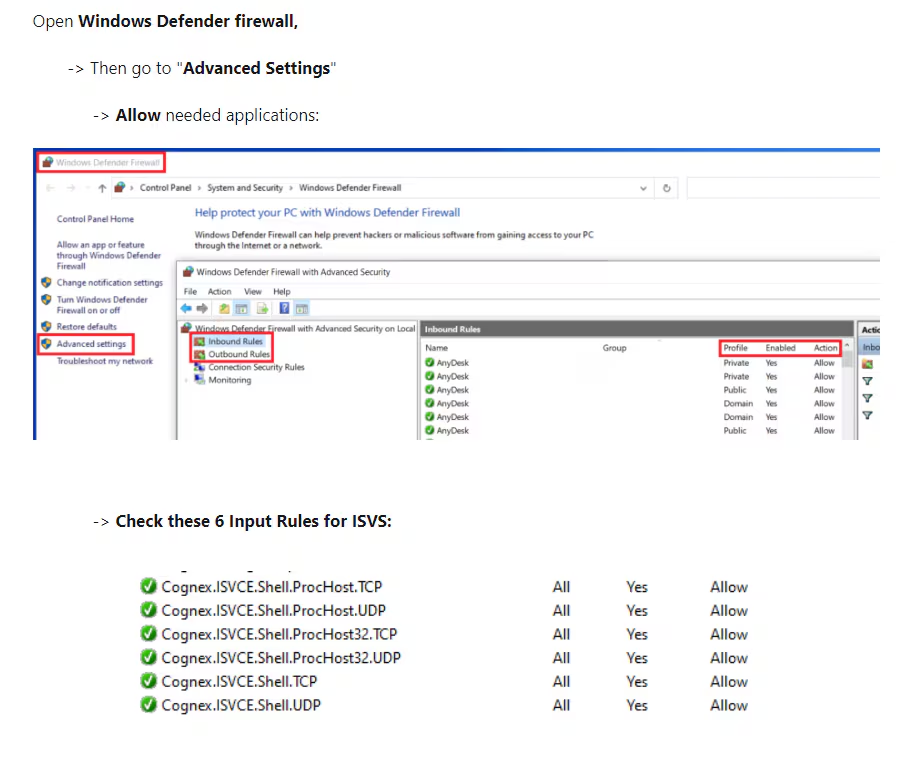
- Firewall on.
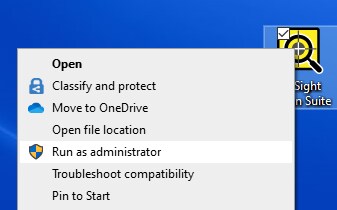
- No admin rights.
- In-Sight ViDi PC Manager on.
- Other Old Vision Software installed.
- No Dongle on the PC.
To resolve this:
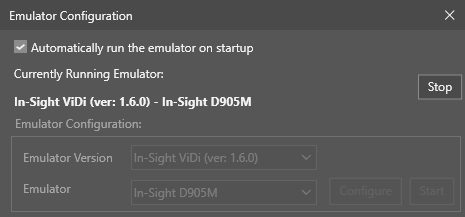
- Check the Emulator is started.
Turn off In-Sight -ViDi PC Manager and restart the Emulator.
Run the In-Sight Vision Suite as Administrator.
- Uninstall Old Vision Software.
- Open CodeMeter and check there is only one Dongle and it is properly detected.
Turn off the Firewall and enable the following 6 Input Rules: