Details
- Open Windows Run by pressing Win +R:
- Paste %localappdata%\Cognex_Corporation into text field
- Click Run
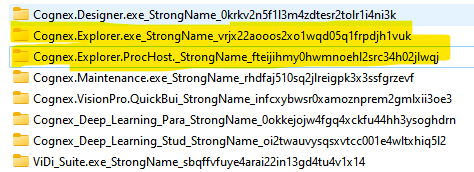
Delete the two folders with "Cognex.Explorer"
- Open In-Sight Vision Suite again.


Fix the issue with In-Sight Vision Suite not starting due to broken .xml layout file.
Delete the two folders with "Cognex.Explorer"