

Details
After connecting In-Sight L38 to the In-Sight Vision Suite, select "Acquisition." On the "Profile" page, you can locate the area for setting exposure. The exposure value can be adjusted using three methods: dragging the slider, entering a numerical value, or clicking the auto button. The exposure range is between 0.011 and 25, with a default value of 0.1. Note that the exposure unit is in milliseconds (ms). As you adjust the exposure value, the laser line in the display window on the right will change accordingly, as shown in the figure below:
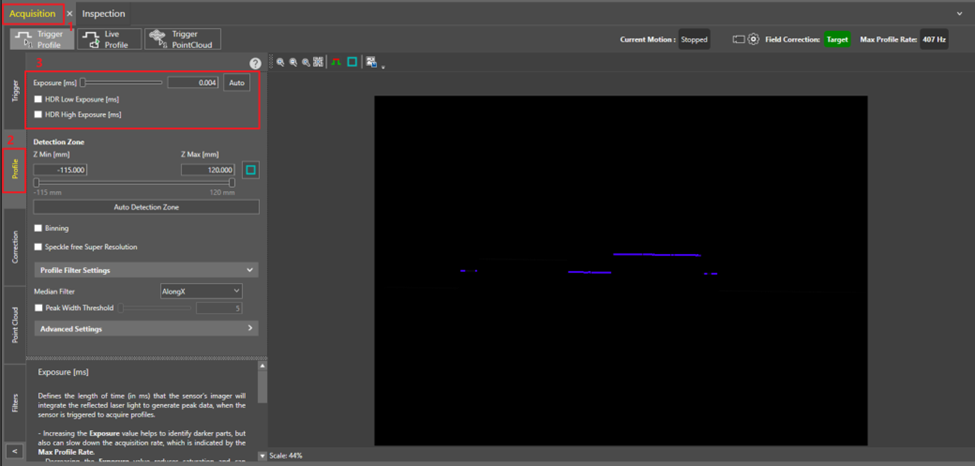
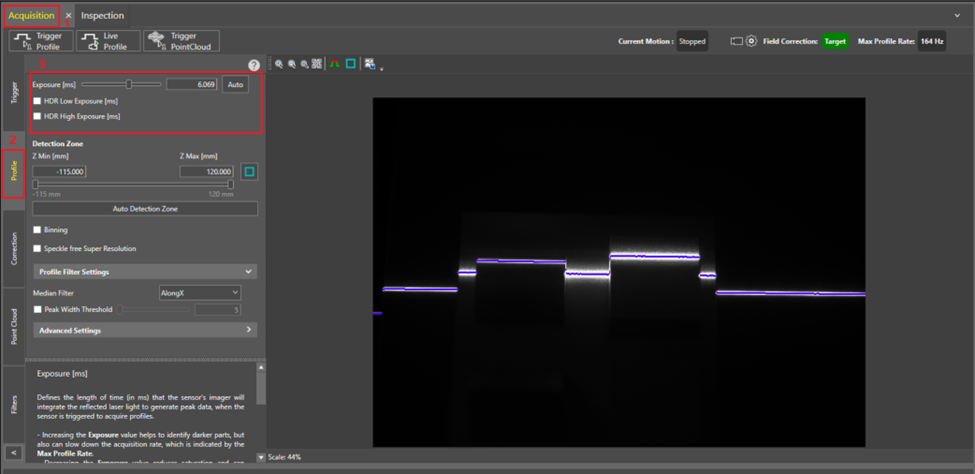
Higher exposure values allow the vision system to collect more information from the laser line reflected off the surface of the inspected object. Therefore, higher exposure values are suitable for surfaces with low reflectivity. Conversely, lower exposure values are recommended for highly reflective surfaces to avoid over-saturation. So, what exposure value is appropriate for the current project requirements?
In the display area on the right, position the mouse over the target inspection area and use the mouse wheel or the "Zoom In" button to magnify the laser line region for closer observation of its effect. Below the display area, there are "Pixel" and "Peak Intensity" to indicate the status of the current pixel. It is recommended that the pixel value of the laser line falls within the range of 200–800 to avoid overexposure, which occurs when the peak intensity reaches 255.
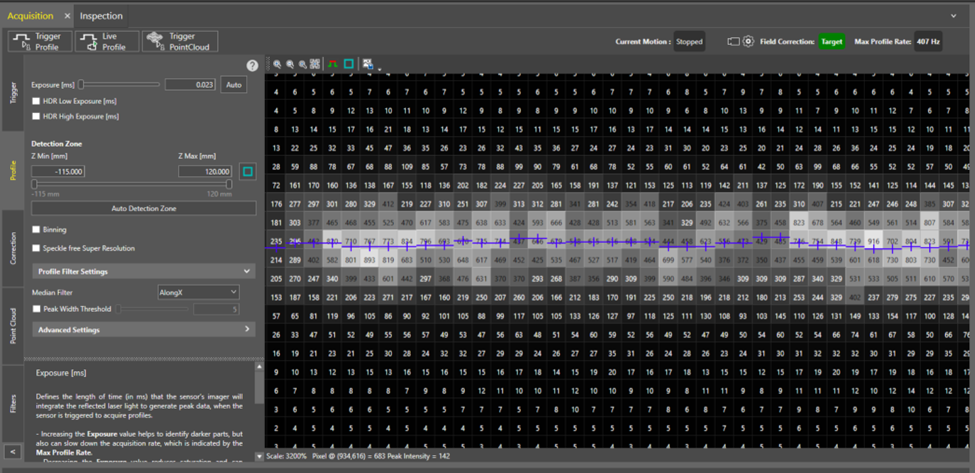
Additionally, the menu bar in the display area supports the "Show Saturation" feature. When this feature is enabled, the laser line changes from blue to yellow, green, or red to indicate the current status. Yellow indicates low exposure, green indicates good exposure, and red indicates saturated. If the laser line in the detection area is predominantly green, it signifies that the current exposure value is appropriate. If it appears yellow, the exposure value needs to be increased; if it appears red, the exposure value should be decreased.
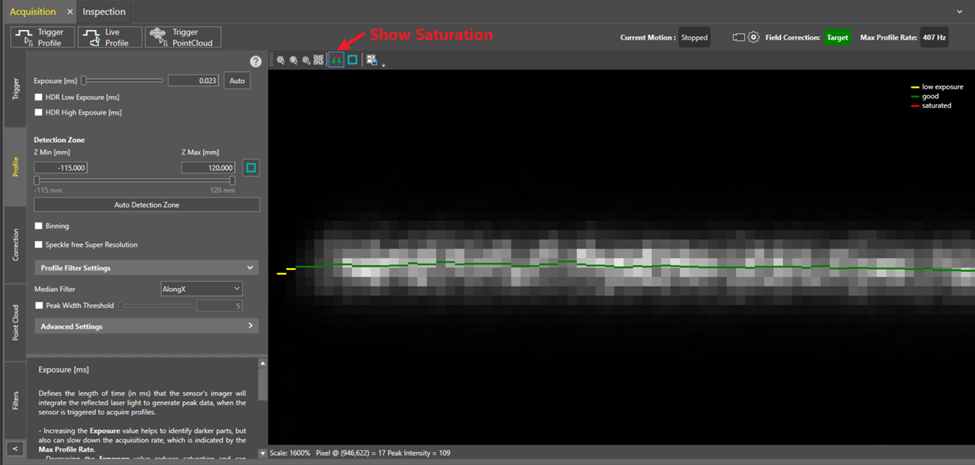
In addition, the following conditions should be considered when setting the exposure value:
- The exposure value affects the acquisition rate (Max Profile Rate) of the In-Sight L38. A lower exposure value can achieve a faster acquisition rate.
- Typically, an appropriate exposure value can meet most acquisition requirements. However, if the acquisition results return under- or oversaturated regardless of the exposure and sensitivity setting, please configure the HDR (High Dynamic Range) exposure as well to fine-tune acquisition.
- Clicking the Auto button allows the sensor to automatically set the Exposure value based on the detected lighting conditions. If only the Exposure property is used, it returns one optimal value; if HDR is enabled, it returns multiple optimal values.
