Question
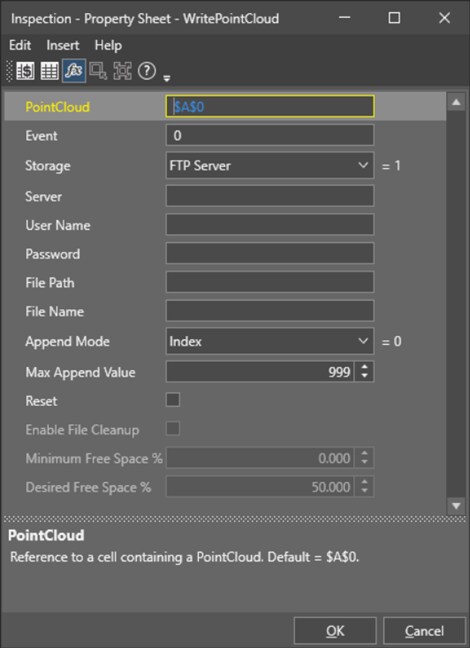
How can 3D point cloud images be saved in In-Sight L38 for visualization?
Answer
Users can use the WritePointCloud method to save the point cloud image to a local system or remote FTP/SMTP server. Please note that the saved 3D point cloud images can only be viewed or used within In-Sight L38 and cannot be opened by other software or tools.