Question
What are the differences between using the Bead Tools in In-Sight Vision Suite vs In-Sight Explorer?
Answer
Most everything is the same between the bead tools in In-Sight Explorer and In-Sight Vision Suite. However, some naming is different and the tools are in a different location.
ISE Tool Name | ISVS Tool Name | Purpose |
BeadFind | TrainBead | Define the bead path used to compare the inspected bead to. |
BeadInspect | InspectBead | Inspect the found bead and find defects compared to the original bead path. |
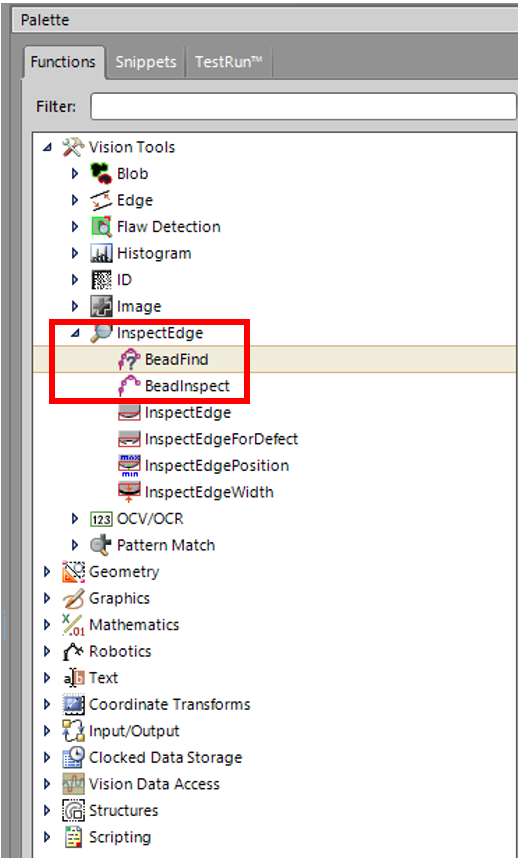
On In-Sight Explorer, the bead tools were located under the InspectEdge tool group in the function pallet.
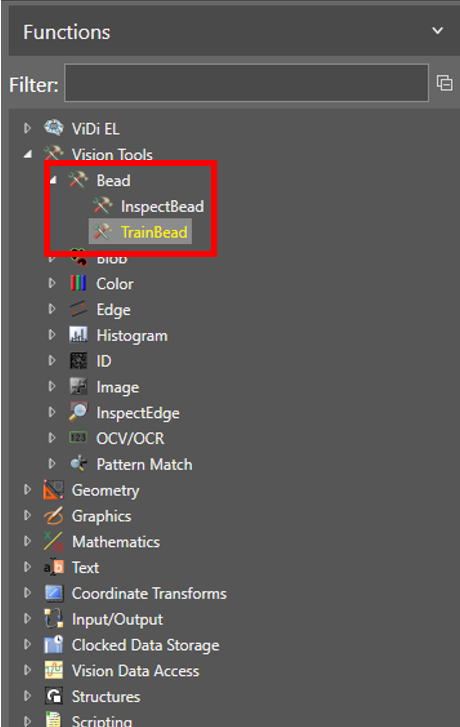
Within In-Sight Vision Suite, this is now in the Bead tool group.
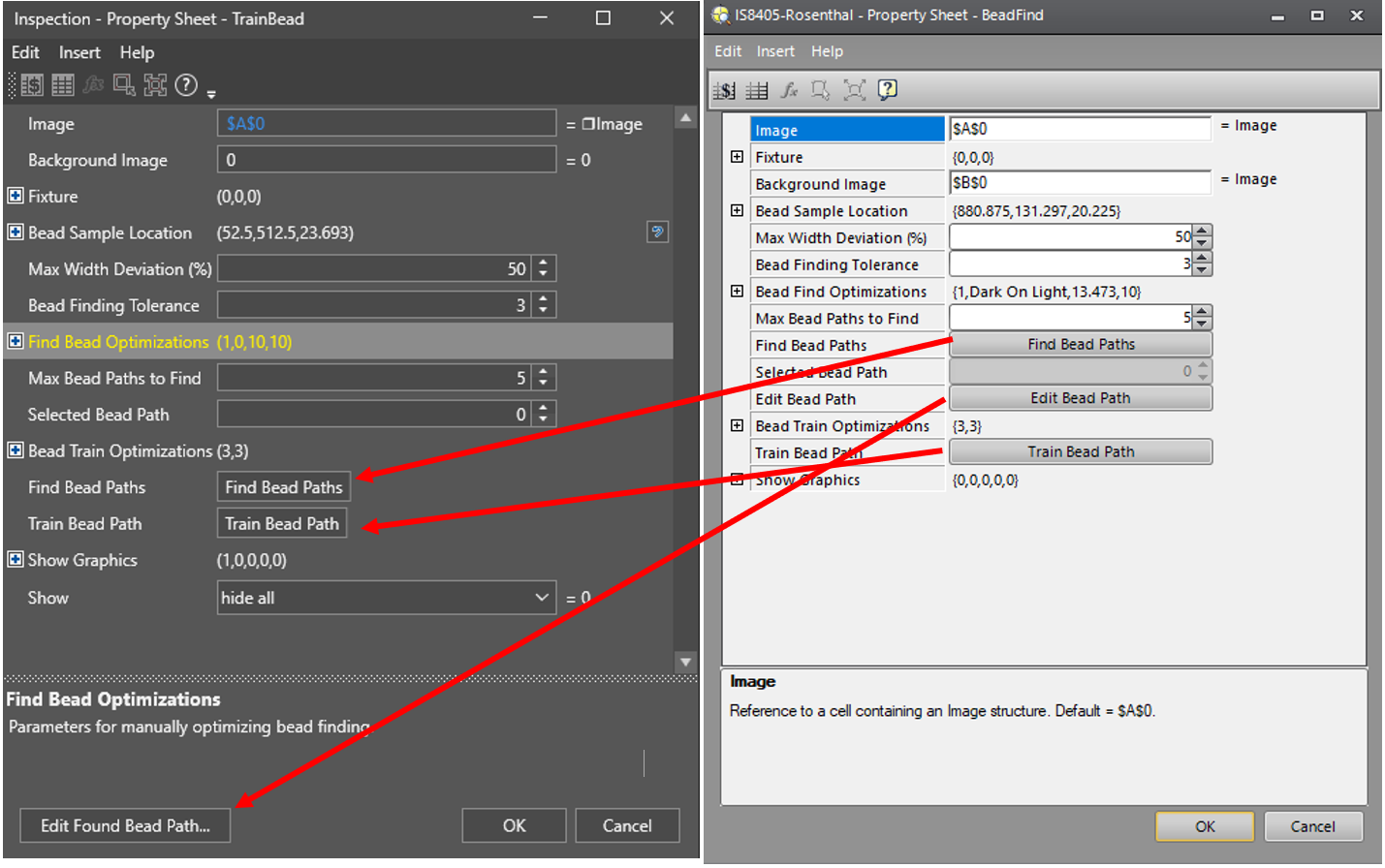
Locations of options available in the TrainBead tool are similar to the In-Sight Explorer version with Edit Bead Path located towards the bottom of the tool dialog box.
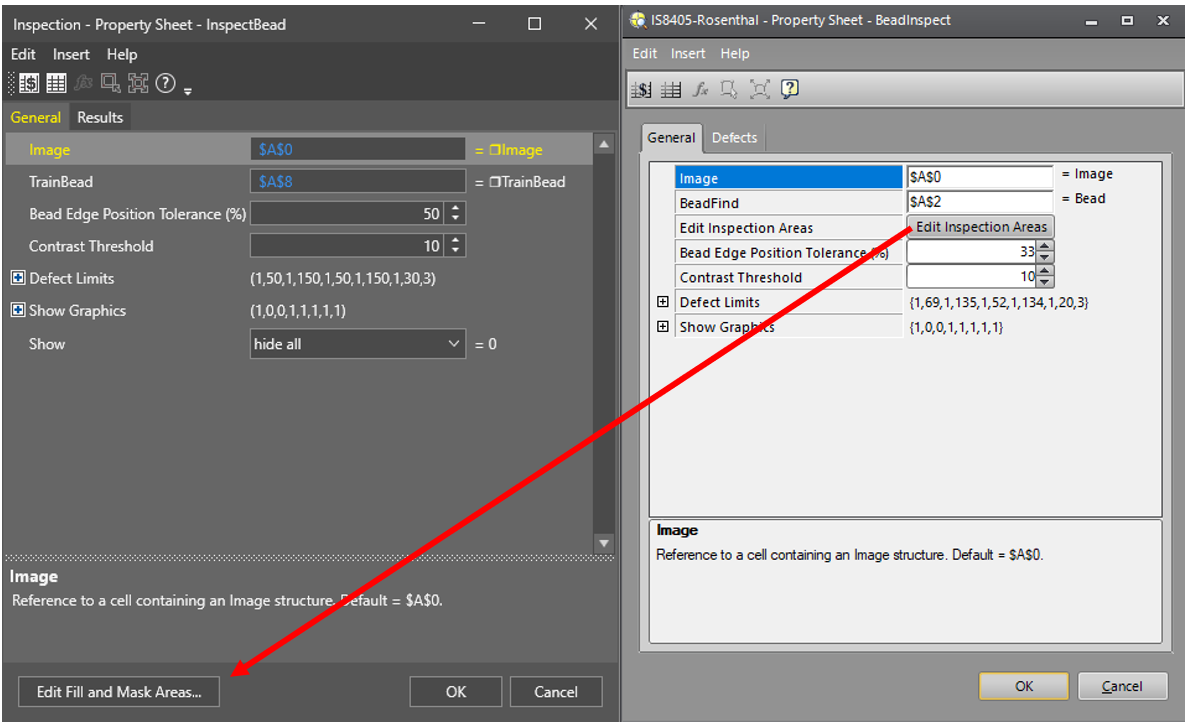
The InspectBead tool options are also similar to the older In-Sight Explorer option except that now the Edit Inspection Areas has been moved towards the bottom of the dialog box and is labeled Edit Fill and Mask Areas.