Answer
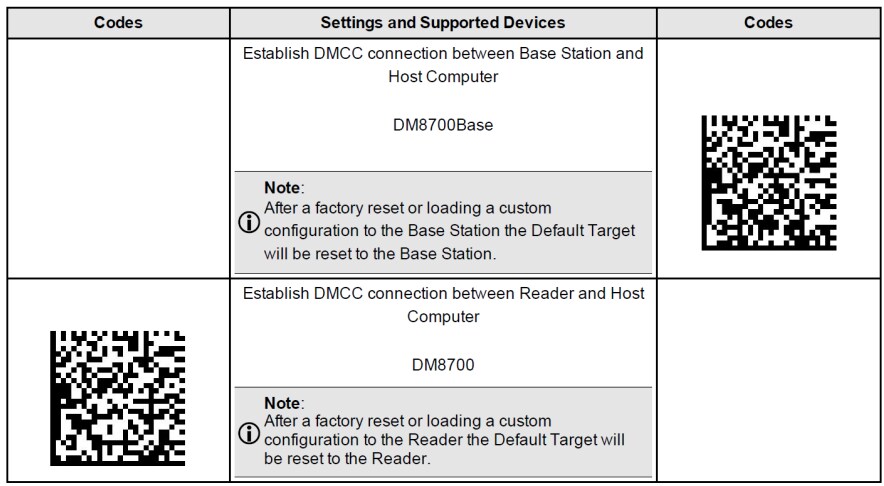
When using a wireless DataMan 8700 handheld and base station pair, DataMan Control Commands (DMCCs) are only sent to and executed by the base station by default. This means in order to send DataMan Control Commands to the handheld, the target (destination) that the DataMan Control Commands are being set to must be changed.
This can be done in one of two ways - by using the RP codes (provided below) or the COM.DMCC-TARGET DMCC command. The RP codes are persistent even if the reader is power cycled, while the command is a temporary change.
With handheld and base station pairs, some DataMan Control Commands must be executed on a specific device (target) and will result in an error code if executed on the incorrect device. If a DataMan Control Command must be executed on a specific device, you can temporarily change the DataMan Control Command target using the command:
||> SET COM.DMCC-TARGET X\r\n
Where ‘X’ can be either 0 for the base station or 1 for the handheld. This change will last until the DataMan Control Command is run again, or until the connection is broken (this includes reboots).