Question
How can I send DataMan Control Commands (DMCC) commands to my DataMan reader using Hercules Setup Utility?
Answer
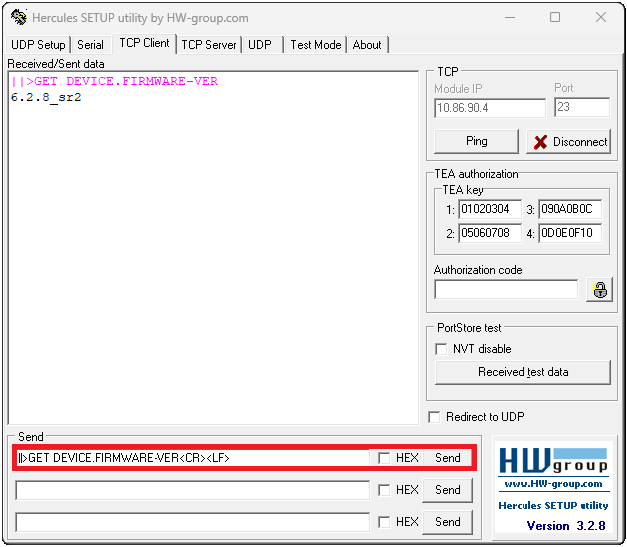
When sending a DataMan Control Commands (DMCC) command to a DataMan reader, it has to start with a header (default header is ||>), and it has to terminate with Carriage-Return (CR) and Line-Feed (LF) control characters. These control characters are not visible, and these characters can be sent in the following way in Hercules Setup Utility:
<CR><LF>
For example, sending GET DEVICE.FIRMWARE-VER command requires the below format in Hercules Setup Utility:
||>GET DEVICE.FIRMWARE-VER<CR><LF>