

Question
My images from my readers are not coming into Edge Intelligence (EI), how do I get the FTP script to work properly?
Answer
- Upgrade to the latest version of EI - 1.2.1 or higher
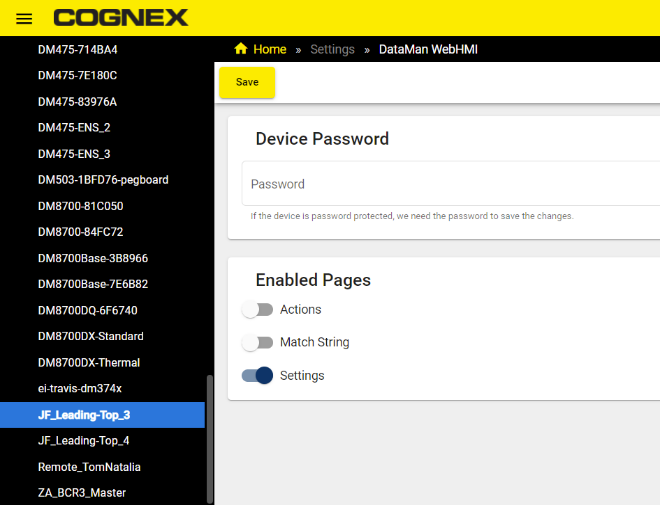
Under the hamburger menu, go to Settings → DataMan WebHMI → Select your DataMan reader → Turn on the "Settings" page for that reader.
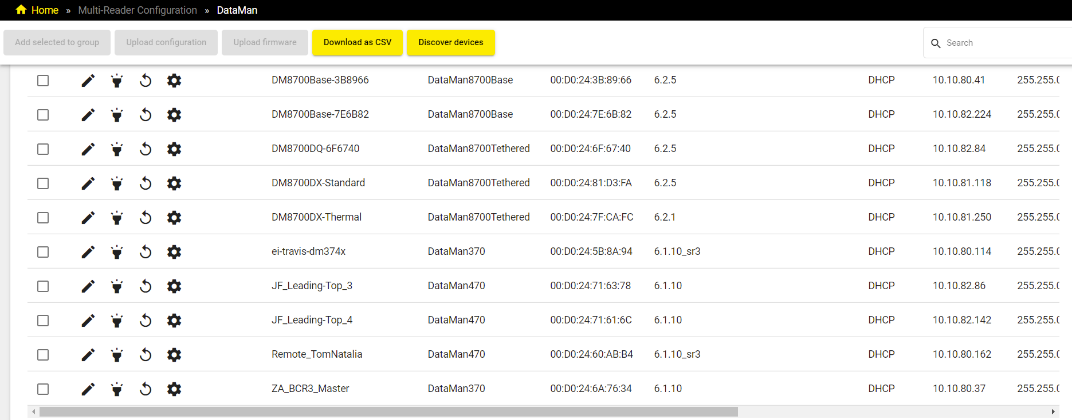
Under the hamburger menu, go to Multi-Reader Configuration → DataMan → Click on the gear icon beside your camera's name. It will attempt to open the WebHMI connection. Click on "Open" when a dialog box shows up.
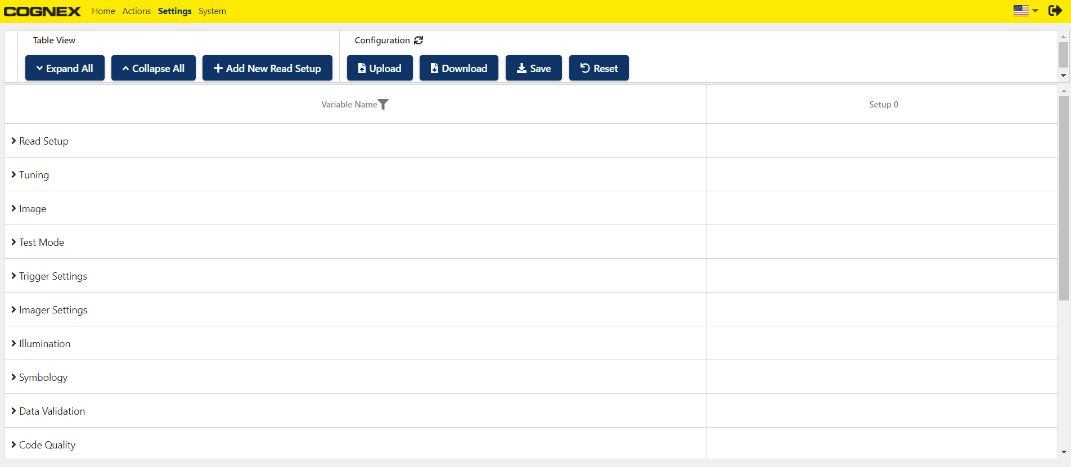
Choose Settings from the top bar.
Click on the filter button "Variable Name" → Search for "ftp name"

- Copy the script content from here and paste it in the 2nd column "Setup 0" text box as shown in the image above.
Click on "Save" under the Configuration section at the top.
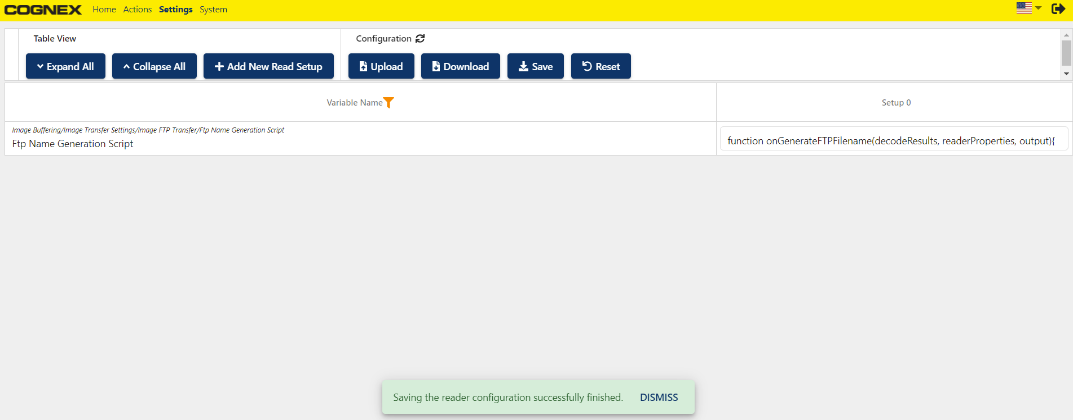
- Close the WebHMI window and go back to Edge Intelligence to test.
