Details
- Software Version Requirements:
- In-Sight Vision Suite 24.3 or later
- VisionPro 9.22 or later
Use the In-Sight Vision Suite software to connect to the In-Sight L38, and ensure the firmware has been updated to a version that supports the "Application Switcher," as shown in the figure below.
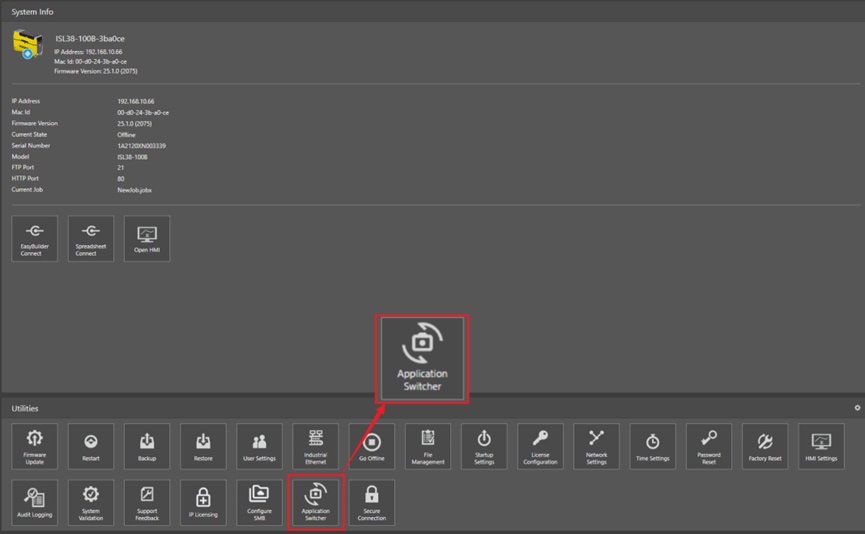
Click the Application Switcher button, and select GEV Server from the pop-up window.
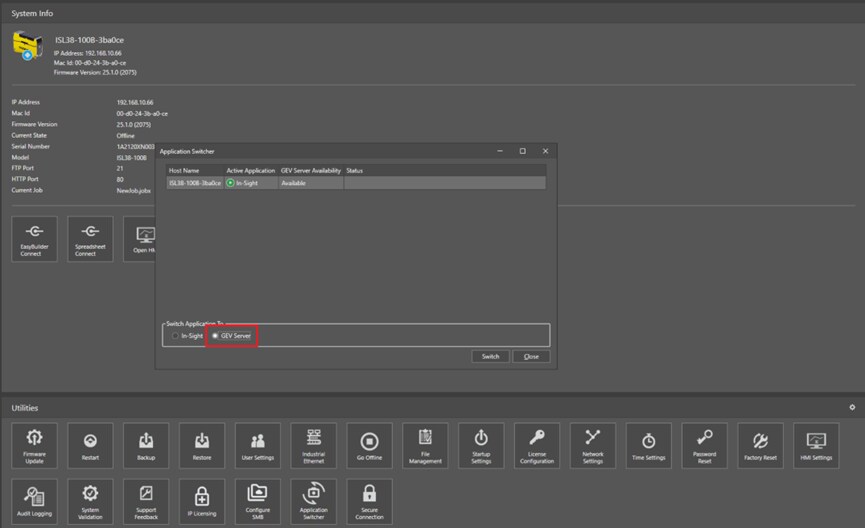
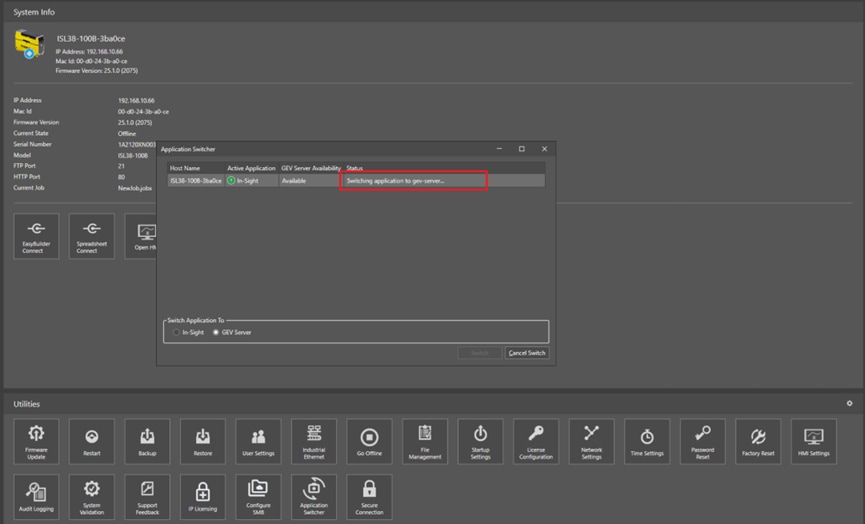
Click the Switch button to change the In-Sight L38 from In-Sight mode to VisionPro mode. The status bar will display the status accordingly.
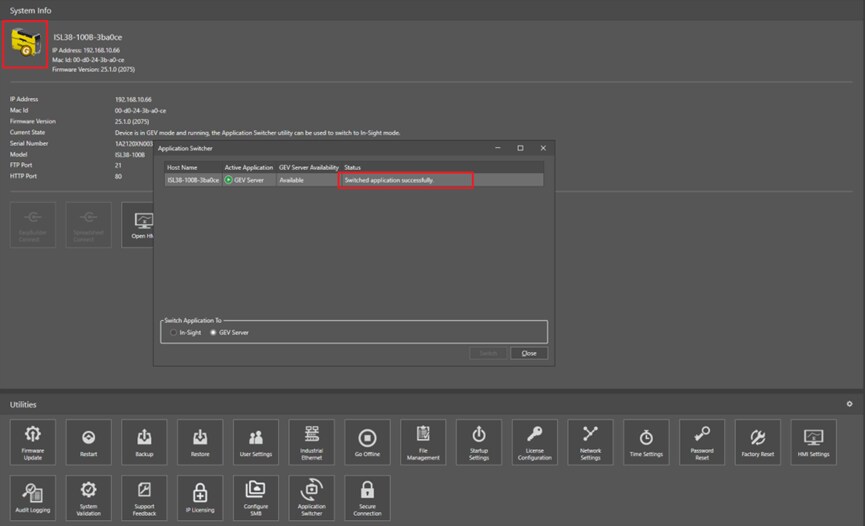
After the switch is successful, the In-Sight L38 icon status will also change. There is no need to restart the camera. Close the In-Sight Vision Suite and open the VisionPro software to connect to the In-Sight L38.