

Question
How to enable Users for In-Sight Vision Suite cameras?
Answer
To enable Users and Password for In-Sight Vision Suite cameras is mandatory to set a Password for the admin default user, in this menu:
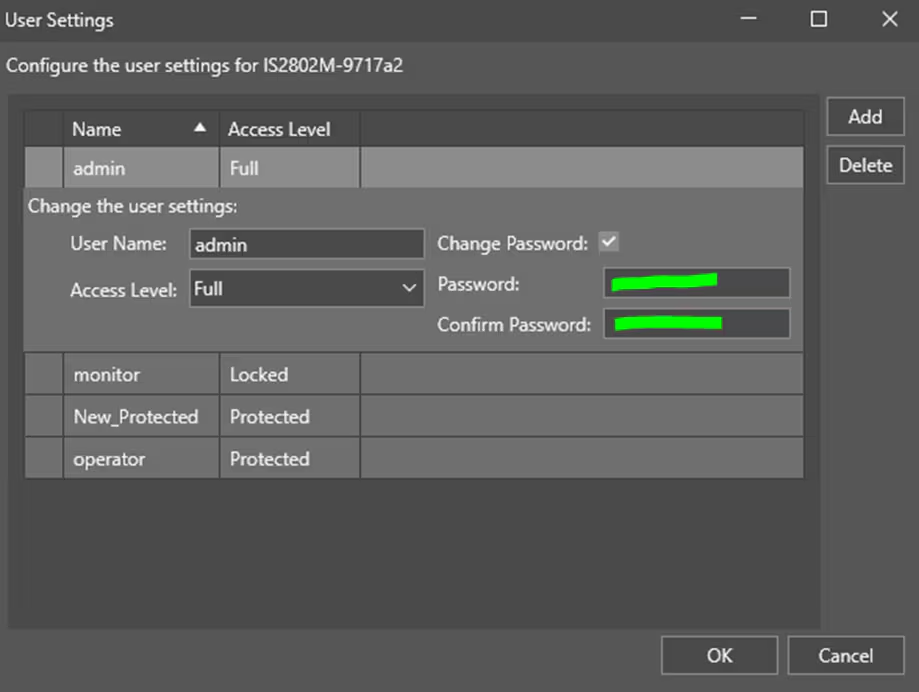
Once the password is set, then all the other Users (with their password) will be enabled.