Question
How to connect to WebHMI using DataMan 80-USB.
Answer
Set the IP Address for the DataMan 80-USB.
For example, before connecting the DataMan 80 to the PC, the network setting is as below.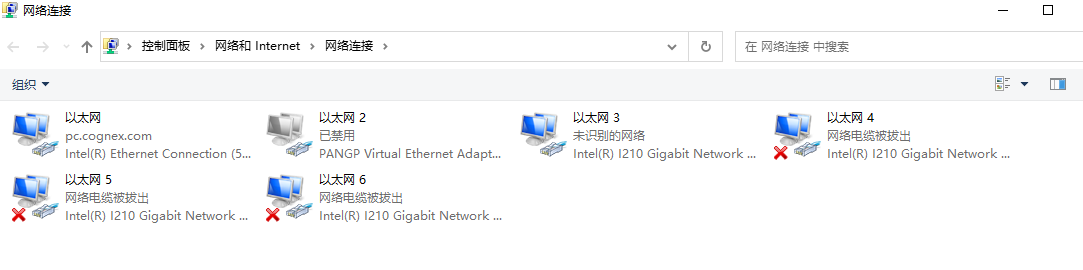
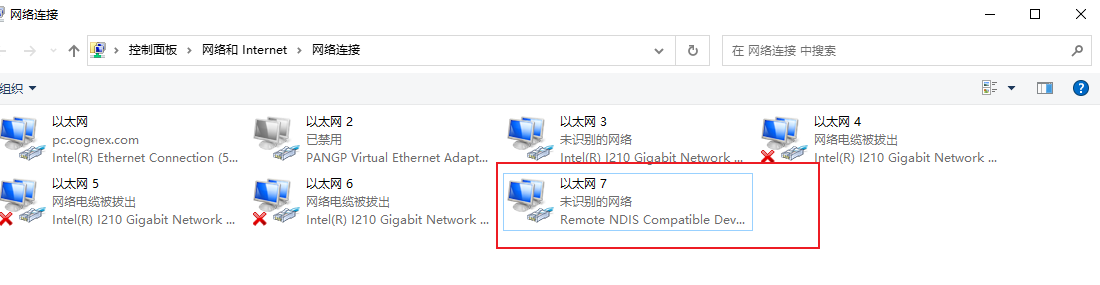
After connecting the DataMan 80 to the PC, there is a new network connection showing in Network Connection.
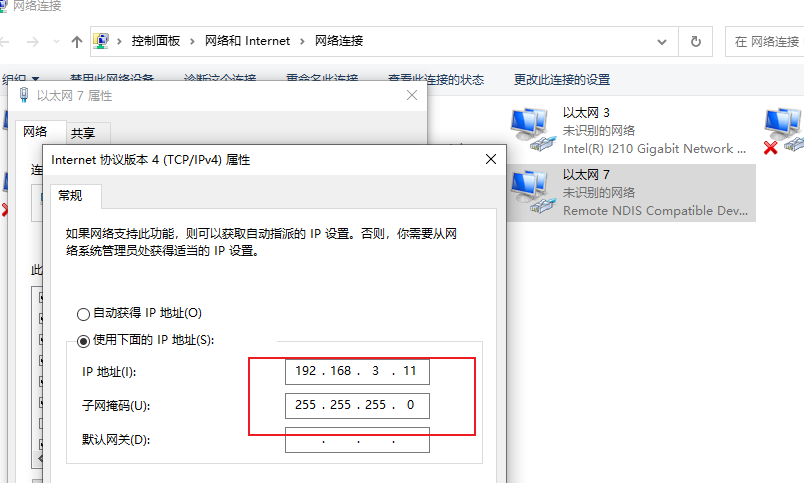
Make sure the IP Address of the new network connection and the IP Address of the DataMan 80 are on the same network segment.
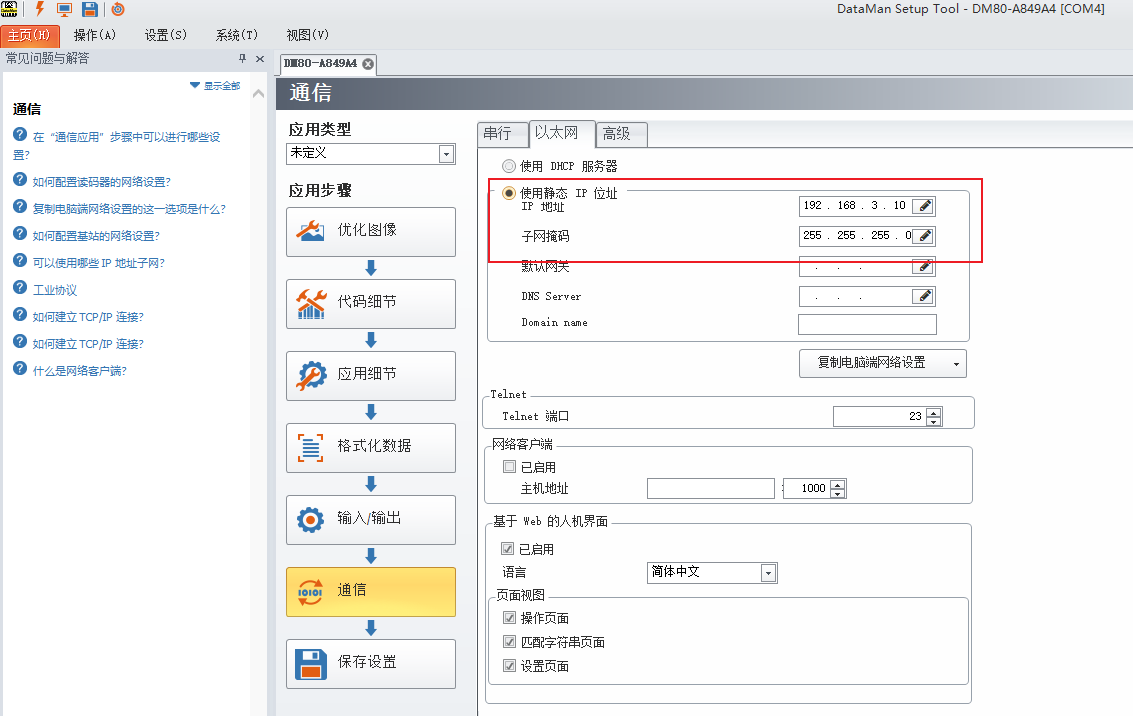
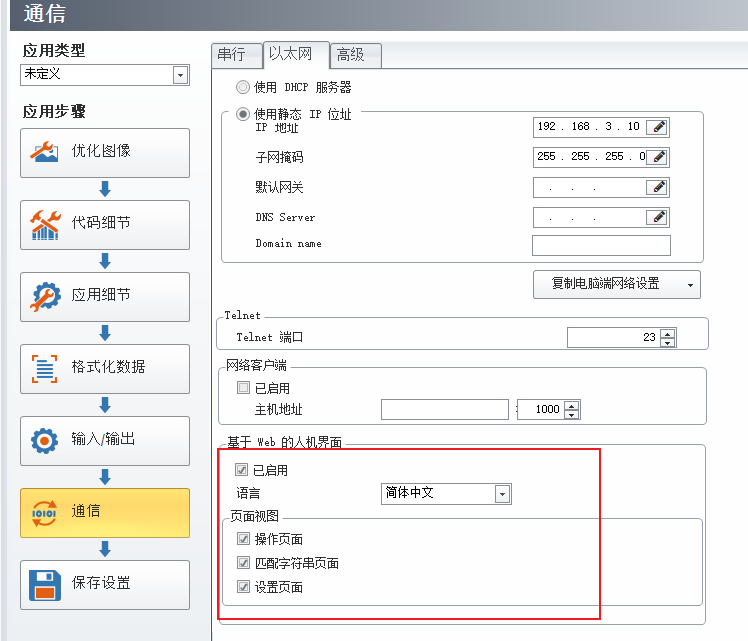
Enable WebHMI on Communication → Ethernet Page.
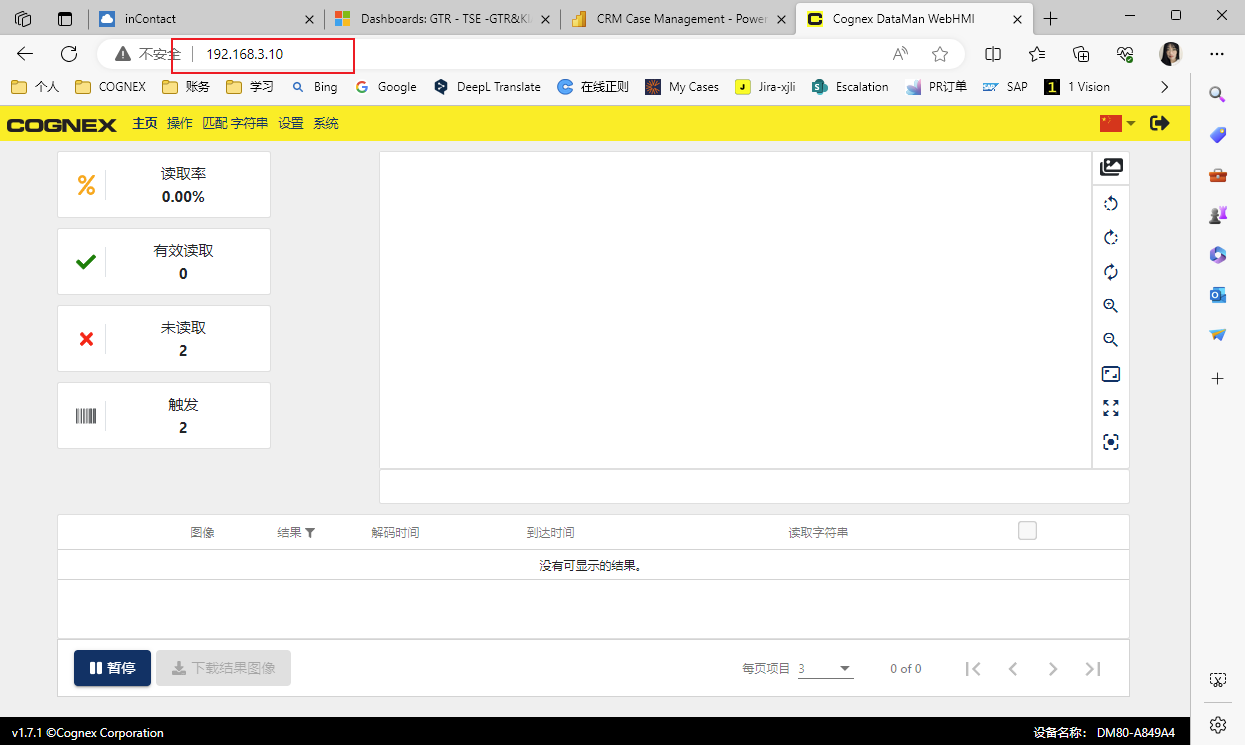
Using the DataMan 80 IP Address to connect to WebHMI in Brower.