Question
How can I create a backup of my In-Sight Explorer camera, and how can I restore it?
Answer
The Backup Directory can be set in the File Utilites section of the Options dialog, which can be reached from the System menu.
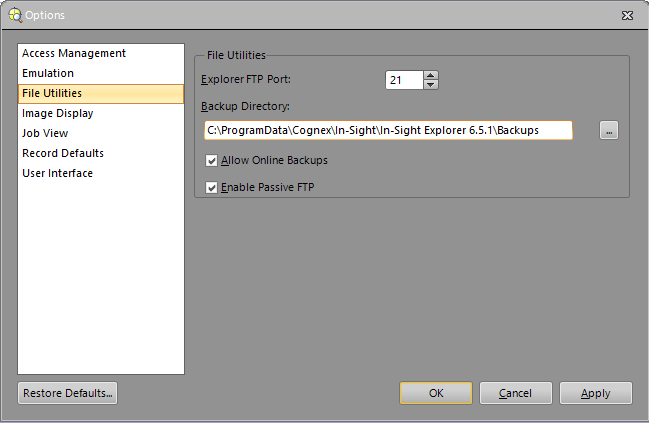
The default Backup Directory is set to:
C:\ProgramData\Cognex\In-Sight\In-Sight Explorer <version>\Backups
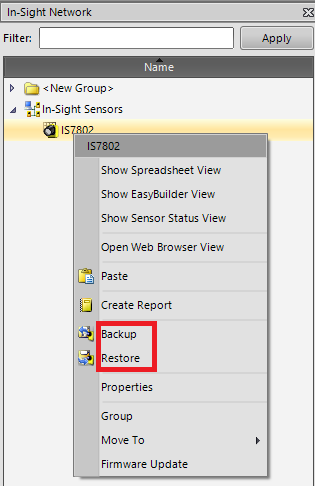
The Backup Directory is used for storing automatic backups during firmware updates or when selecting the Backup option from the pop-up menu after right-clicking on the camera in the In-Sight Network pane. The latest backup for the specific camera in the same folder is used when selecting the Restore option:
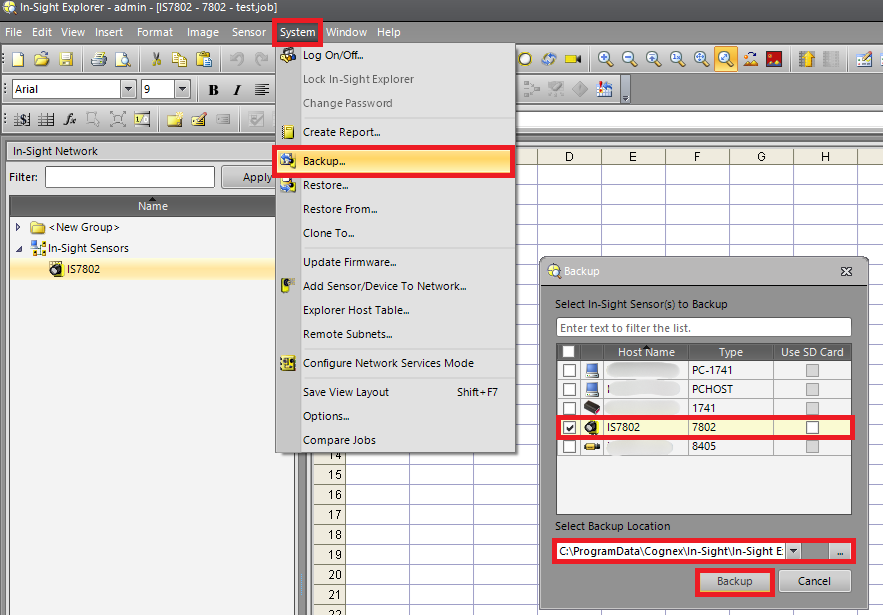
If you would like to save the Backup into a different folder than the one set for the Backup Directory, then it can be done by selecting the Backup... option in the System menu:
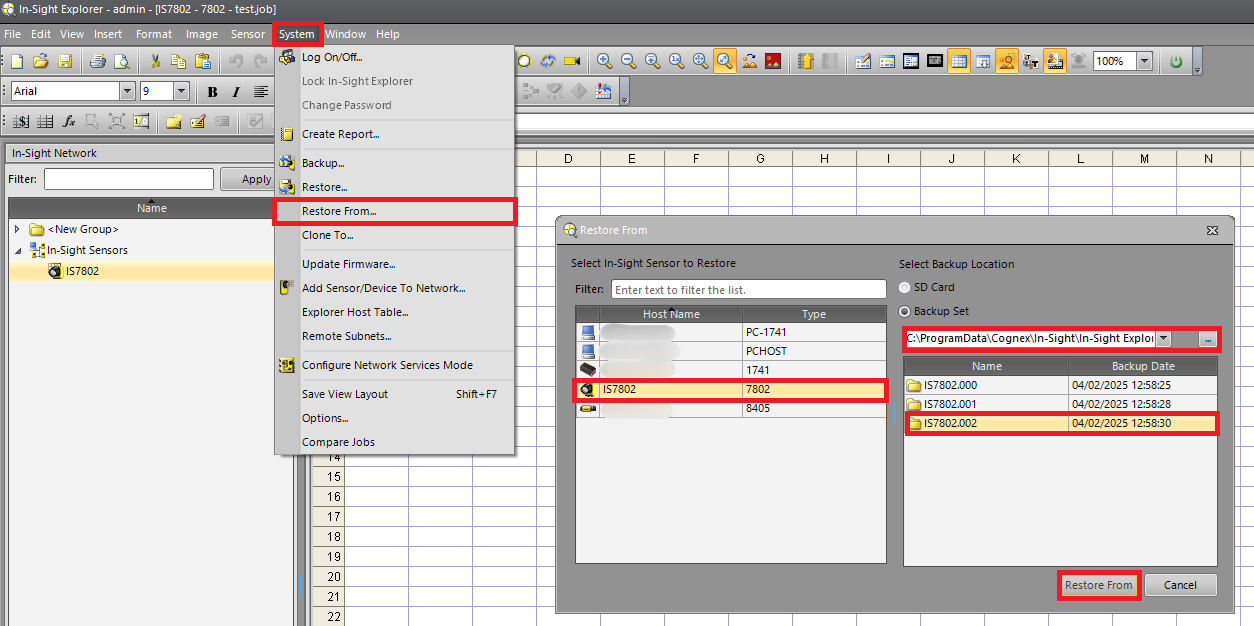
For restoring existing backups from a custom location, click on Restore From... in the System menu, select the camera in the dialog that you would like to restore, navigate to the folder where the backup is stored, chose from the available backups in that folder, then click on the Restore From button: