

Details
Issue:
In Results Explorer, the "Download All" button is grayed out and unclickable.
Cause:
Normally, this occurs when there is no trigger data found using the specified search parameters and time interval.

Resolution:
Try the following:
- Set different time intervals and ensure there is data to be downloaded during the interval.
- Check the About screen for Archiver in the list of services
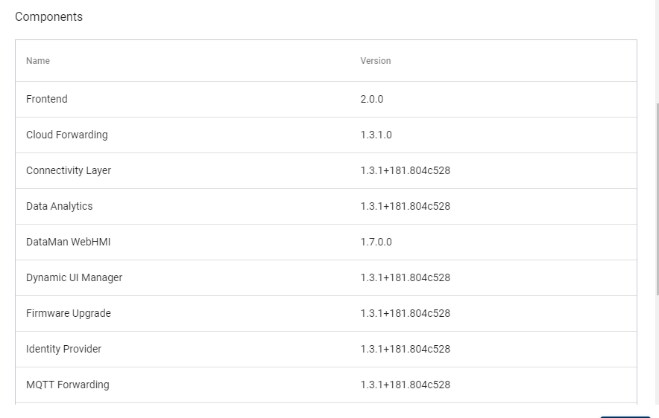
- If Archiver is not present, reboot Edge Intelligence.
- Check to see if the issue is resolved.
