Cognex Support Hub


DataMan Script for Unprintable Characters
This article describes how the unprintable characters can be removed from the reader's output string.
11/29/2024
This article describes how the unprintable characters can be removed from the reader's output string.
In some cases, particularly in applications related to data management or supply chain, specific control characters such as RS, GS, and EOT may appear in a DataMatrix code. These characters are used for technical and formatting purposes.
Here’s what they mean:
Why are they used in a DataMatrix code?
In summary, the RS, GS, and EOT characters in a DataMatrix code are used to organize and structure the encoded data logically, making it easier to interpret and process within automated systems.
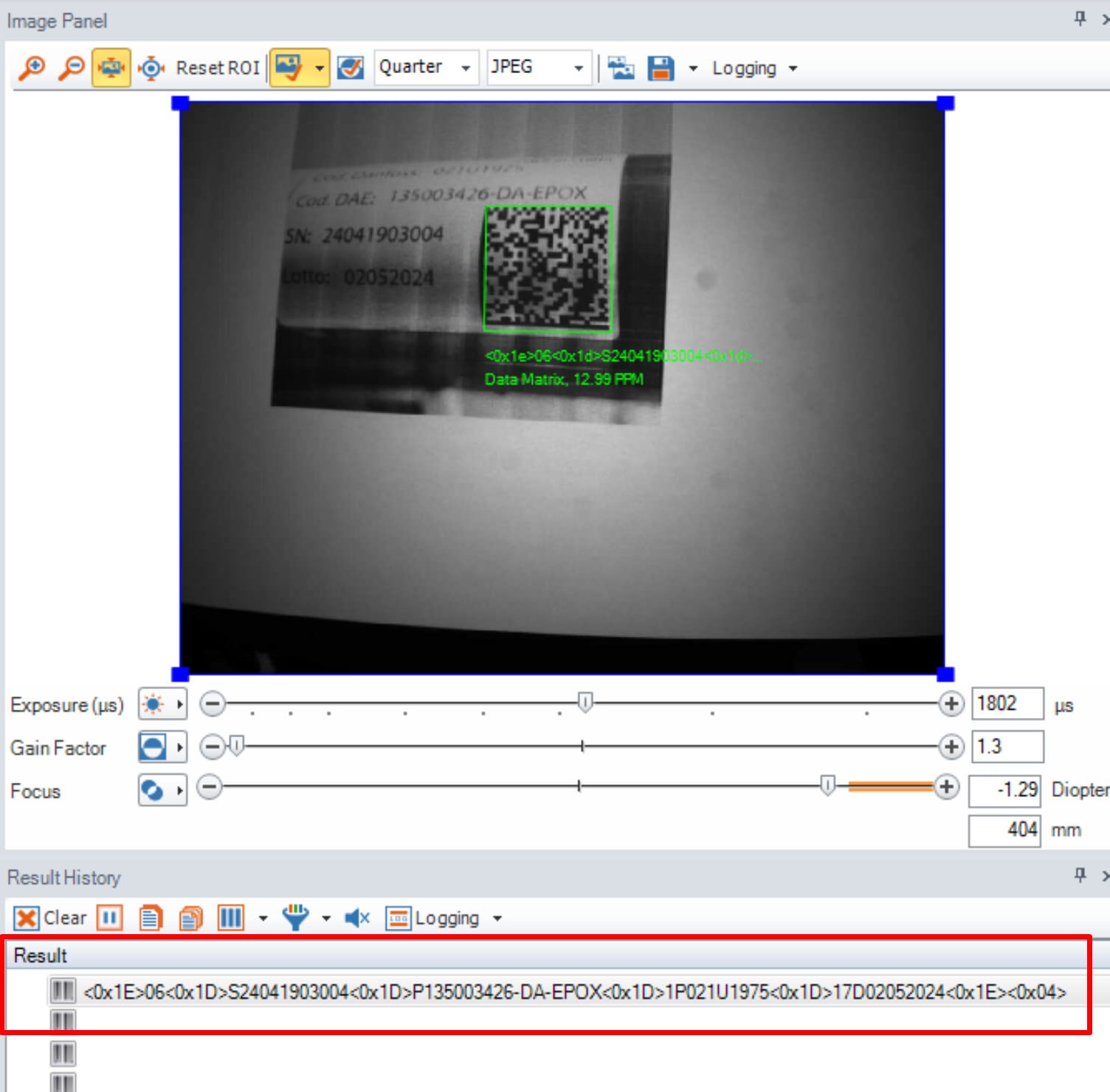
Here is the result from the DataMan Setup Tool, with default settings :
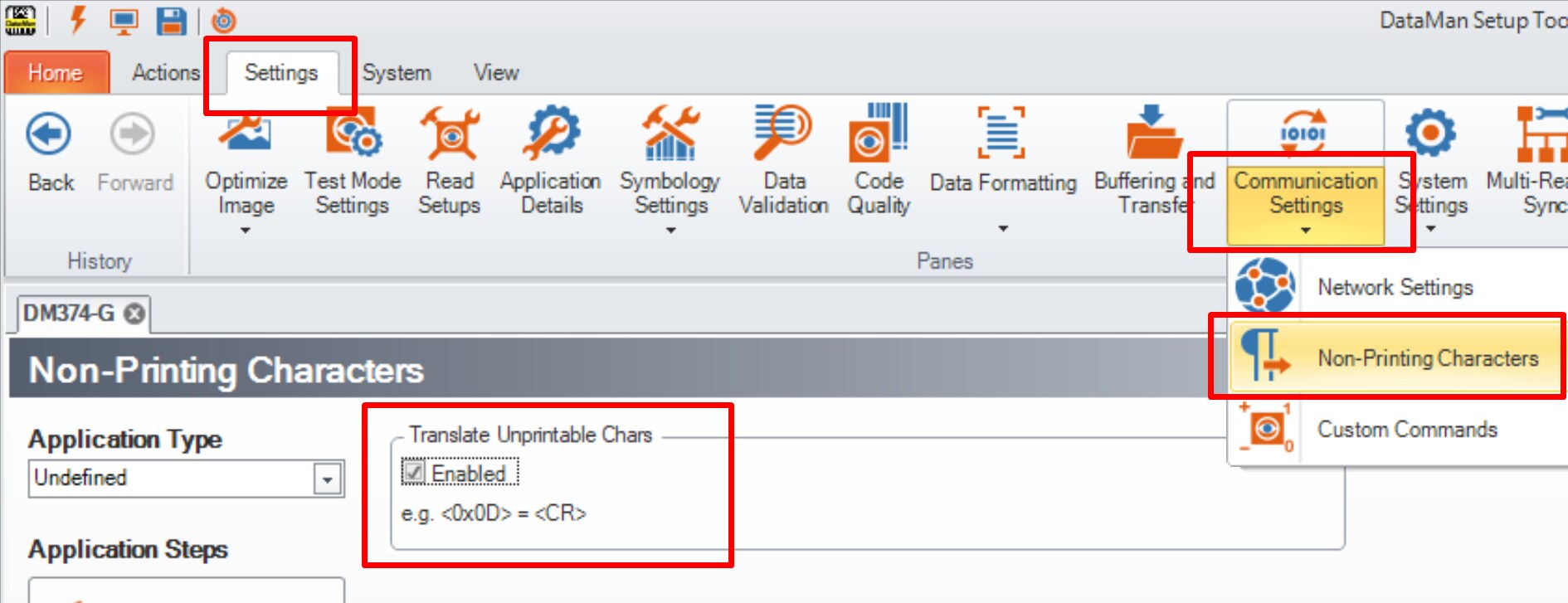
The DataMan Setup Tool can translate the unprintable characters, by checking the box "Enabled" as per below :
Here is the result :
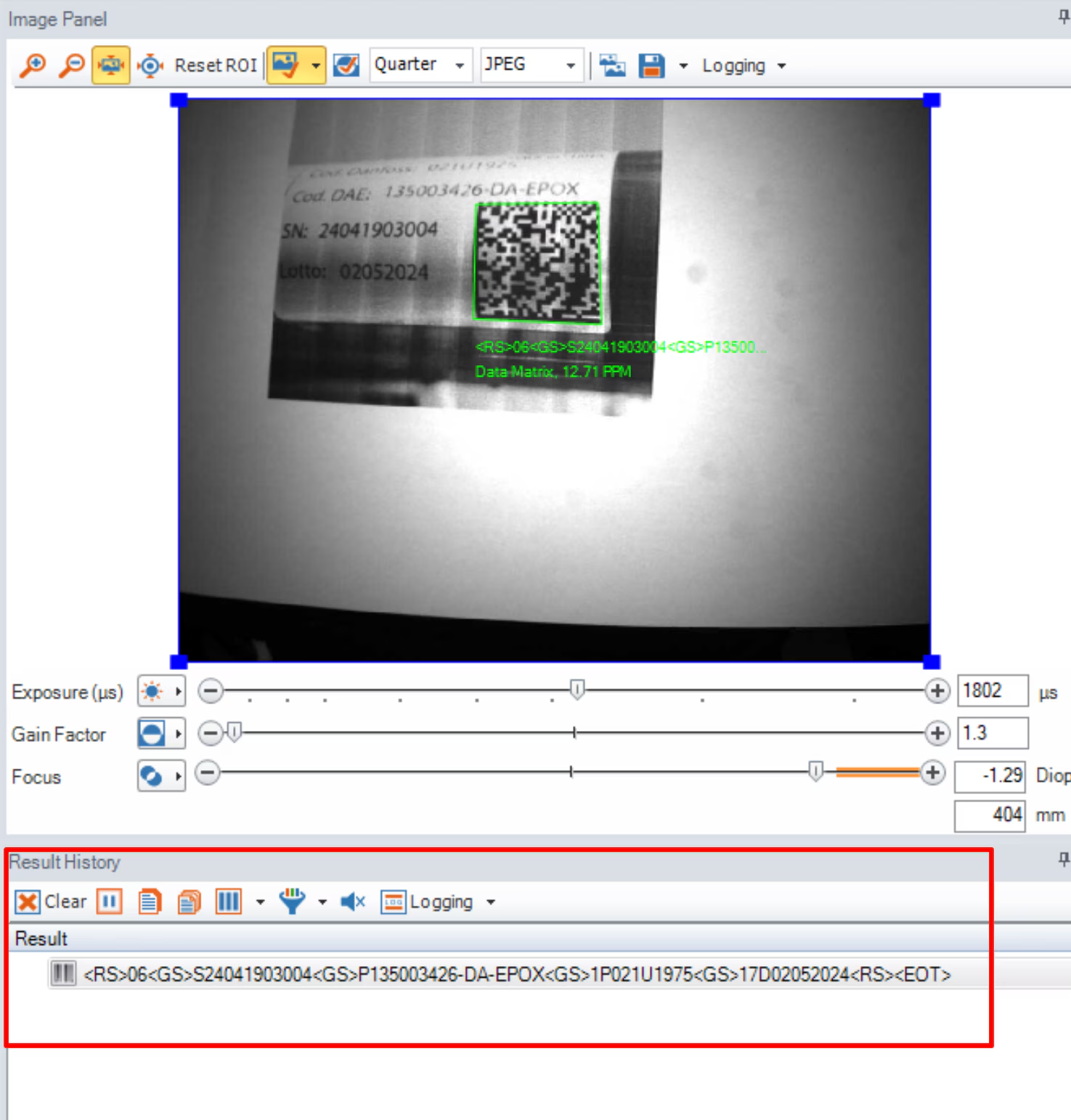
Those characters (<RS>, <GS>, <EOT>) can be removed from the output string, by using a script :
Click on the blue text "Script-Based Formatting" to open the "Data Formatting Script":
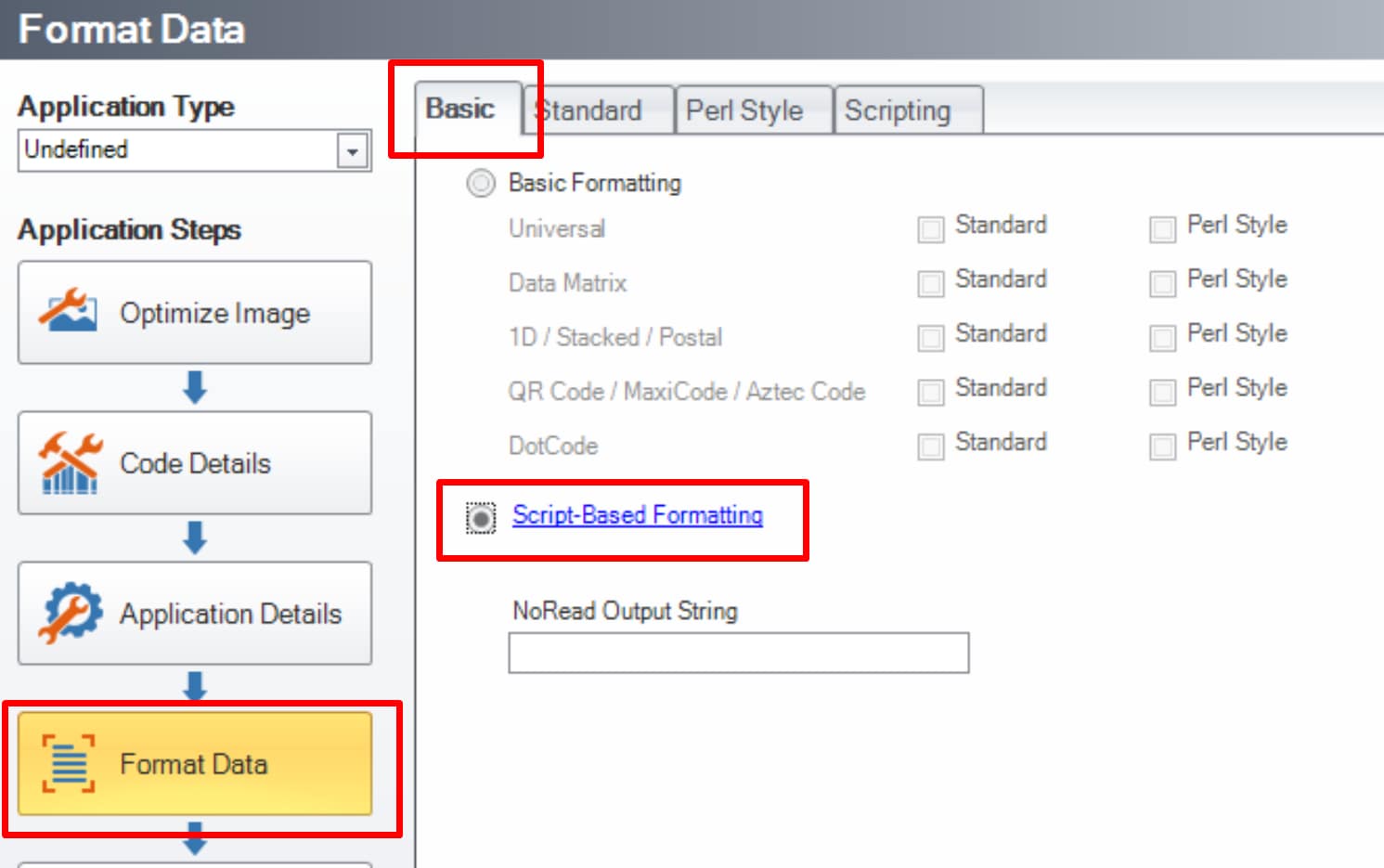
Use the script below as a "Data Fomrating" Script :
var RS = "\x1E";
var RSN = "<RS>";
var GS = "\x1D";
var GSN = "<GS>";
var EOT = "\x04";
var EOTN = "<EOT>";
var res = "";
function onResult (decodeResults, readerProperties, output)
{
if (decodeResults[0].decoded)
{
var convert = decodeResults[0].content.replace(new RegExp(RS,'g'),RSN).replace(new RegExp(GS,'g'),GSN).replace(new RegExp(EOT,'g'),EOTN);
}
res = convert.replace(/<RS>|<EOT>/g, '');
res = res.replace(/<GS>/g, '-');
output.content = res; // without carriage return
//output.content = res + "\r\n" ; // with carriage return
}
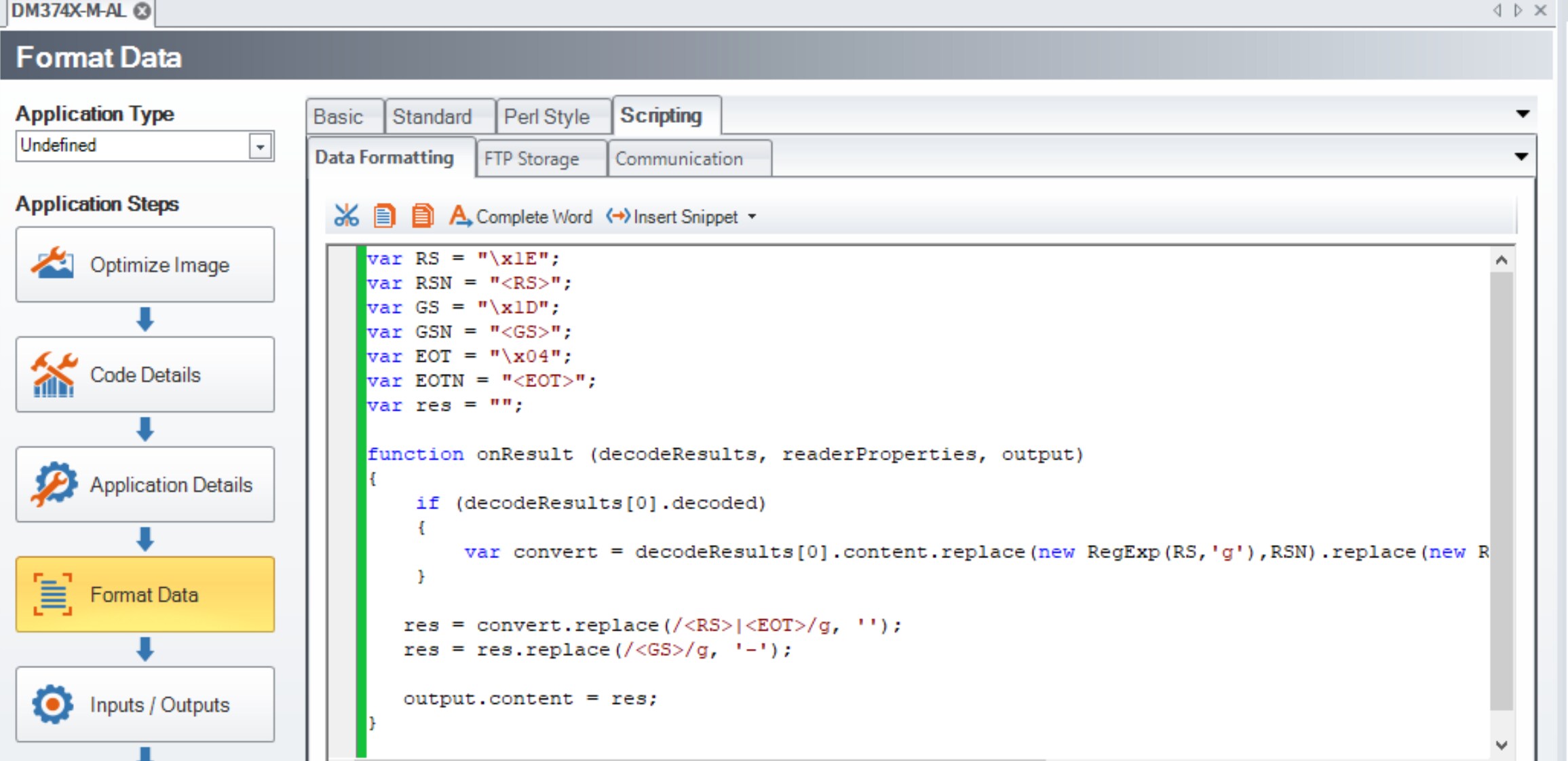
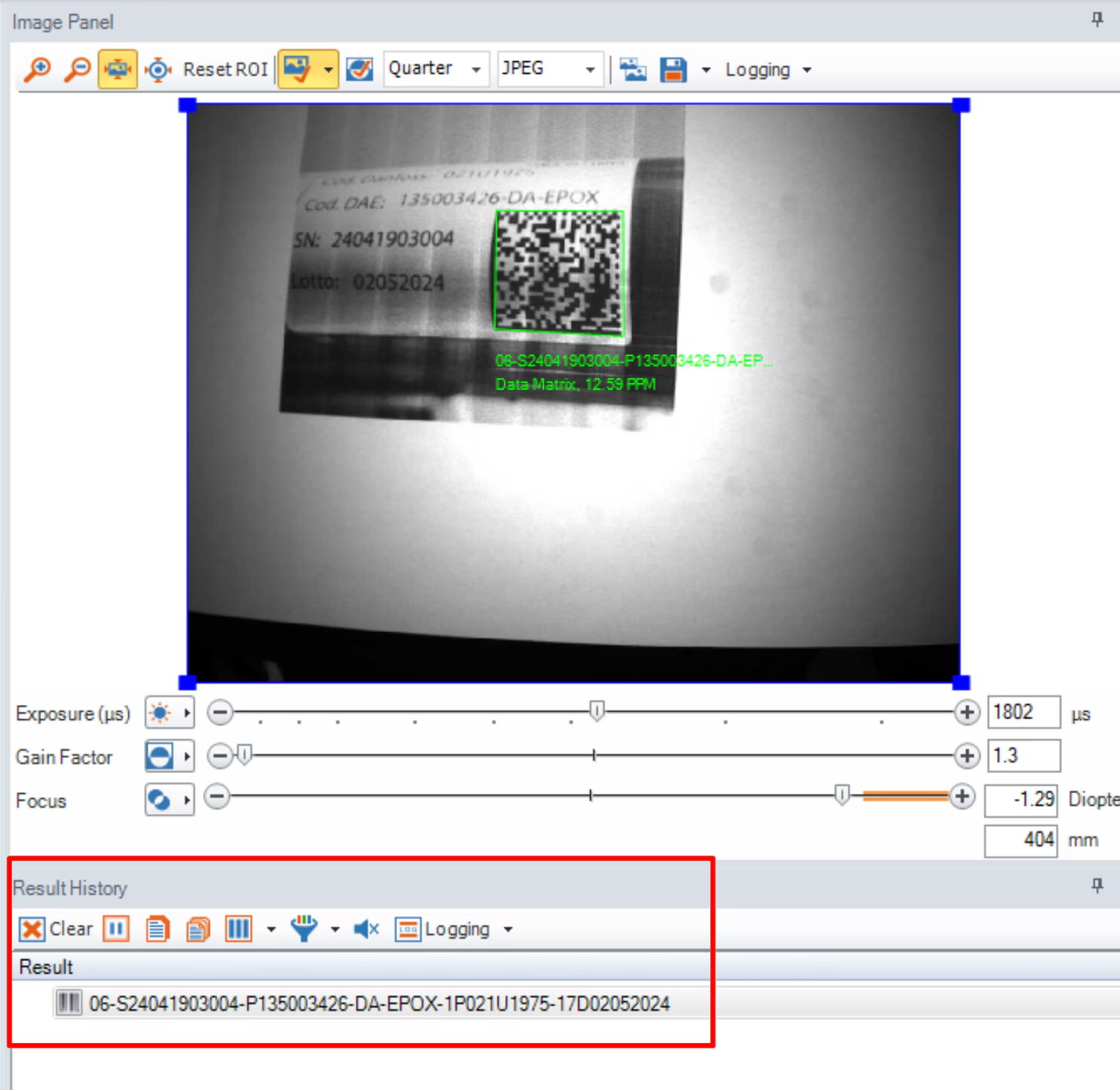
Here is the result :