

Details
When using Continuous (external) Trigger Type on a fixed-mount DataMan reader, the device acquires images as long as the trigger signal remains active. If a symbol is decoded, the reader stops accepting the trigger signal. The following solution keeps the continuous acquisition while the trigger signal is active, even after a symbol is decoded.
Trigger Type
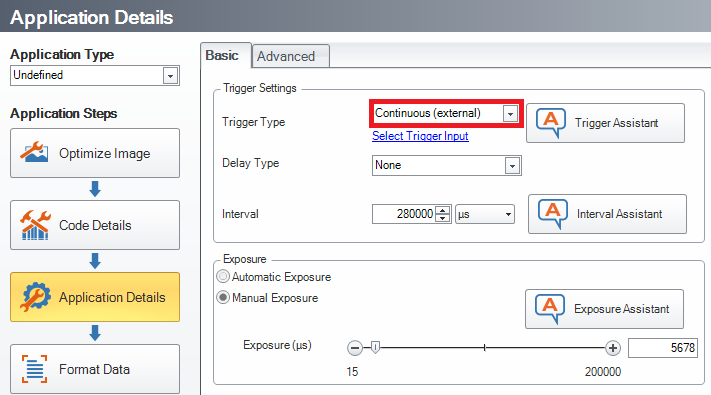
Reset Configuration of the device then set Trigger Type to Continuous (external).
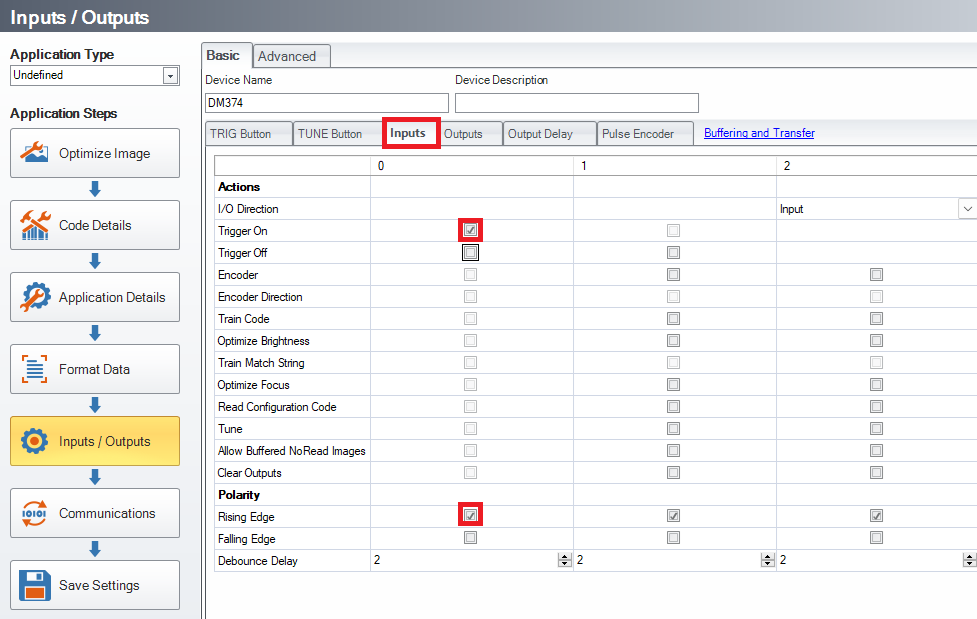
Input setting
Enable Trigger On and Rising Edge for Input 0.
Data Formatting Script
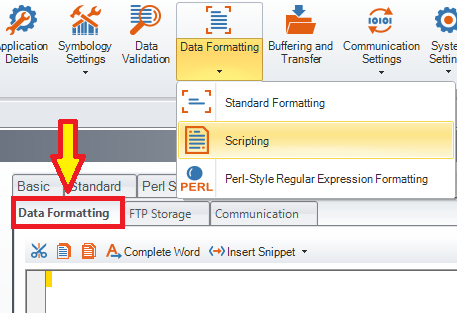
Enable Script-Based Formatting, then copy and paste the below code into the Data Formatting Script, overwriting any existing code there:
var trgEnable = 0;
var prevResult = "";
function onResult (decodeResults, readerProperties, output) {
if (decodeResults[0].decoded) {
newResult = decodeResults[0].content + "\r\n";
if (newResult != prevResult) {
output.content = newResult;
}
else {
output.content = "";
output.events.system = 2;
}
prevResult = newResult;
if (trgEnable) {
dmccCommand("TRIGGER", true);
}
}
}
Communication Script
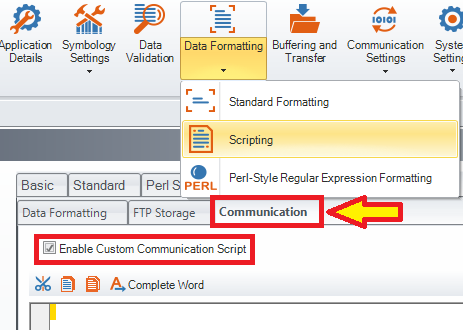
Enable Custom Communication Script, then copy and paste the below code into the Communication Script, overwriting any existing code there:
function CommHandler() {
return {
onConnect: function (peerName) {
this.input1 = registerHandler(Callback.onInput,this.onInput0.bind(this),ConstInput.Input0);
this.send("Connected.\r\n");
return true;
},
onDisconnect: function () {
deregisterHandler(this.input1);
},
onError: function (errorMsg) {
this.send("ERROR: " + errorMsg + "\r\n");
},
onInput0: function (inputs) {
trgEnable = inputs;
if (trgEnable) {
prevResult = 0;
}
else {
dmccCommand("TRIGGER", false);
}
},
};
}
