Details
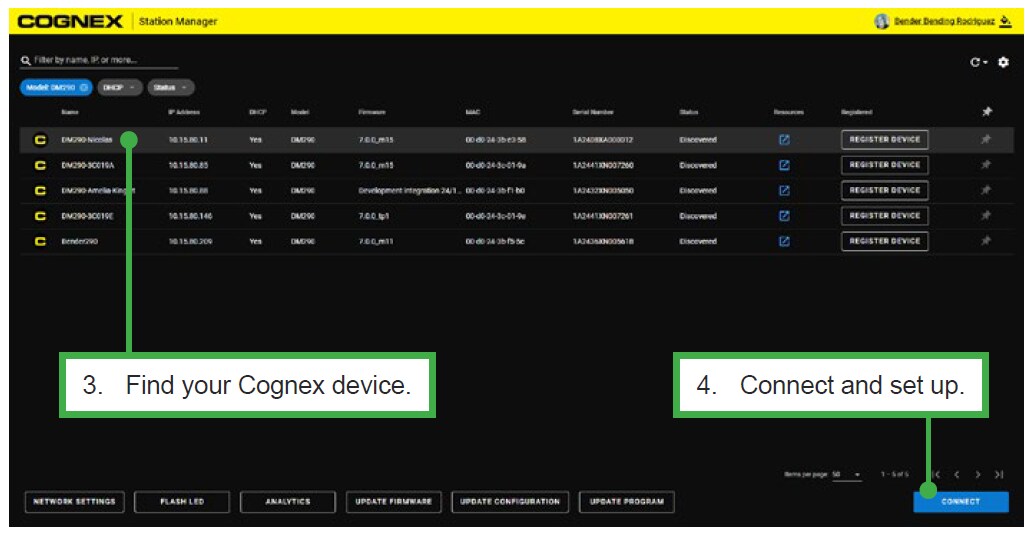
1. Station Manager:
Manage all your devices, including multi-reader firmware and network management.
Register automatically for updates when new firmware and documentation are
released and directly access product-specific support materials.
Change programs remotely.
How to Use:
- Download at cognex.com/dataman-software
- Install on any computer connected to your network
2. From Web Browser
Directly get started setting up your device.
How to Use:
- Open a web browser.
Recommended: Google Chrome,
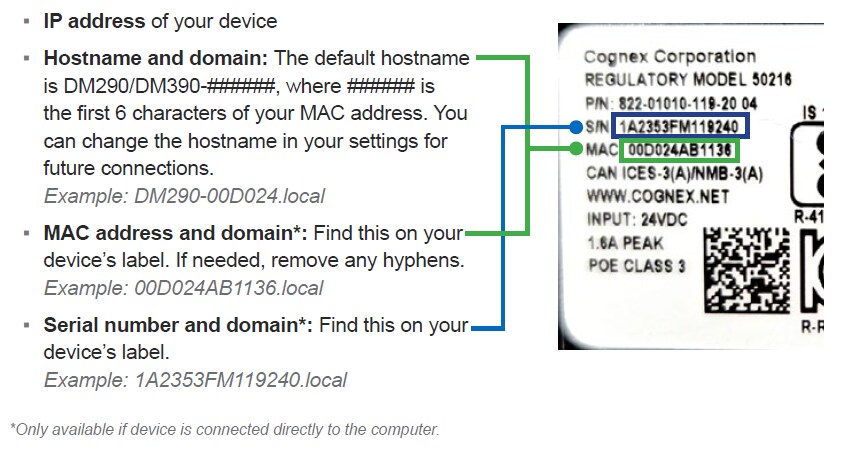
Microsoft Edge, QQ browser - Enter any one of the following:
3. DataMan Setup Tool
- Legacy software for setup
Get access to all underlying device settings
Use scripting to unlock extended communications functionality
How to use:
- Download at cognex.com/dataman-software
- Install on any computer connected to your network.
- Optimize your setup with the Web UI
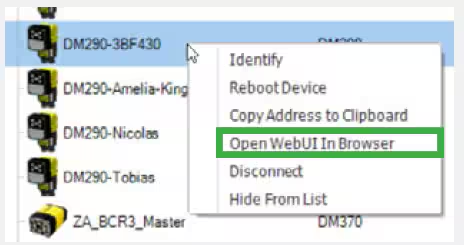
- Right-click on your device and select “Open Web UI in Browser” to get started.