Cognex Support Hub


Are FindLine’s results symmetrical for mirrored image?
This is an experimental explanation on FindLine’s parameter setting.
30.12.2025
This is an experimental explanation on FindLine’s parameter setting.
In VisionPro, FindLine is a very time-efficient line extraction tool for 2D images. For better understanding FindLine’s parameters, this article title is posed as a question, and the corresponding answer is derived from the following experiment.
The following two images are horizontally mirrored, in which the lines are ±1.80 degrees rotated from vertical direction respectively.


Suppose a FineLine tool is applied to extract a line from the above two images and its parameters are set as follows:
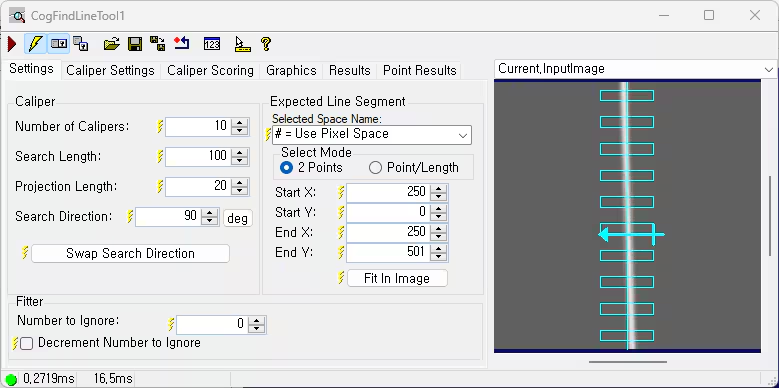
As you can see, ‘Number of Calipers’, ‘Search Length’, and ‘Projection Length’ are set as 10, 100, and 20 respectively and calipers are well placed to cover the target line. For the other parameters, they are left as default.
Here are the results of FineLine for the mirrored images. From basic common sense, because the line images are exactly mirrored, the line rotation angle in FindLine’s result should be symmetrical. However, it is obvious that the two rotation angles -91.8718 degrees and -88.625 degrees are not symmetrical to the -90 degrees (vertical direction).
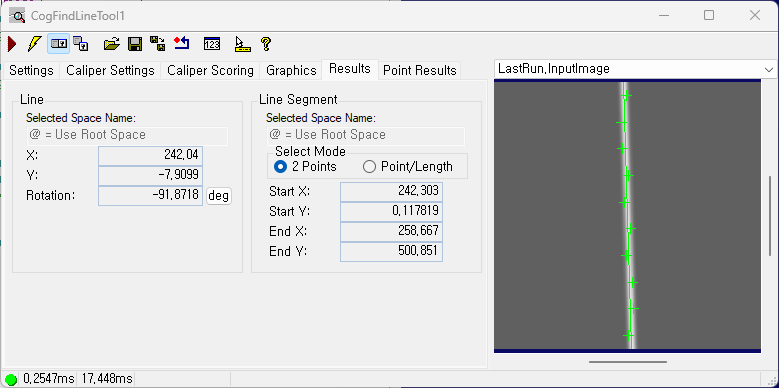
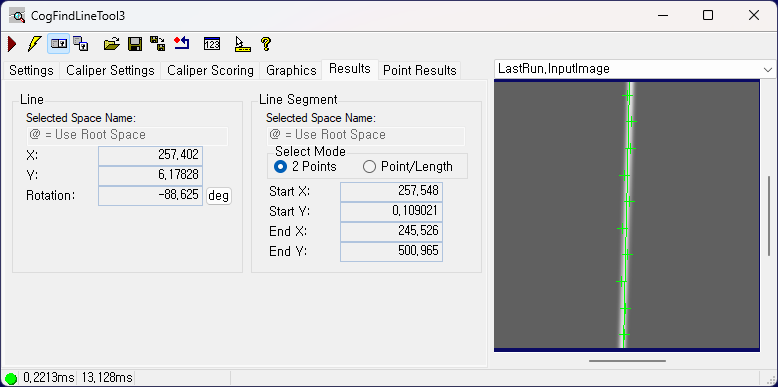
So far, the answer to the title question is No. But if two more parameters are considered well, then not only the result angle can be symmetrical but also the rotation angle accuracy can be improved.
One of the important parameters in FindLine is ‘Search Direction’ in Caliper category. Because FindLine is a Caliper based line finding tool, search direction plays a very important role in finding edge, which decides the direction for searching the peak along the line profile. Thus, for mirrored images, the ‘Search Direction’ should be opposite to each other. The ‘Swap Search Direction' button can easily help us to turn the search direction to the exact opposite direction. The following figure shows the 180-degree switched ‘Search Direction’ by clicking ‘Swap Search Direction’ button.
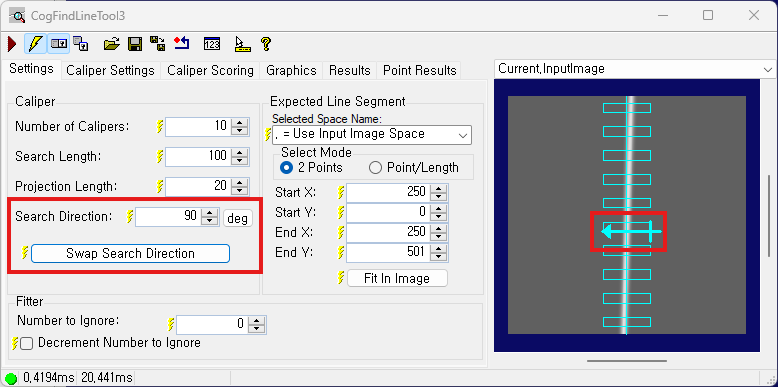
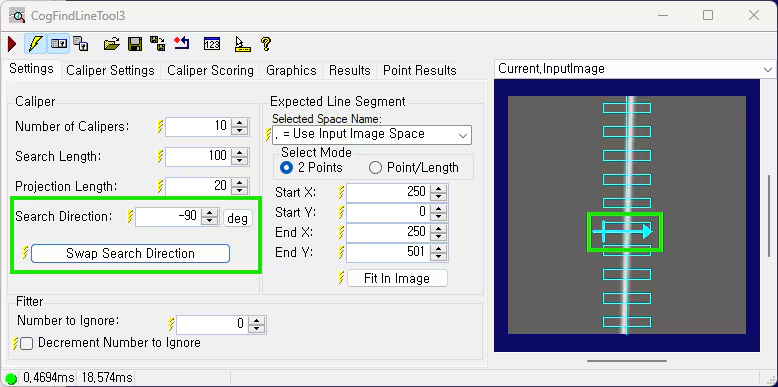
As mentioned above, by setting the opposite Search Direction’ to the mirrored images, the line rotation in FindLine’s results became -91.8718 degrees and -88.1282 degrees which are symmetrical to -90.0 degrees angle (shown as the figure below).
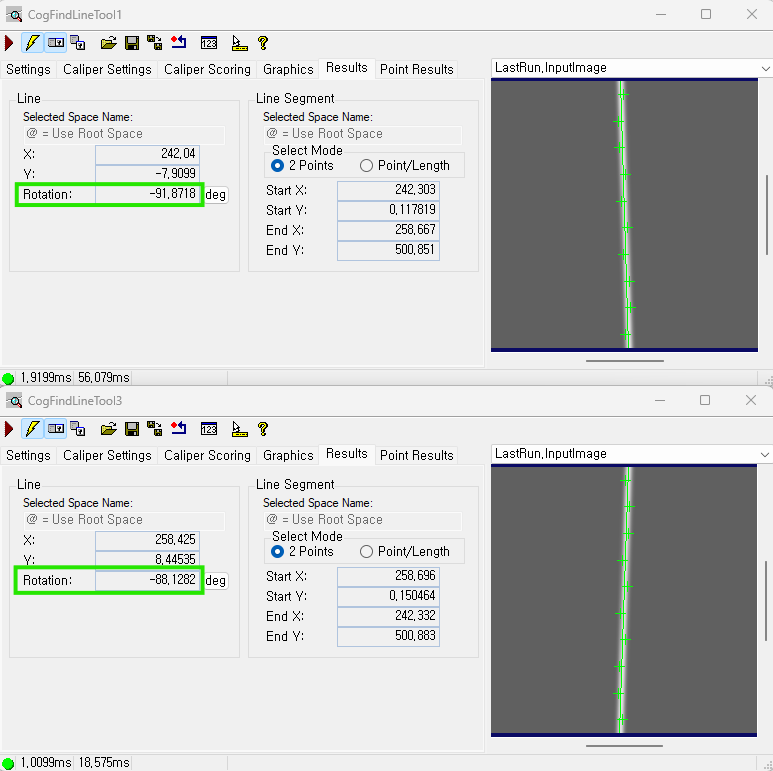
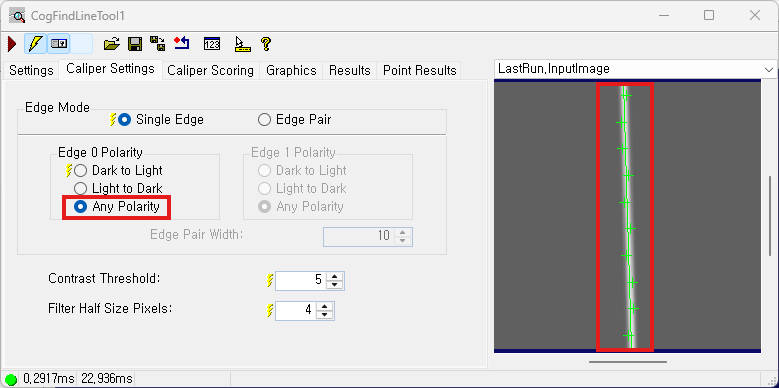
However, as you may see, Caliper’s peak points are scattered on two sides of the central line axis, which is against reducing line fitting error. In this case, making the peak points located on the same side of the central line axis can help to reduce the angular deviation error.
The second important parameter in FindLine is ‘Edge Polarity’. For the case of thick line, ‘Edge Polarity’ can make the peak point appear on the specific side of the line. By default, the polarity of edge is set as ‘Any Polarity’, that’s why peak points are scattered on both sides of the central line axis. Thus, choosing a specific polarity rather than ‘Any Polarity’ can make the peak points appear on the same side of the central line axis, which is shown in the figure below.
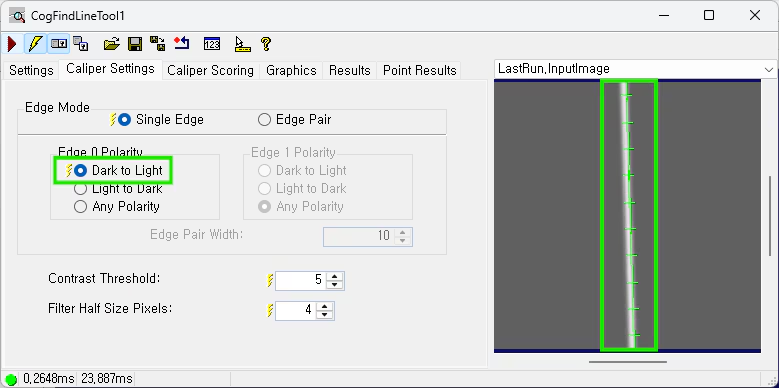
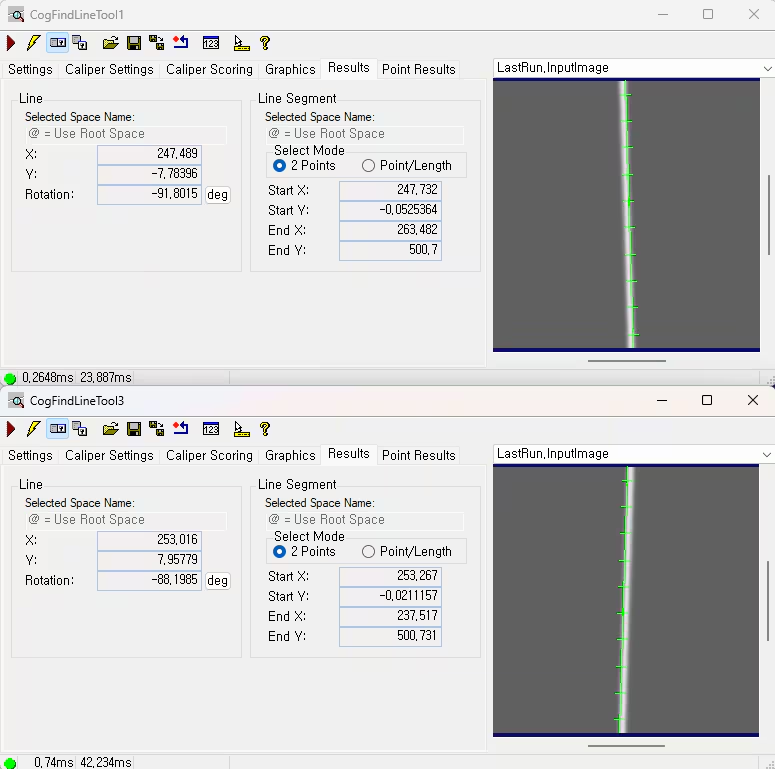
Previously, with ‘Any Polarity’ setting, the angular deviation error is 0.0718 degrees (= difference between -91.8718 degrees and -91.80 degrees). While with ‘Dark to Light’ setting, the angular deviation error is 0.0015 degrees (=difference between -91.8015 degrees and -91.80 degrees), which is significantly reduced. It is shown as the figure below:
Conclusion:
The answer is Yes, but the ‘Search Direction’ parameter need to be opposite. Also, proper polarity setting can reduce the line fitting error and eventually improve the accuracy of line rotation angle.
Note: all the above line finding tool names and tests are valid with VisionPro 9.23.
