Details
Issue:
Profinet tags being at higher addresses are not updated over Profinet when using Siemens S7-300 or S7-400 series CPU.
Causes:
A possible reason for the issue is if the addresses of those tags are out of the configured size of the CPU's process-image area.
Resolution:
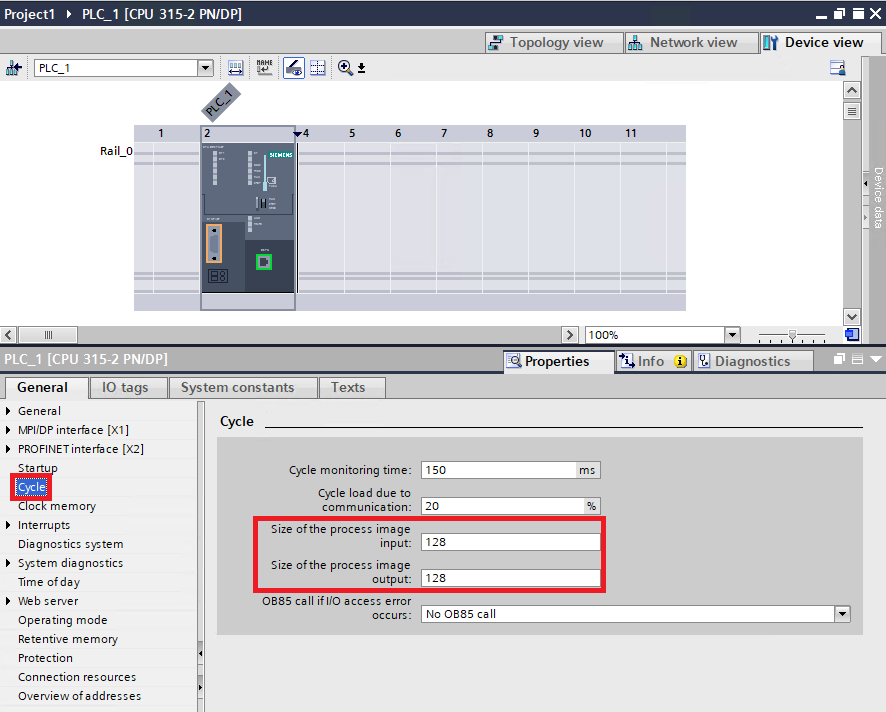
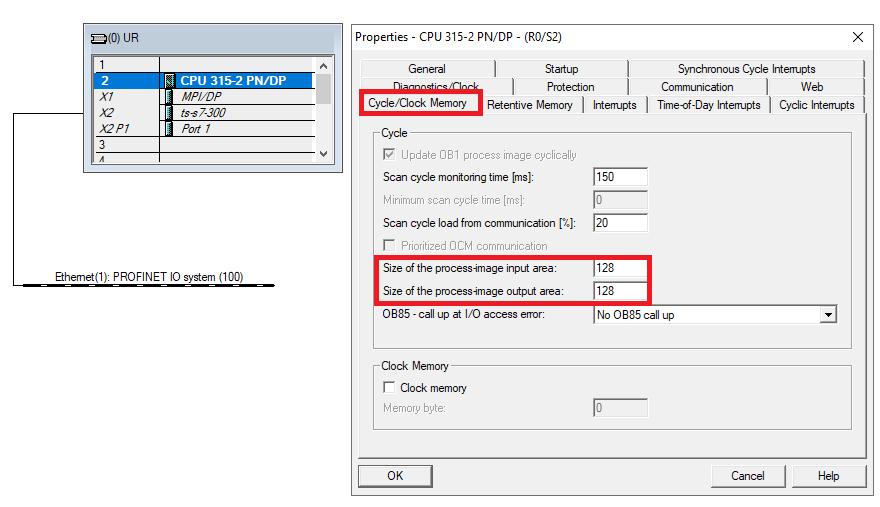
Check the configured size of the CPU's process-image areas, and if the addresses of the Profinet tags are out of those areas, then either lower the addresses of the Profinet tags or increase the size of the CPU's process-image areas to fit the Profinet tags in there.
Configuration in Siemens SIMATIC Manager:
Configuration in Siemens TIA Portal: