

Question
Why does In-Sight Vision Suite automatically log out after 10–15 minutes when we log in via the web HMI with "Locked" access level? Is there a way to prevent or extend the auto-logout timeout?
Answer
- The auto-logout behavior you're seeing in In-Sight Vision Suite when accessing via Web HMI at the "Locked" access level is due to a session timeout setting designed for security purposes:
- Web HMI session timeout: In-Sight Vision Suite has a default session timeout (15 minutes) to prevent unauthorized access when a user walks away without logging out.
- "Locked" mode: This mode is designed to limit access, so the system treats it as more sensitive and may apply stricter session policies.
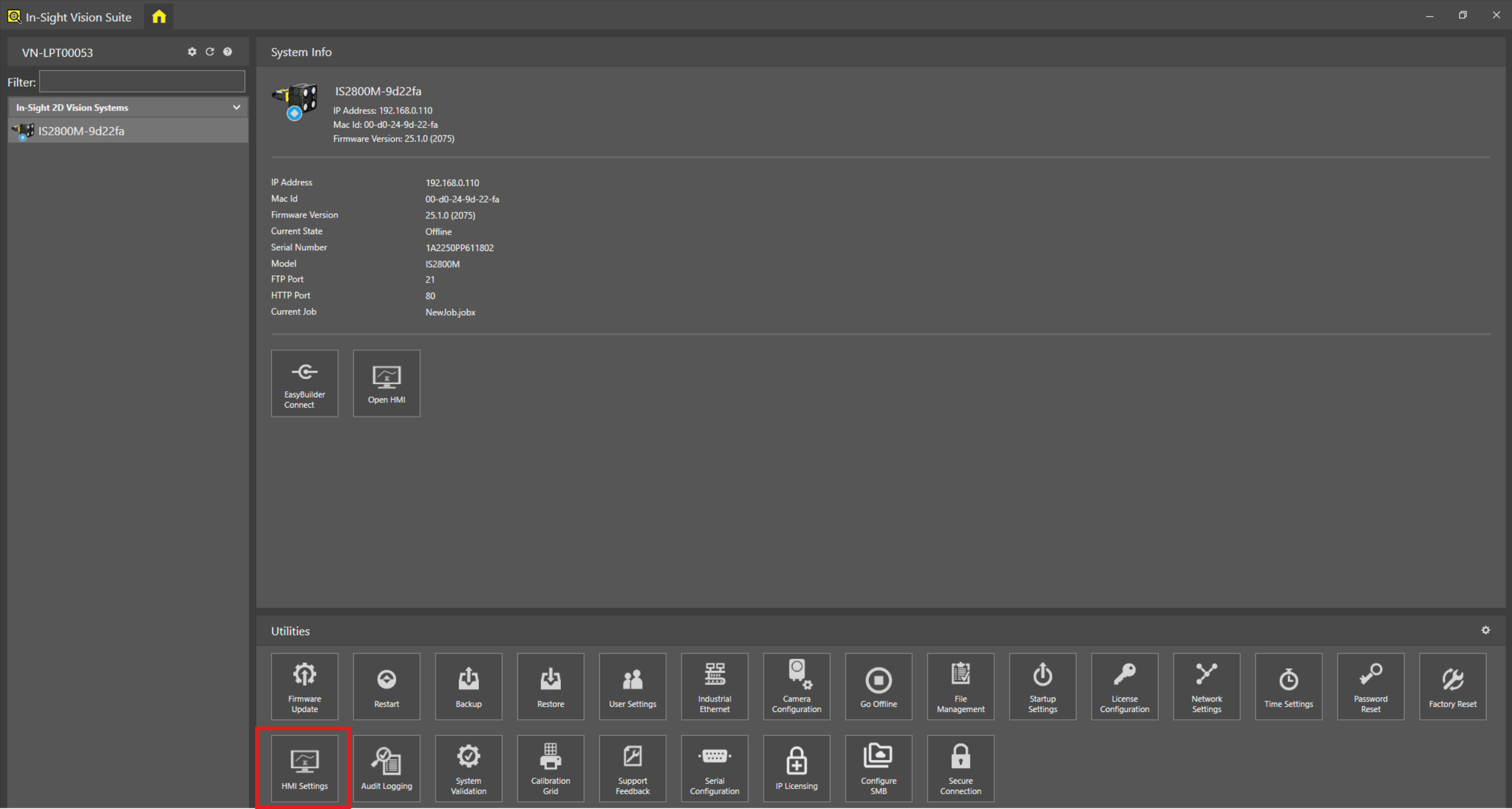
Below is the way you can fix or extend the timeout. In the In-Sight Vision Suite, go to the HMI setting:
You can either uncheck the "Enable Inactivity Log Out" option to always keep logging in or change the value of "Inactivity Log Out" to meet your extension requirement.
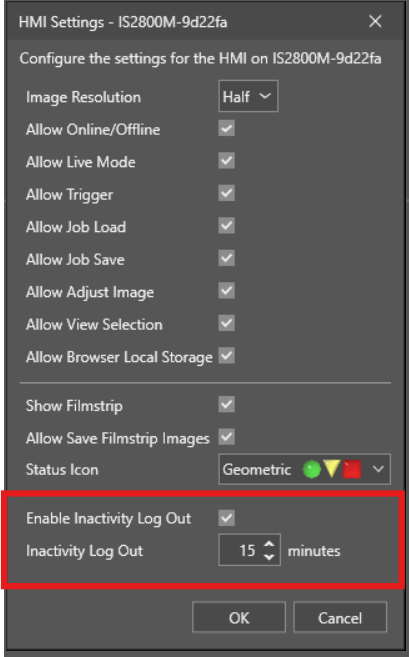
- Then click OK to save the setting.
