Details
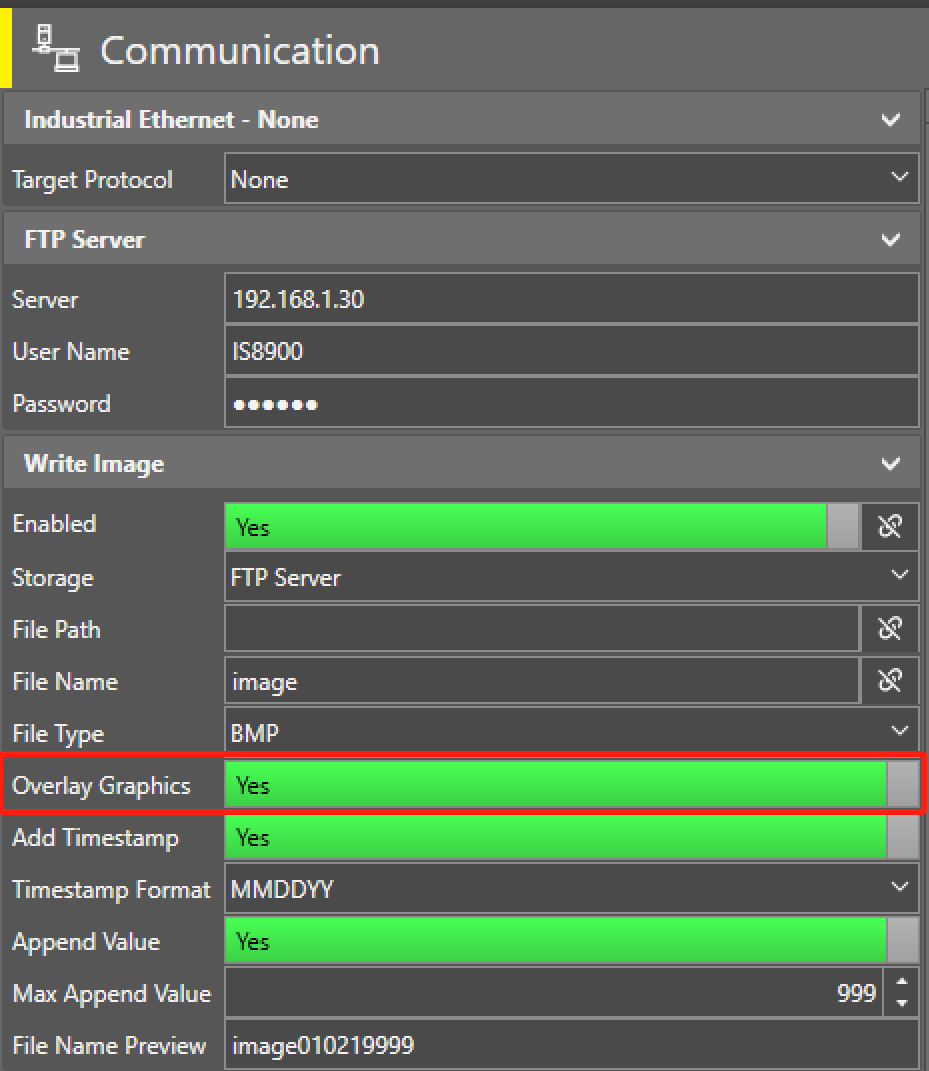
- Setup FTP Server and save image through FTP Server.
Enable Overlay Graphics in Write Image, trigger the camera to acquire a image.
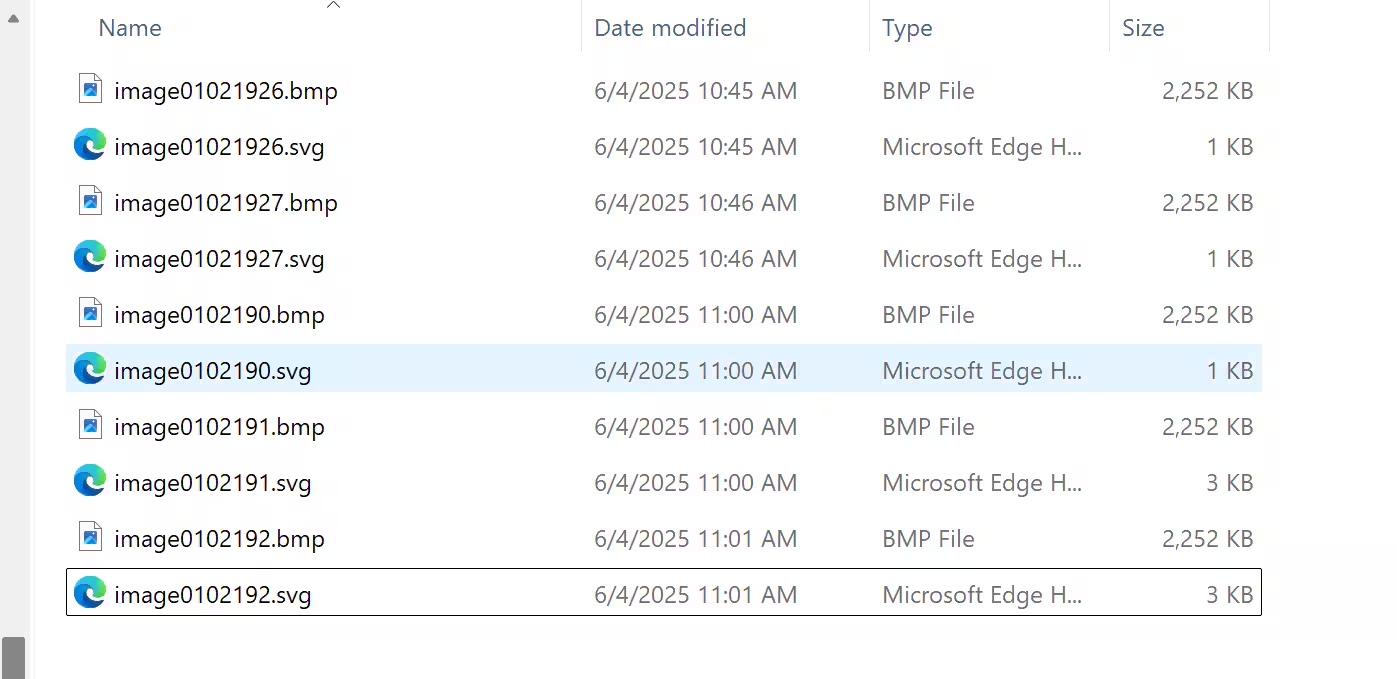
Then you can find .svg file has been saved in your folder (you can set a folder in File Path or use default folder),
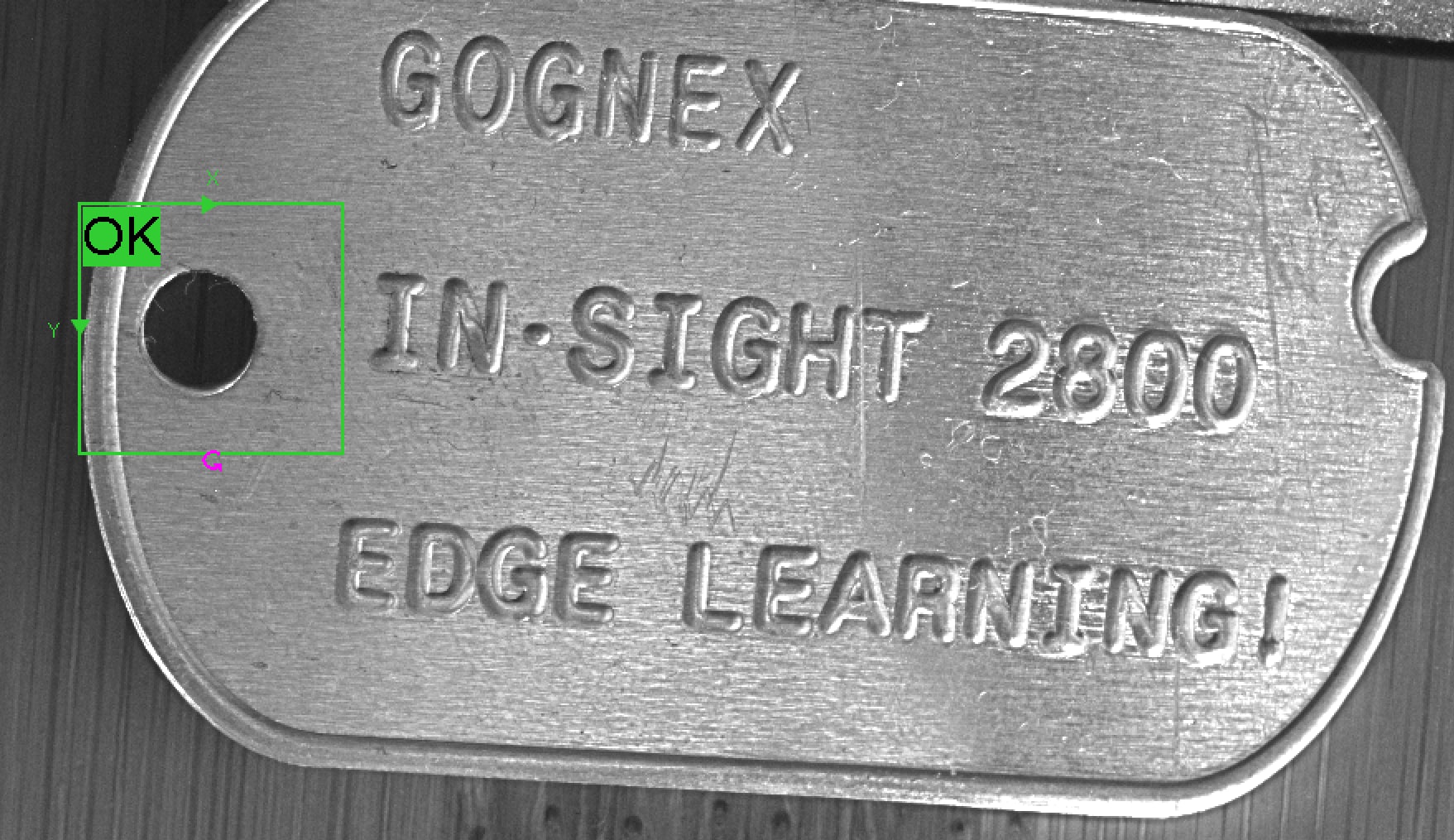
Open .svg file with your browser, this image will has overlay graphic with tool result.