

Question
How to set an In-Sight Vision Suite camera for Modbus TCP server industrial communication?
Answer
To set the camera to communicate in Modbus, you can do this from the In-Sight Vision Suite main page, by clicking here:
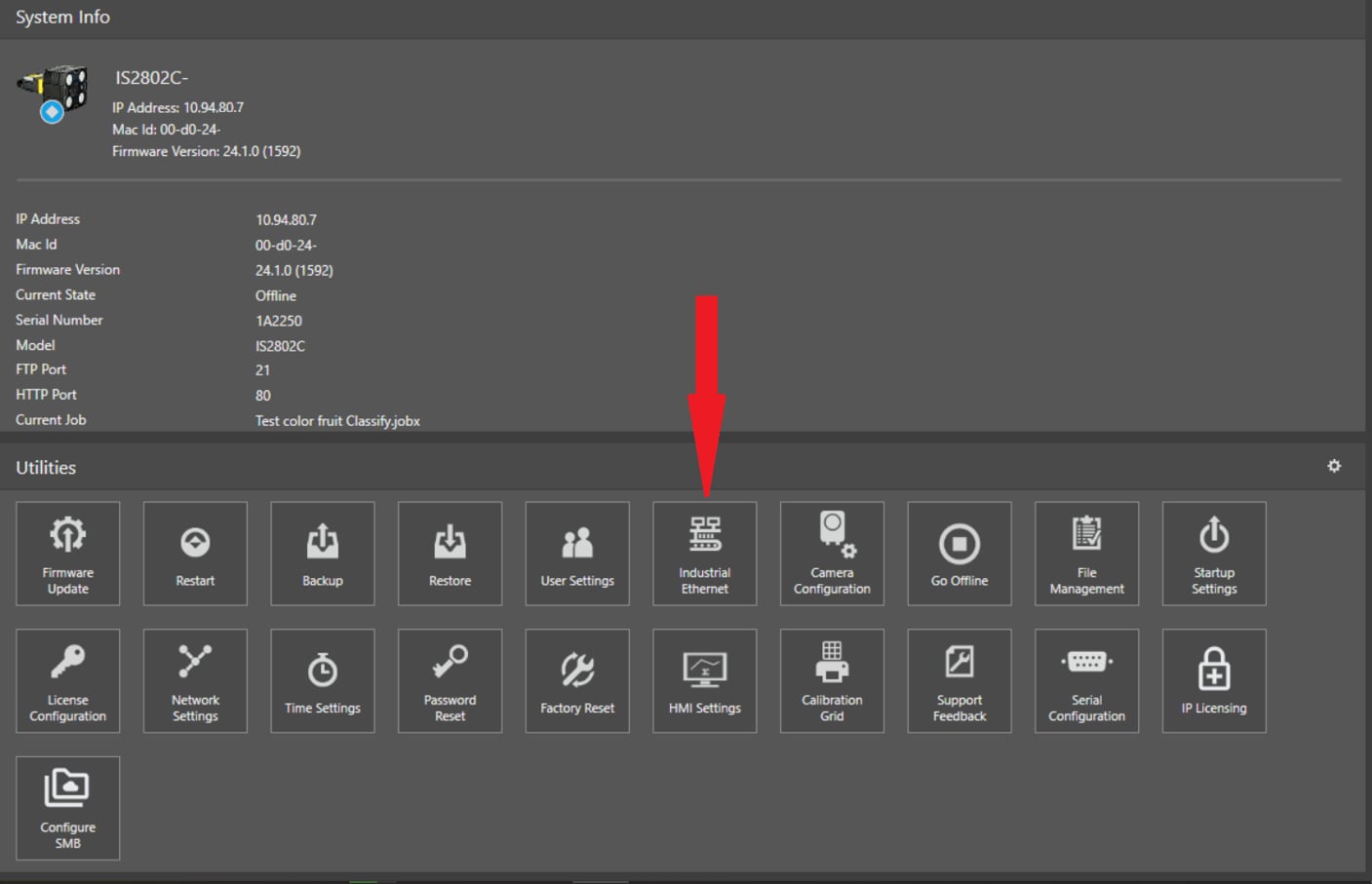
And then select, in the next window, Modbus as the preferred communication method:
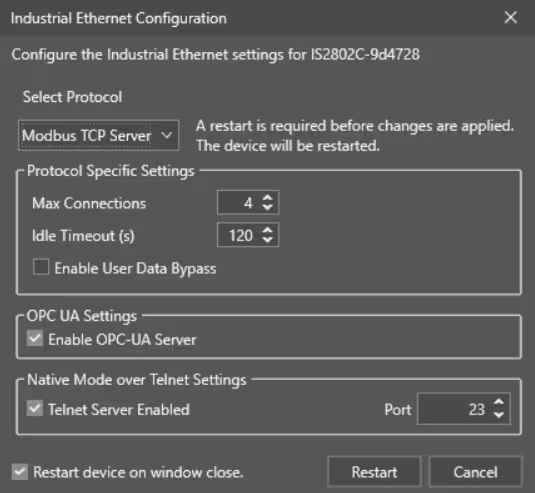
As you can see, a Restart is required once this parameter is set, so press Restart.
Once restarted, the camera will have communication set for Modbus.
