

Details
VisionView Web has the functionality of Offload images and job files to SD cards or USB drivers. This is not automatically done but images can be manually exported, as long as the device recognizes the external storage device.
When clicking "Save All", the system will compress the images into a .zip file before posting the prompt to select a save location. When you cancel this prematurely, this process is terminated.
When selecting "Remote", that is for saving files to a remote FTP server. This is only on-demand. In case of having an FTP server running on an external pc/server, the settings here can be used to save off images/jobs.
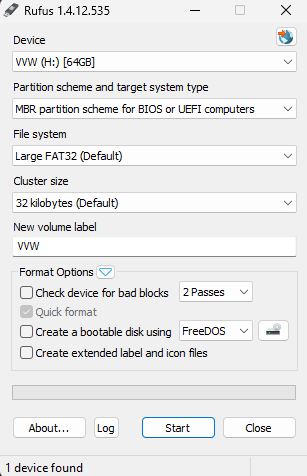
For saving to a flash drive, you must select "This PC". In order for the flash drive to be recognizable, it must be formatted as a FAT32 drive. NTFS and exFAT does not work. It must also be a non-bootable drive. For formatting, you won't be able to use Windows. A tool called Rufus can be used, but there are others out there. Here are the used settings for the test.
You do not need to power cycle the VisionView Web for your flash drive to be discovered.
