

Details
First you need to get the internal transformation values from your camera. They are stored as GigE features in the camera, so you can read them using the “Custom Properties” in the Image Source, and it should look similar (but not exactly) like this:
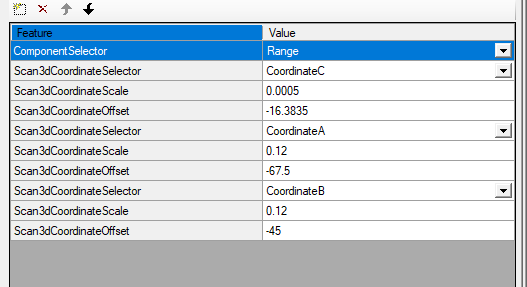
Then download this ToolBlock:
The Scale values from before need to be entered in the input terminals of the “ConvertGrey16ToCalibratedRange” TB:
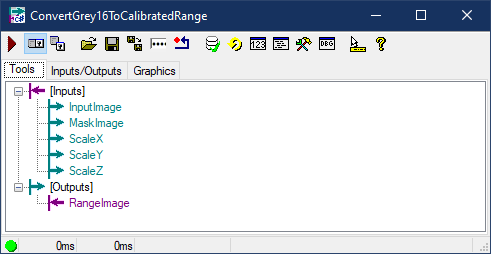
If needed, the offset values can be used as Cog3DVect3 translation in line 31 in the script of the same TB.
