Question
How to export Classification data over Modbus from In-Sight 2800 series camera in EasyBuilder view?
Answer
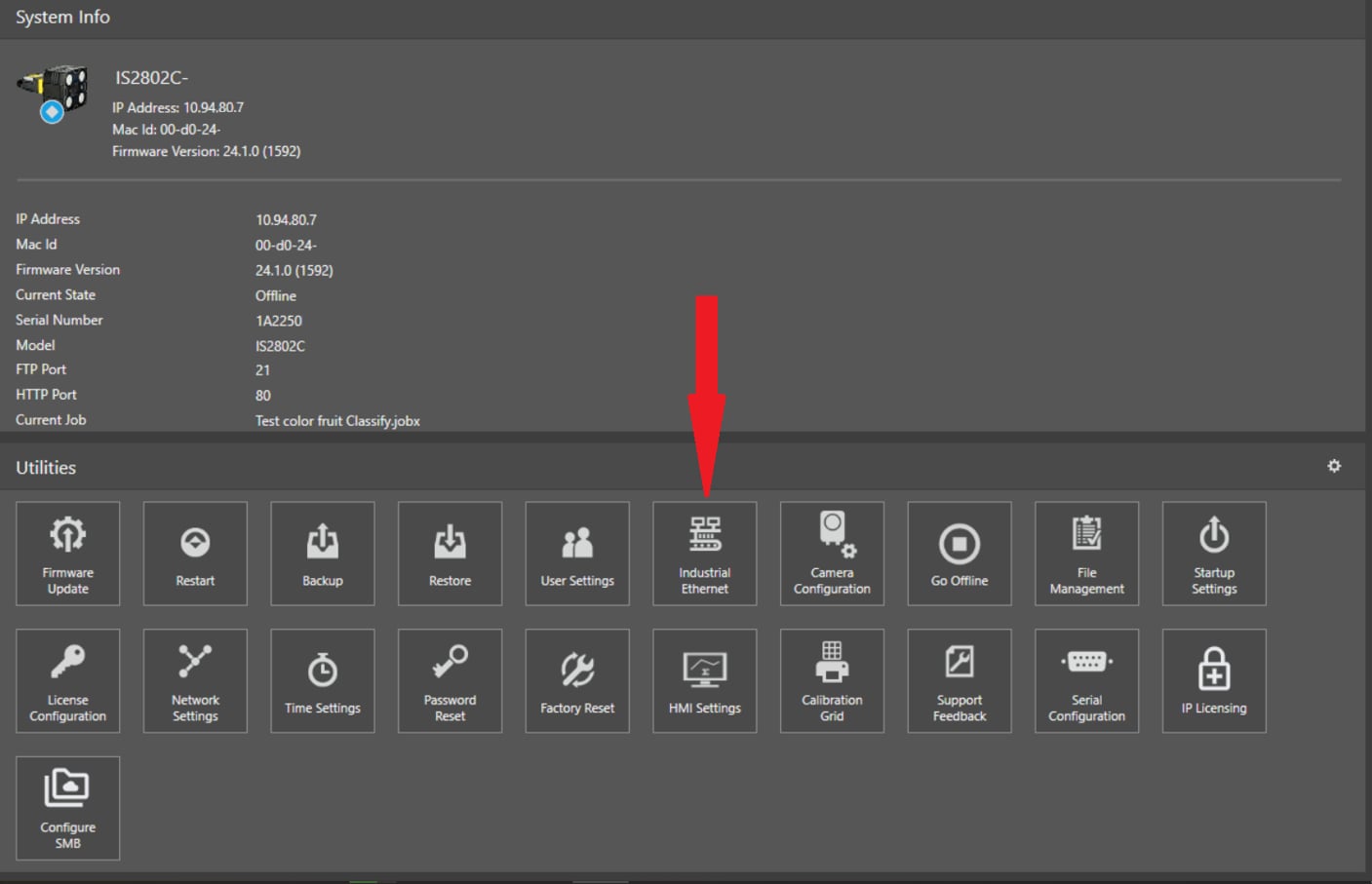
First of all, camera have to be set to communicate in Modbus, and you can do this from the In-Sight Vision Suite main page, clicking here:
And then select, in the next window, Modbus as the preferred communication method:
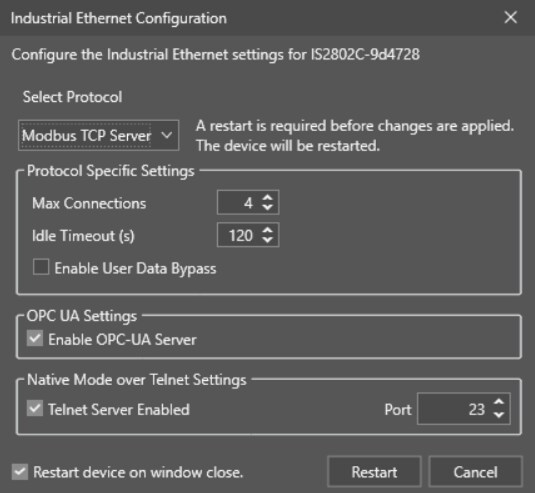
As you can see, a Restart is required once this parameter is set, so press Restart.
Once restarted, camera will have Communication set for Modbus
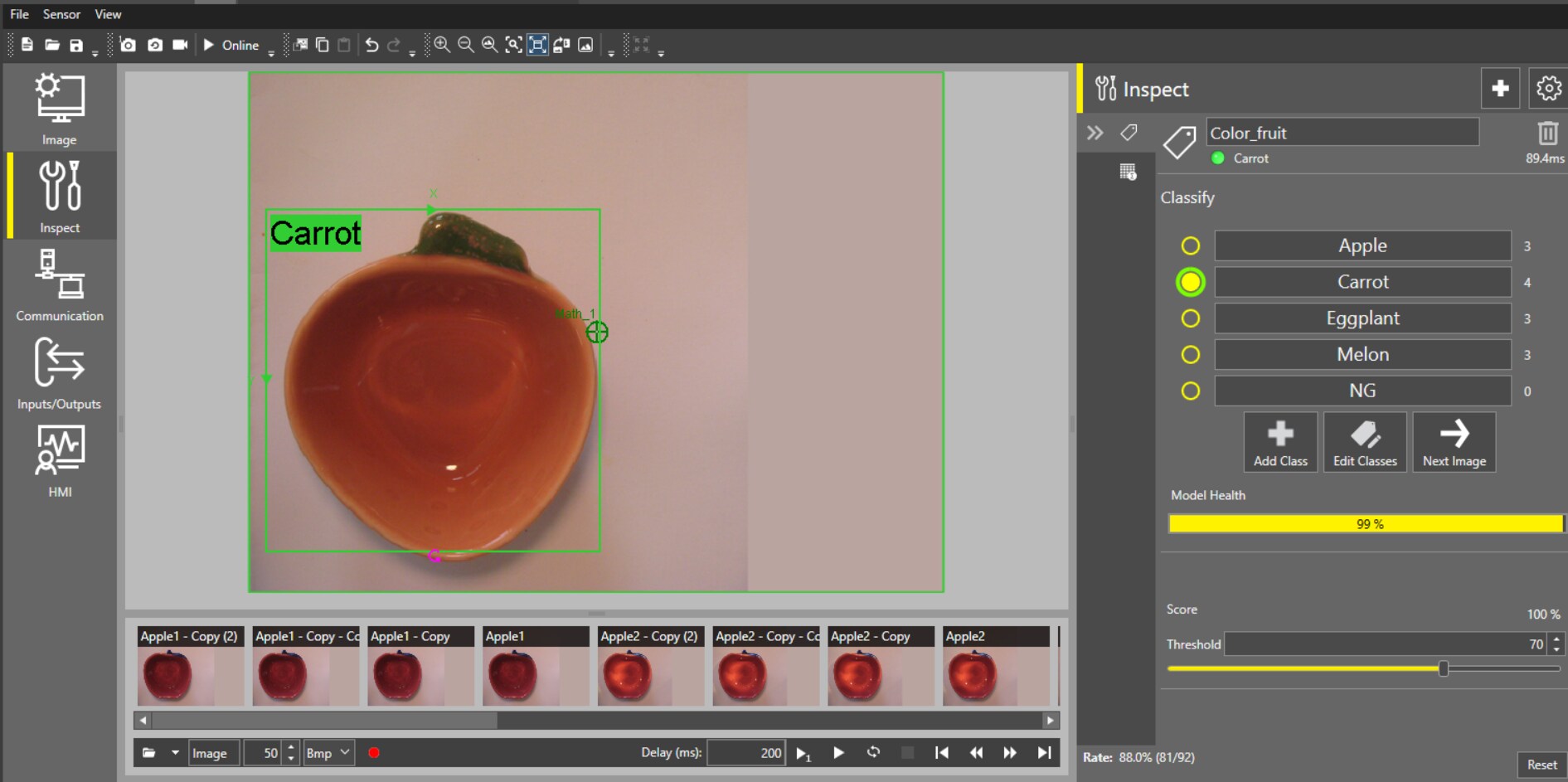
For this example, we will use a Classification like this:
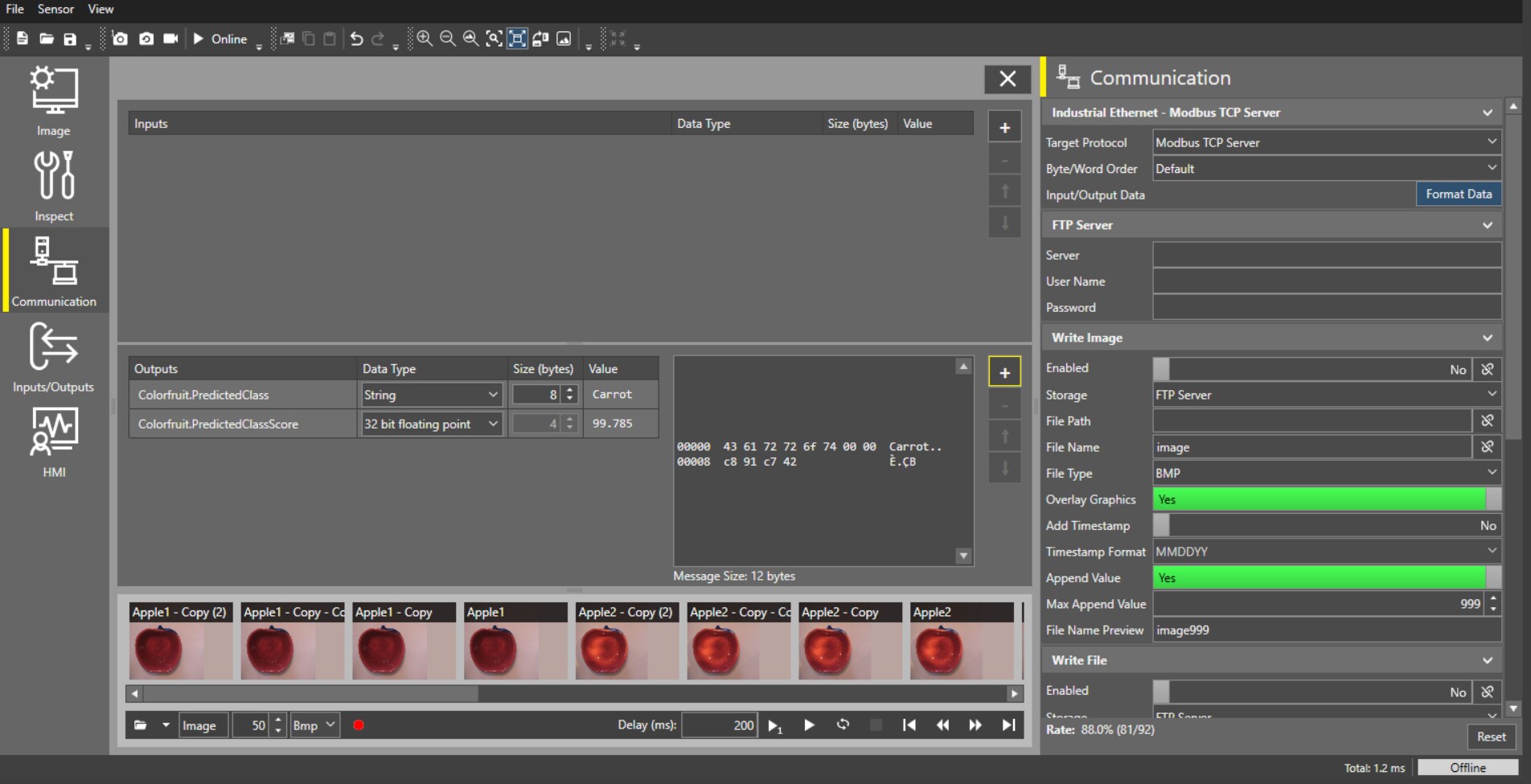
To export data via Modbus you need to go to the Communication button (1) then select Modbus from the Target Protocol menu (2) and click on Format Data (3)
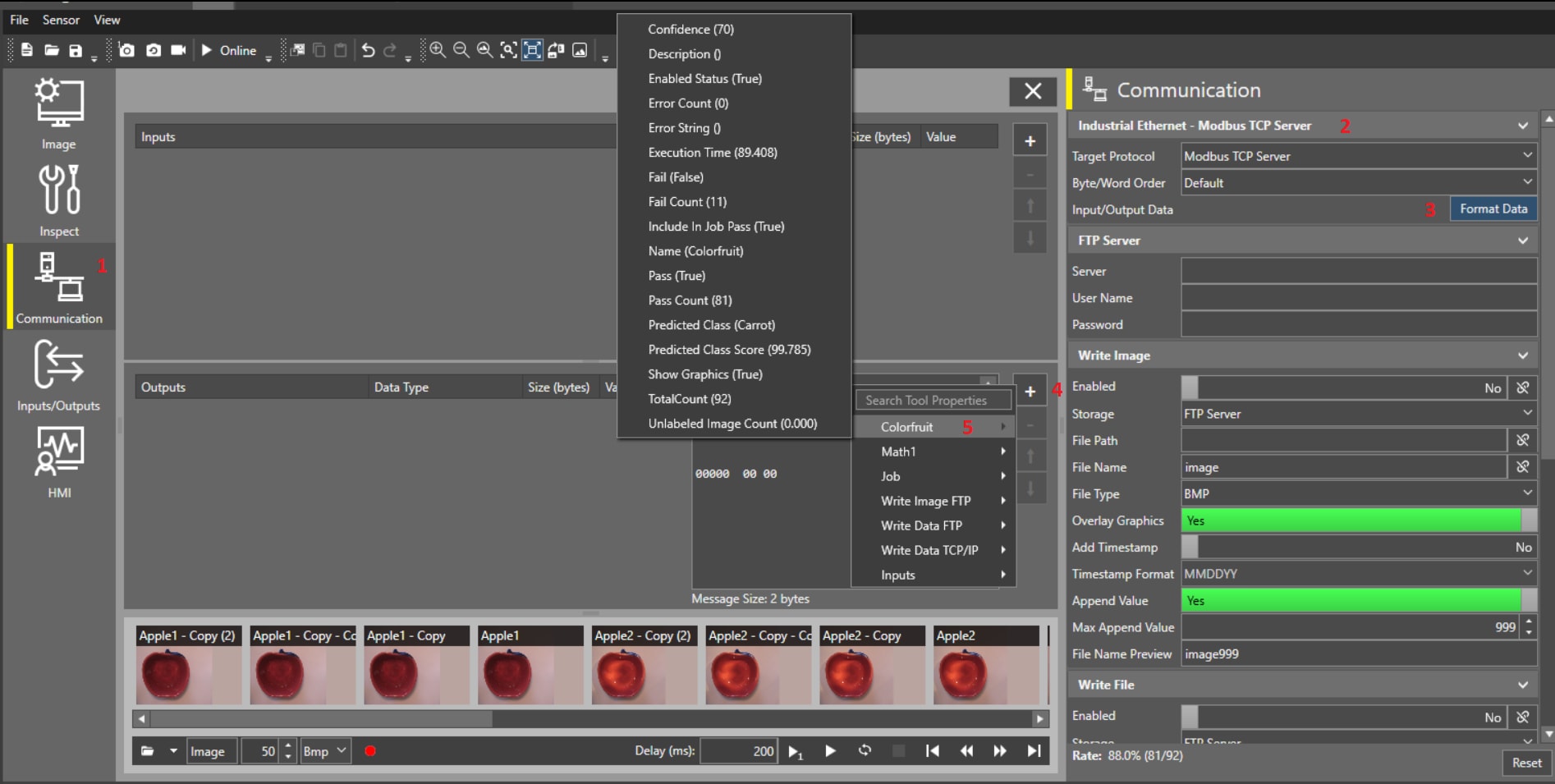
Now, in the Output tab click on + (4) to add data, then the tool from where you need to add data, in this case Colorfruit (5) and then select the data you want to send via Modbus.
As an example, I added Predicted Class and Predicted Class Score, and this is the result: