

Details
When decoding codes, it's possible that the same code appears multiple times within the field of view. As a result, the system might detect and process the same code more than once. To address this issue, we can use a JavaScript script to filter out duplicate detections. The script would compare the decoded strings and eliminate any repeated results that are located too close to a previously detected code. This way, duplicates are removed based on their proximity to the first detected instance.
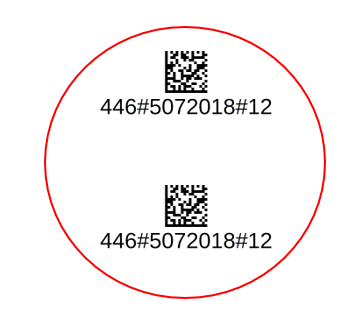
Sample script:
const RADIUS = 35; //This is tolerance in which we accept codes as duplicates. Need to be set up on site.
const NO_READ = 'No Read!';
const ENTER = '\x0D\x0A';
function onResult (decodeResults, readerProperties, output){
let outPutResult = NO_READ;
if (decodeResults[0].decoded){
const resultsLight = decodeResults.map(toLightData);
outPutResult = resultsLight.filter(findPossibleDuplicates).map(makeResults).join('');
}
output.content = outPutResult;
}
//Making a duplicate of data used for filtering
function toLightData(decodedResult) {
return {
point: { x: decodedResult.symbology.center.x, y: decodedResult.symbology.center.y },
content: decodedResult.content,
};
}
//Calculating distance between given codes. Checking if two codes are in the range of radius.
function distanceInRange(refPoint, candidatePoint) {
return Math.pow(candidatePoint.x - refPoint.x, 2) + Math.pow(candidatePoint.y - refPoint.y, 2) <= RADIUS * RADIUS;
}
//Looking for duplicates and
function findPossibleDuplicates(refResult, currentIndex, otherResultsArray) {
const duplicateArray = otherResultsArray.filter(function isDuplicate(candidateResult) {//zmien na duplicate array
return distanceInRange(refResult.point, candidateResult.point)
});
return refResult === duplicateArray[0];
}
//Making output string
function makeResults(data){
let temp = data.content +ENTER;
return temp;
}
