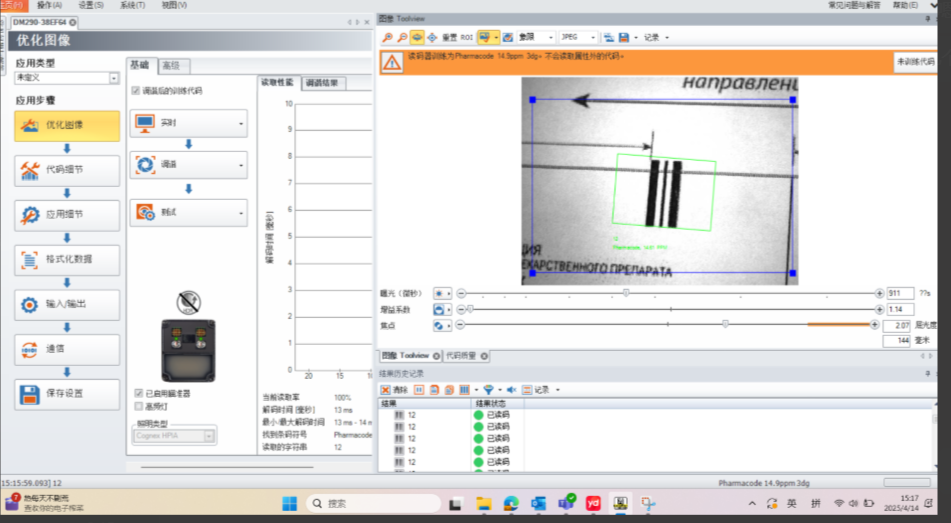
Details
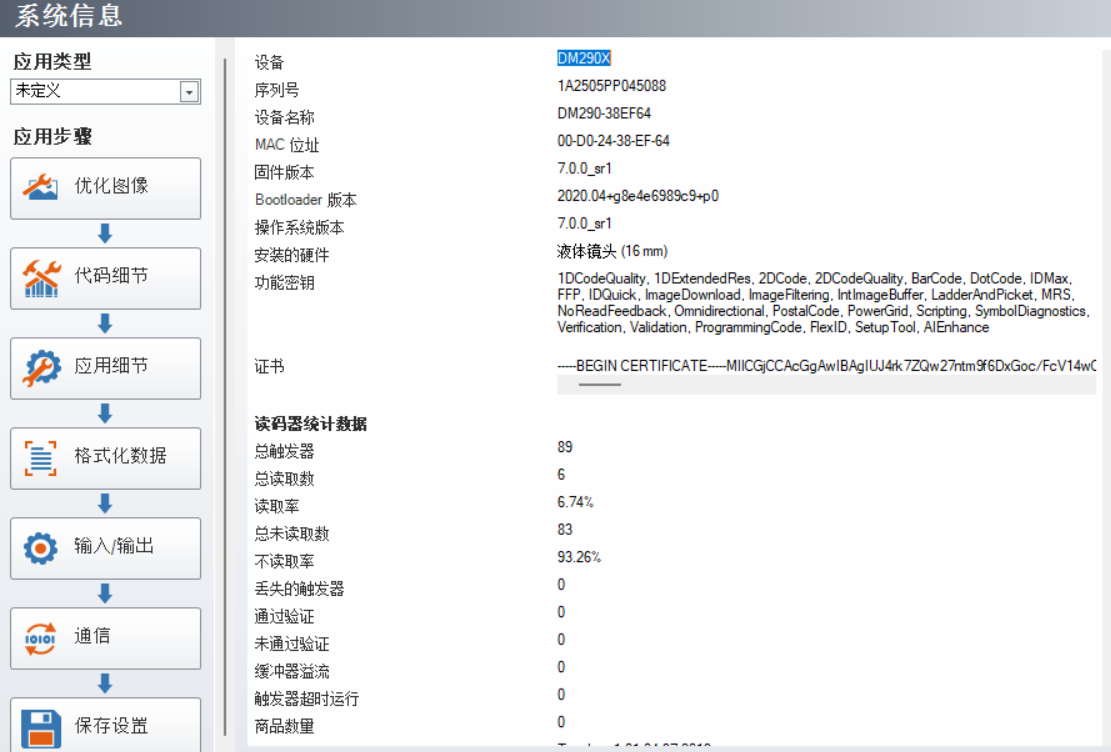
Update firmware to 7.0.0_Sr1 or higher.
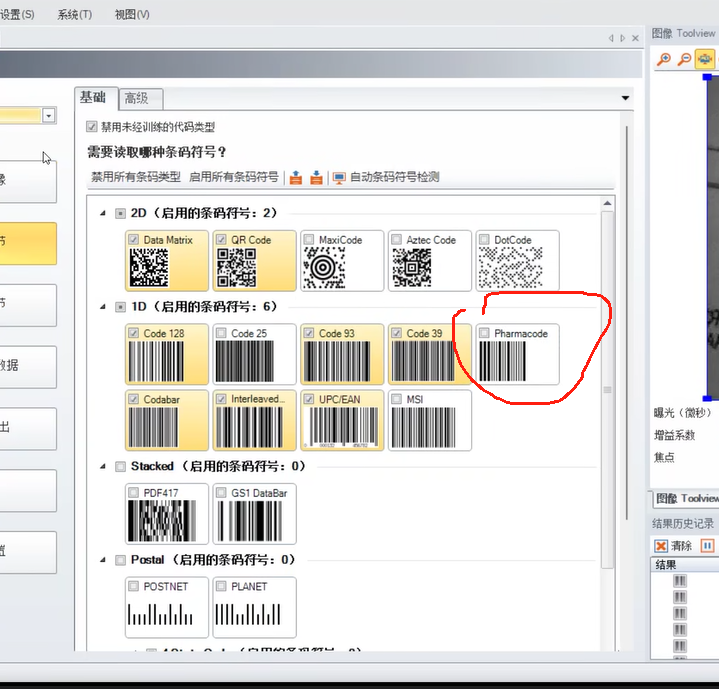
Enable Symbol Code, Home - Code Details -1D (enabled barcode symbol) - Check Pharmacode.
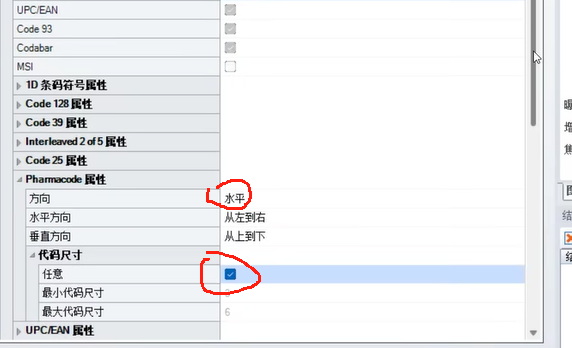
Code Advanced -Pharmacode property- Direction (Horizontal/vertical/Any - Code size - Check any.
Real-tuning-training can be successfully read after success.